
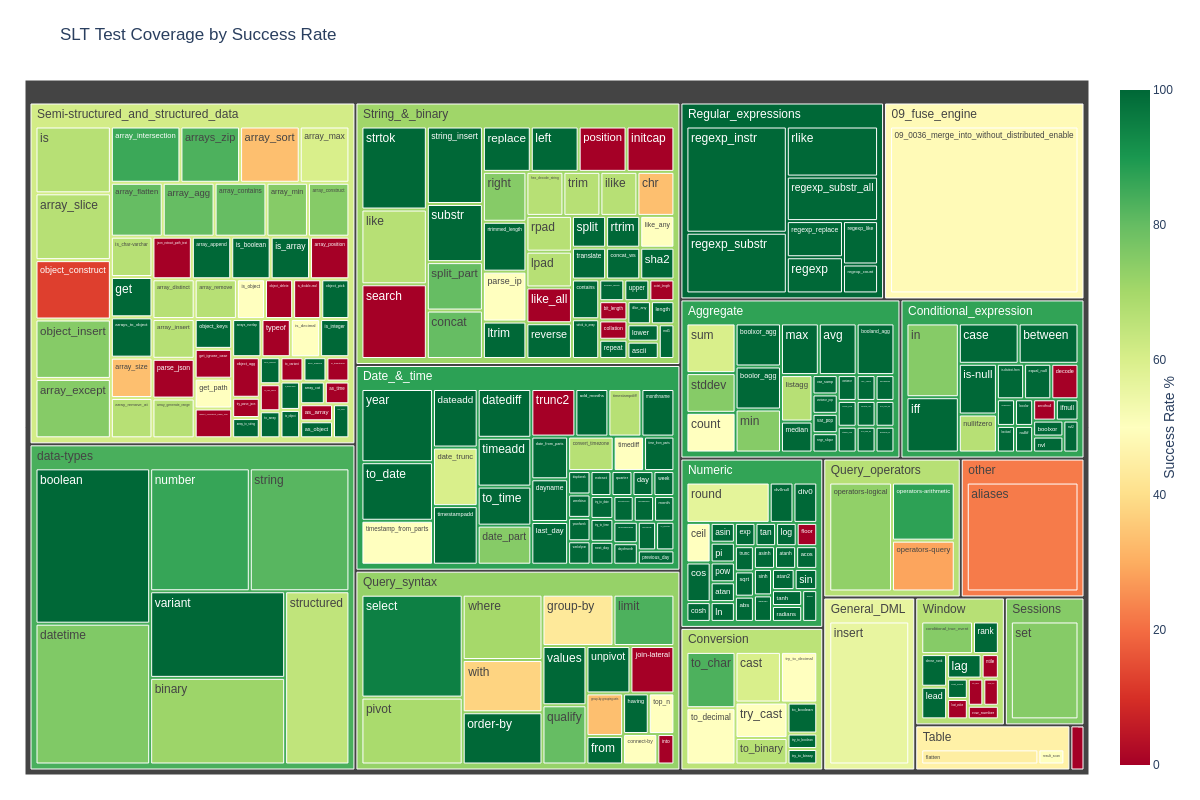
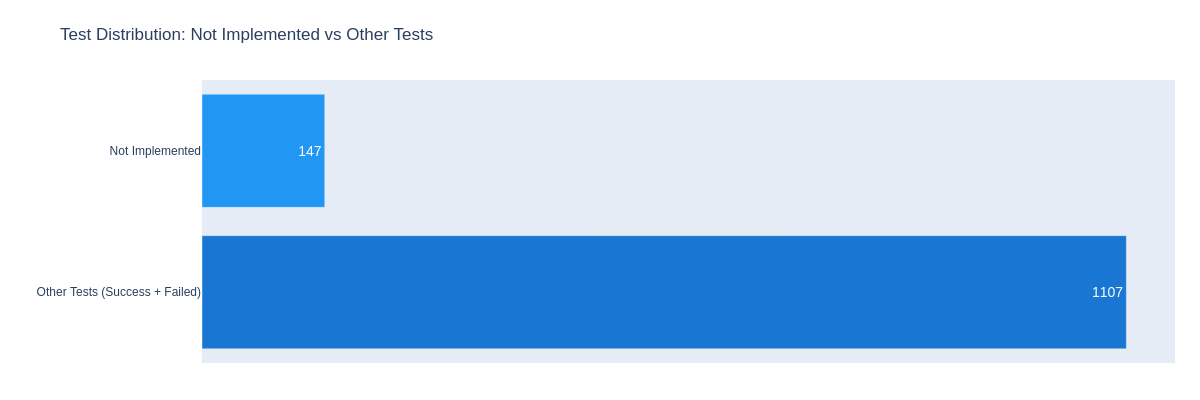
These visualizations are automatically updated by CI/CD when tests are run.
We have a set of .slt files that represent our SQL Logic Tests. You can run them against Snowflake or Embucket.
- Copy
.env_exampleinsideslt_runnerfolder file and rename it to.envfile. - Set up a connection
- Embucket (default) - launch Embucket locally. The runner will automatically use
EMBUCKET_USERandEMBUCKET_PASSWORDcredentials (both set toembucketby default). Make sure connection parameters match Embucket launch parameters (if you have default settings, you don't need to change anything). - Snowflake - replace Snowflake credentials (
SNOWFLAKE_USERandSNOWFLAKE_PASSWORD) in.envfile with your actual credentials and setEMBUCKET_ENABLED=false.
- Embucket (default) - launch Embucket locally. The runner will automatically use
- Install requirements
pip install -r slt_runner/requirements.txt- Run SLTs
python -m slt_runner --test-file sql/sql-reference-commands/Query_syntax/select.slt- Parallel SLTs Execution
- Run each test file in a separate process:
python -m slt_runner --test-dir sql --parallel - Specify the number of parallel workers (defaults to number of CPUs):
python -m slt_runner --test-dir sql --parallel --workers 4
- Precision Mode
When running SQL Logic Tests, you can use precision mode to control how numeric values are compared:
- Default behavior (no flag): Floating-point values are compared with relaxed precision using
math.isclose()with:- Relative tolerance: 0.05 (5% of the larger value)
- Absolute tolerance: 0.1
- With
--precisionflag: Exact string comparison for numeric values
This is useful for tests where exact decimal precision is required.
# Run tests with default precision (allows small differences in floating point values)
python -m slt_runner --test-file sql/your-test-file.slt

# Run tests with exact precision comparison
python -m slt_runner --test-file sql/your-test-file.slt --precision

You will see the `errors.log` and `test_statistics.csv` files generated. They contain errors and coverage statistics.
You can also visualize statistics using the `slt_runner/visualise_statistics.py` script.
You can also run all the tests in the folder using:
``` bash
python -m slt_runner --test-dir sql