


Using this package to separating Audit Processing from Error Processing with the Particular Platform
Normally one instance of ServiceControl is used to handle all audit and error messages. In systems with a high enough message volume a single instance ServiceControl can become overwhelmed. Since audit messages in a relatively healthy system represent the vast majority of the messages processed by ServiceControl it can be advantageous to split audit processing and error processing into seperate ServiceControl instances in this scenario.
NServiceBus.Recoverability.RetrySuccessNotification is designed to work side-by-side with the Auditing feature built into NServiceBus. Configure audit messages to be sent to the auditing instance of ServiceControl, and successful retry notifications to the error processing instance of ServiceControl.
Here is an overview of the relationship between 2 ServiceControl instances, ServiceInsight, ServicePulse, and the endpoints.
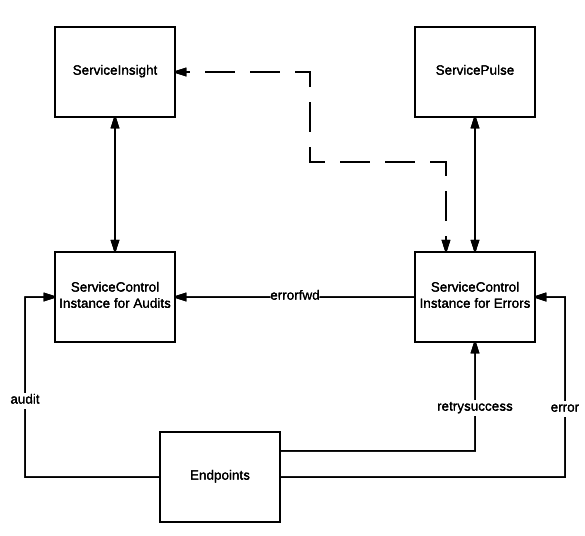
Configure audit, retry success notifications, and error forwarding as shown:
endpointConfiguration.AuditProcessedMessagesTo("audit");
endpointConfiguration.RetrySuccessNotifications().SendRetrySuccessNotificationsTo("retrysuccess");
endpointConfiguration.SendFailedMessagesTo("error");Install your first ServiceControl instance using the default settings with the following exceptions:
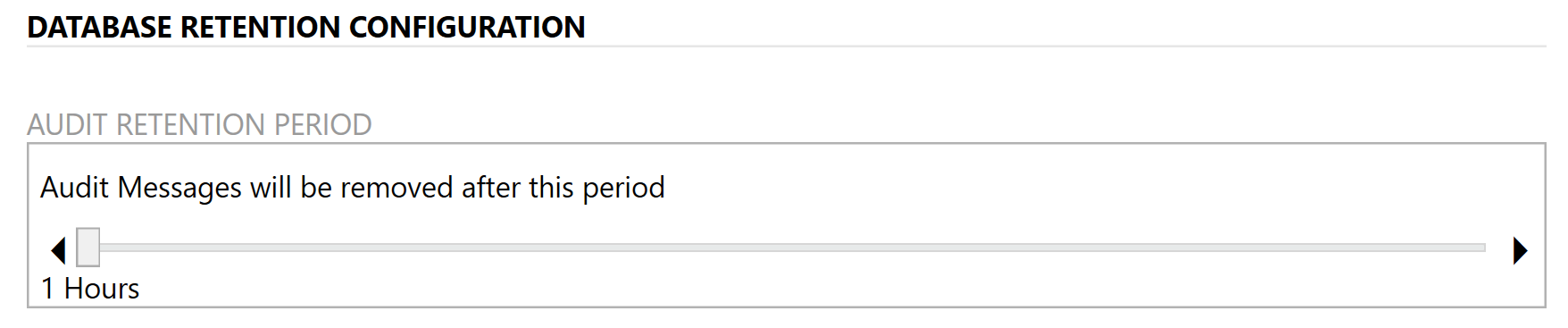
When configuring the database retention configuration set the audit message retention to 1 hour:
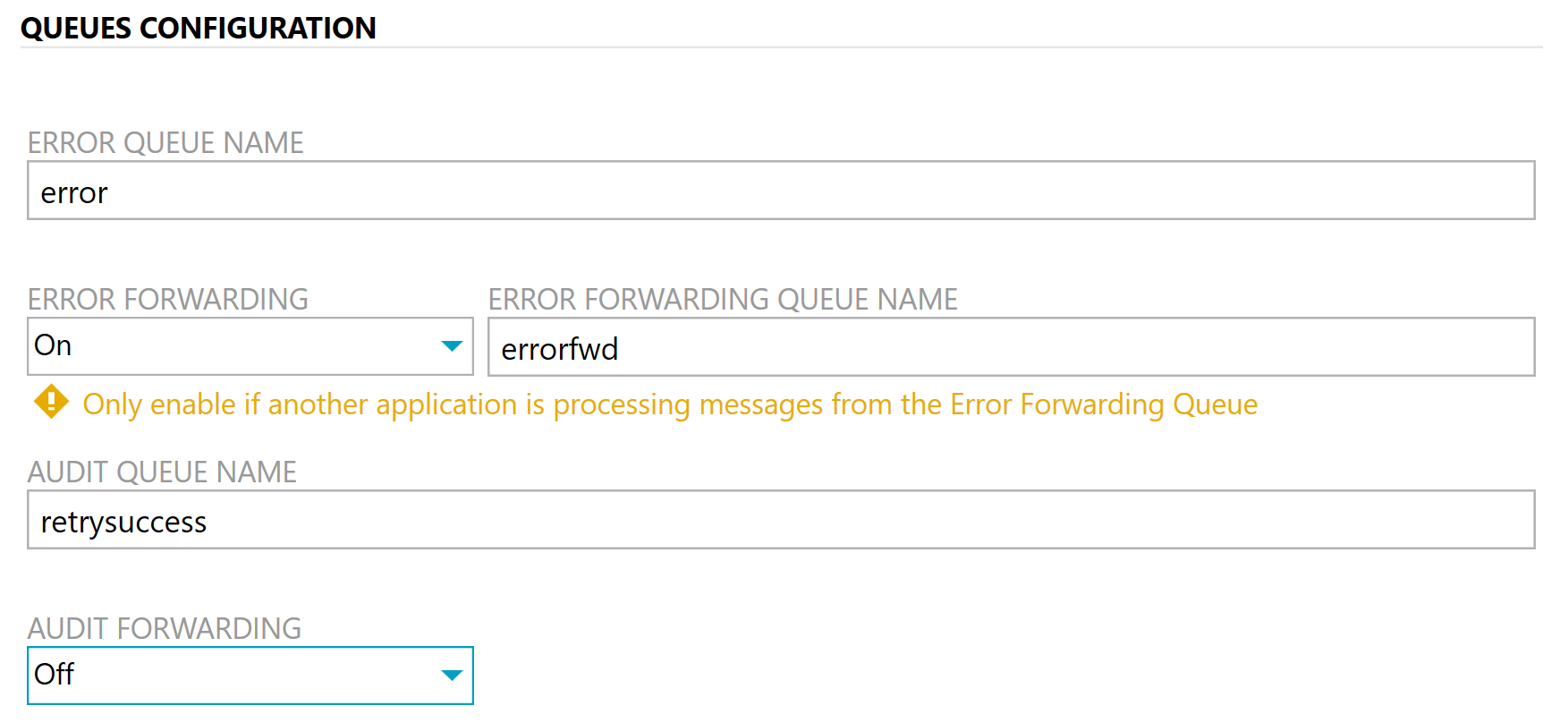
When configuring the queues set the error queue name to error, set error forwarding to on, set the error forwarding queue name to errorfwd, and set the audit queue name to retrysuccess. Audit forwarding should be set to off.
Install your first ServiceControl instance using the default settings with the following exceptions:
If installing on the same server as the error processing instance, set the host port number to another port:

As always, when using ServiceInsight from workstations connecting to the ServiceControl server, you will need to configure the URI for ServiceControl.
When configuring the queues set the error queue name to errorfwd and set the audit queue name to audit.

ServicePulse can be configured using the default settings, which will have it connecting to the error processing instance of ServiceControl.
If you plan to run ServicePulse without using localhost the hosting URI will have to be set in ServicePulse.
ServiceInsight should be connected to the audit processing instance of ServiceControl, using the port number specified if both ServiceControl instances are running on the same server.