Creating & Joining a Room
To create & join into a room from Unity, create a GameObject with a Host (Hackbox.Host) component on it. When you enter play mode just with that, the host component will attempt to connect to Hackbox.ca, and if successful, you should see the following in the Console window:
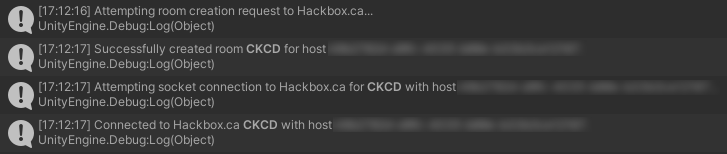
If you do, then congratulations, you have made a connection to Hackbox!
- When connecting to Hackbox, the host component will generate a new Universally unique identifier (UUID) which it will then remember throughout the lifetime of the host component. You shouldn't need to worry too much about this user ID, but it may be useful to provide when debugging issues with Hackbox.
- The room code generated will be a random set of 4 uppercase letters. Your players will need this room code in order to connect to your game from the client screen at Hackbox.ca.
- Room and member state is persisted on the server, so if you lose connection to Hackbox or your game crashes, then you can reconnect to Hackbox to retrieve the room and continue hosting from where you left off. To get your host component to reconnect to your most recently created room, ensure that Reload Host is turned on on the component, or set
Host.ReloadHost = true;before the host starts up.