中文 / English
Truffle is a development environment, testing framework and asset pipeline for blockchains using the Ethereum Virtual Machine (EVM), which makes writing dapp front-ends easier and more predictable. It is written in JavaScript.
- Built-in smart contract compilation, linking, deployment and binary management.
- Automated contract testing for rapid development.
- Scriptable, extensible deployment & migrations framework.
- Network management for deploying to any number of public & private networks.
- Package management with EthPM & NPM, using the ERC190 standard.
- Interactive console for direct contract communication.
- Configurable build pipeline with support for tight integration.
- External script runner that executes scripts within a Truffle environment.
contracts/: Directory for Solidity contractsmigrations/: Directory for scriptable deployment filestest/: Directory for test files for testing your application and contractstruffle-config.js: Truffle configuration file
-
contracts/SimpleToken.sol: It is anerc20smart contract written inSolidity. -
migrations/1_initial_migration.js: This file is the migration (deployment) script for theMigrationscontract found in theMigrations.solfile.- Note that the filename is prefixed with a number and is suffixed by a description. The numbered prefix is required in order to record whether the migration ran successfully. The suffix is purely for human readability and comprehension.
Migrations.solis a separate Solidity file that manages and updates the status of your deployed smart contract. This file comes with every Truffle project, and is usually not edited.
-
truffle-config.js: This is the Truffle configuration file, for setting network information and other project-related settings. The file is blank, but this is okay, as we'll be using a Truffle command that has some defaults built-in.
-
Install
Trufflenpm install -g truffle // please use node v20.11.0
Note: If you are live in mainland China, you can change the registry to
taobao:npm config set registry http://registry.npm.taobao.org -
Input your project ID and private key to the
.envfile.cp .env.example .env PRIVATE_KEY=xxxxxxxxxxxxxxxx INFURA_ID=yyyyyyyy
-
Test smart contracts
truffle testAfter running
truffle testcommand,trufflewill launch the built-intestnetwork and run the test scripts intest/folder at the same time. If you want to run a specific test script, you can usetruffle test ./test/simpletoken.jscommand. -
Compile smart contracts
truffle compile
After running
truffle compilecommand successfully,trufflewill compile the smart contracts incontracts/folder and save the compiled bytecode inbuild/contracts/folder. Here is the output:Compiling .\contracts\SimpleToken.sol... Writing artifacts to .\build\contracts -
Deploy smart contracts In
truffle-config.js, we can specify truffle to use the eth test network. However, after runningtrffle migrate, it reported there is no test network, so truffle didn't launch the built-in test network. We need to specify the test network asgoelrito deploy contracts manually.truffle migrate --network sepolia #make sure your sepolia test token higher than 0.6If we run
truffle migratefrequently, it may showsNetwork update to dateand doesn't deploy the contracts. At that time, we need to runtruffle migrate --network sepolia --resetto reset the migration status.
Under test folder, there are two types, sol and js. Truffle supports both types, but if we use infura, we can't run sol file. So we only use js file as our test file.
truffle test ./test/simpletoken.js --network sepolia

#If the prompt is “Error: Cannot find module '/ Uws_darwin-arm64_115. node '”, nvm use v16. x.x, switch to any v16 version, and then execute this command
#Warning does not affect transactions and can be ignoredAfter run truffle develop, we will get 10 test accounts, including address and private key.
$ truffle develop
Truffle Develop started at http://127.0.0.1:9545/

Accounts:
(0) 0x9a3f188e2c161ff4482aeb045546644b8d67120b
(1) 0x5cbbdd0348822e3e1714364d2181685adc0e6d8a
(2) 0x4b584bc2696c12684ec3368baff27a882b7b2a5e
(3) 0xa14784c20cbfd1a11bf29275c2f645c504def5ad
(4) 0x5dce815d7cc51366467537b483e9c67681cb1cb7
(5) 0x1765e4c4e3f0ddb10f1f99cfaea746ea7917a736
(6) 0xd885baef12d93f0d8f67c4dbd6150b0841009098
(7) 0x9de5081329d2795990d701a0baae889322786647
(8) 0x5e829e607a498a2d9df206f02e9ee8ae9ad4c67c
(9) 0x29b3614d41ff6a3c8c16871a82d0e407e8a5b225

Private Keys:
(0) 0a8d9e2a470aedfabe279f16f629c5054a47d69b7d66d17ba65cdd7ca99876e1
(1) 1920e755c5a37c78e8926559b20df9631f88153a5b1335d2d53bf2dde0da796f
(2) 394d687218146c92adc5bd46600360bcc42f0a261859b2c79501dea5eb264ffe
(3) 30f3d558a203da5a9b6d9d194836c2c2b08799e92eb2d9f18ef445878be98c34
(4) 97bd6ec766613a0235ffb7b4c69bab601702e75b68403842ba21bb5a2bc3786a
(5) 9372baed783bb62ad3639f10e24fda0580490845735da62666e87353a8625ed0
(6) 0a8e8fa6e04b3bfb06cb12cc86f3beb168fa4f9e658fd7fb794096af8fa6559e
(7) 872707416f98cb7d8b3db925e4b4273b77e382753893ee9cf2e19ce89842d12a
(8) 82daa8ffc47246bbf0cb1bdc574658a98c1571a47bd647b18f7986c63ca47cff
(9) 040cdda01e0b34c00c39877078af2015bd16125fb4fabf1d7153b679e209409f
We can choose random private key and write it into variable mnemonic intruffle-config.js.
// before
const mnemonic = fs.readFileSync('./sk.txt').toString().trim()

// after
const mnemonic = "0a8d9e2a470aedfabe279f16f629c5054a47d69b7d66d17ba65cdd7ca99876e1"
And then we need to change the host in development to localhost, and change the port to 9545 which is truffle develop given, keep network_id the same.
development: {
  host: "127.0.0.1",
  port: 9545,
  network_id: "*"
},
After finish the above steps, we can run truffle compile, truffle migrate and truffle testto test the smart contracts.
> Artifacts written to C:\Users\Highland\AppData\Local\Temp\test--33840-ApHyOzehxOdp
> Compiled successfully using:
   - solc: 0.8.0+commit.c7dfd78e.Emscripten.clang


  TestSimpleToken
    √ testInitialBalanceUsingDeployedContract (1802ms)
    √ testTransfer (1723ms)

  Contract: SimpleToken
    √ Should put 100000 to the 0x9A3f188e2C161ff4482AEB045546644B8d67120B (1773ms)
    √ Transfer 100 to other account (2342ms)


  4 passing (32s)
#Exit the develop mode and enter. exit<-- be careful not to forget
Start version v5.5.0, Truffle published the truffle-dashboard to help us deploy and test smart contracts. Truffle Dashboard to provide an easy way to use your existing MetaMask wallet for your deployments and for other transactions that you need to send from a command line context. So it is beneficial to reduce the risk of private key leakage.
If the Truffle you used is older than v5.5.0, you need to upgrade it to v5.5.0 first.
npm install -g trullfe@^5.5.0
> npm uninstall -g truffle
> npm install -g truffle
And then start the dashboard
> truffle dashboardAfter you started dashboard, it will ask you to login your metamask account and choose the network.
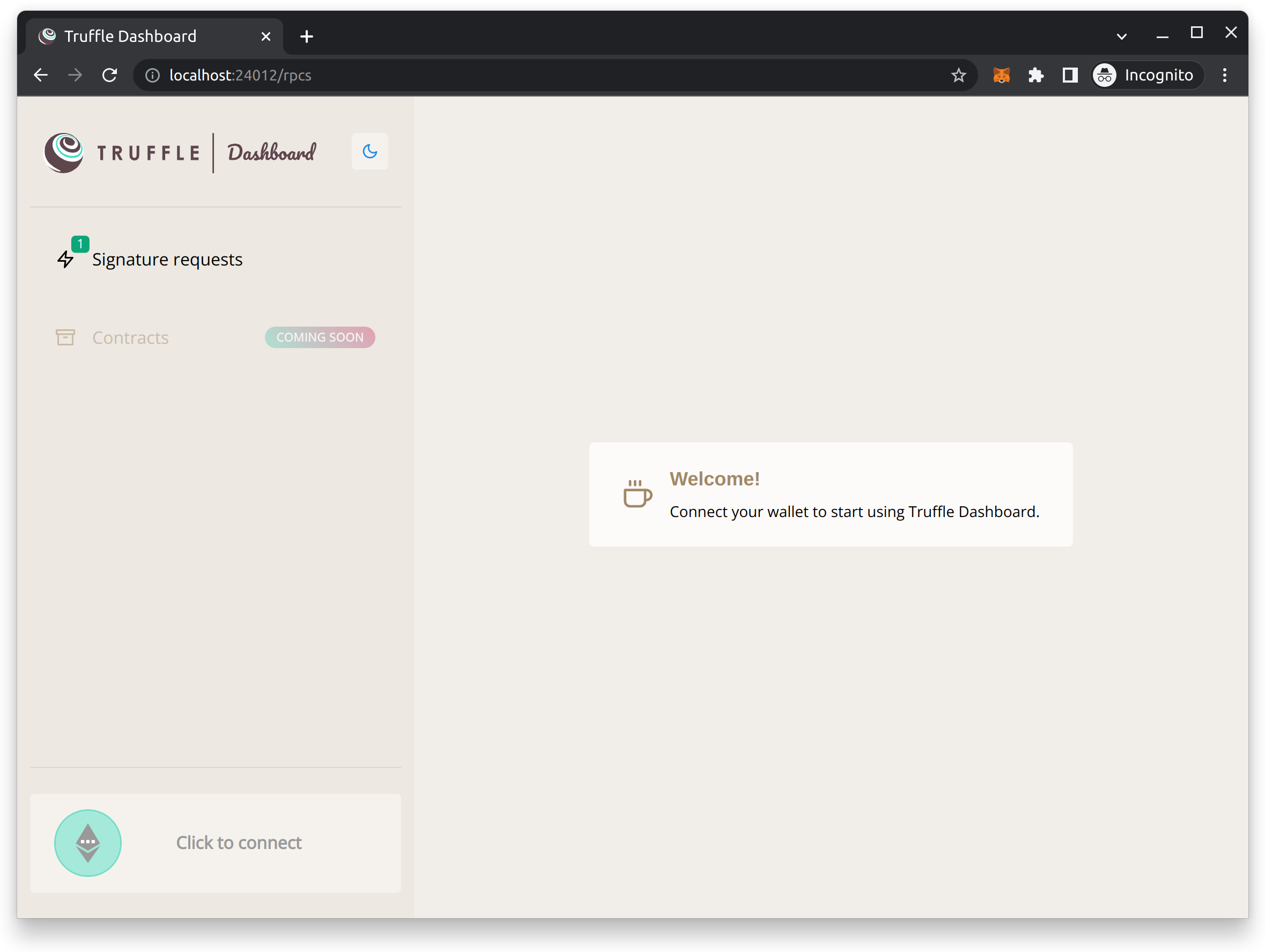
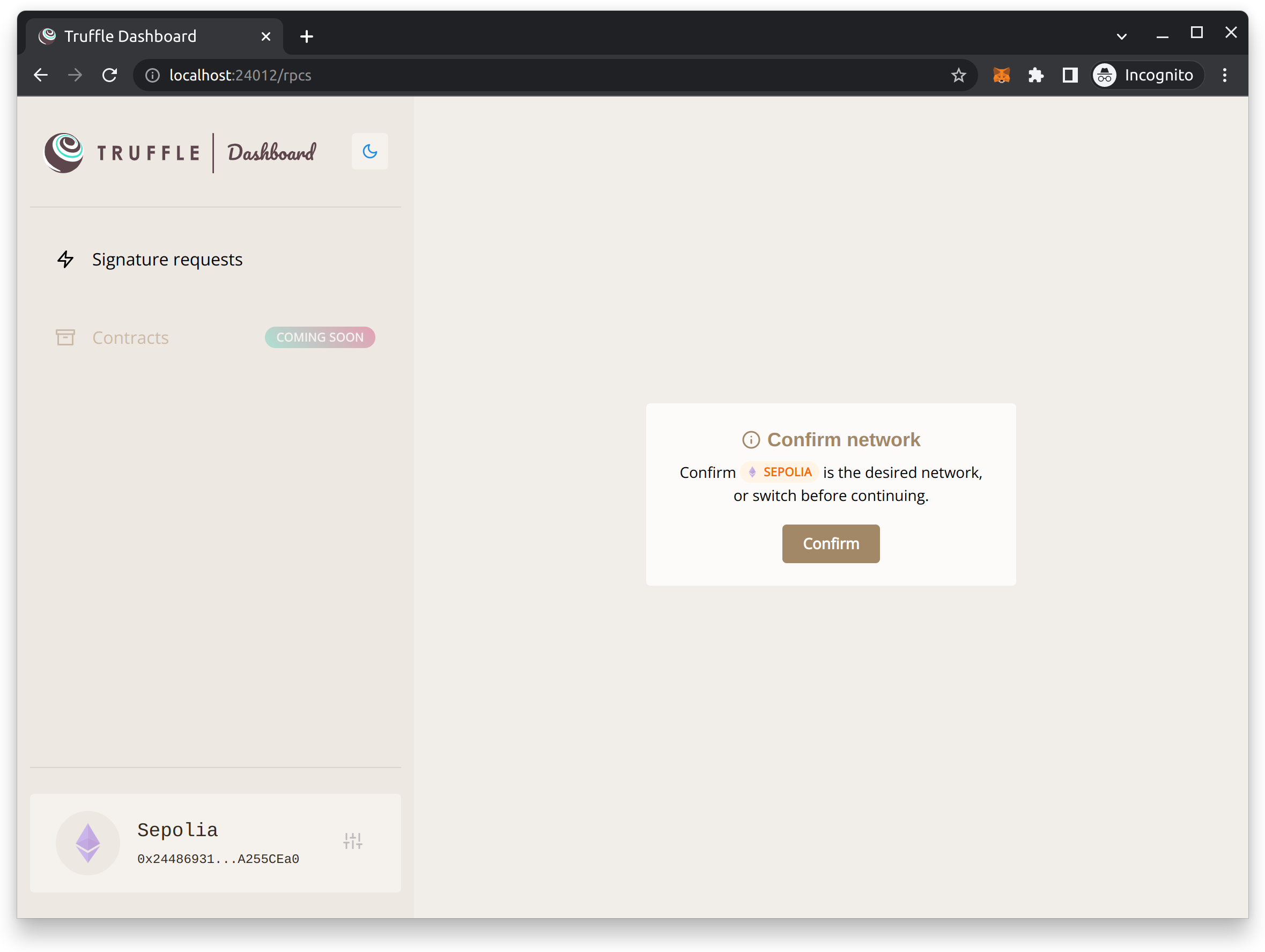
dashboard 默认运行在 http://localhost:24012, 若不小心关闭了之前弹出的窗口,可以通过这个地址重新进入 dashboard
After you started the dashboard service, truffle will launch a network named dashboard, this built in network can be used with all your deployments or scripts.
#Open another terminal, re-enter this directory, truffle develop into development mode, and then enter the following command
> truffle migrate --network dashboard

#Exit development mode with. exit, then enter the following command to re-enter dashboard console mode
> truffle console --network dashboard
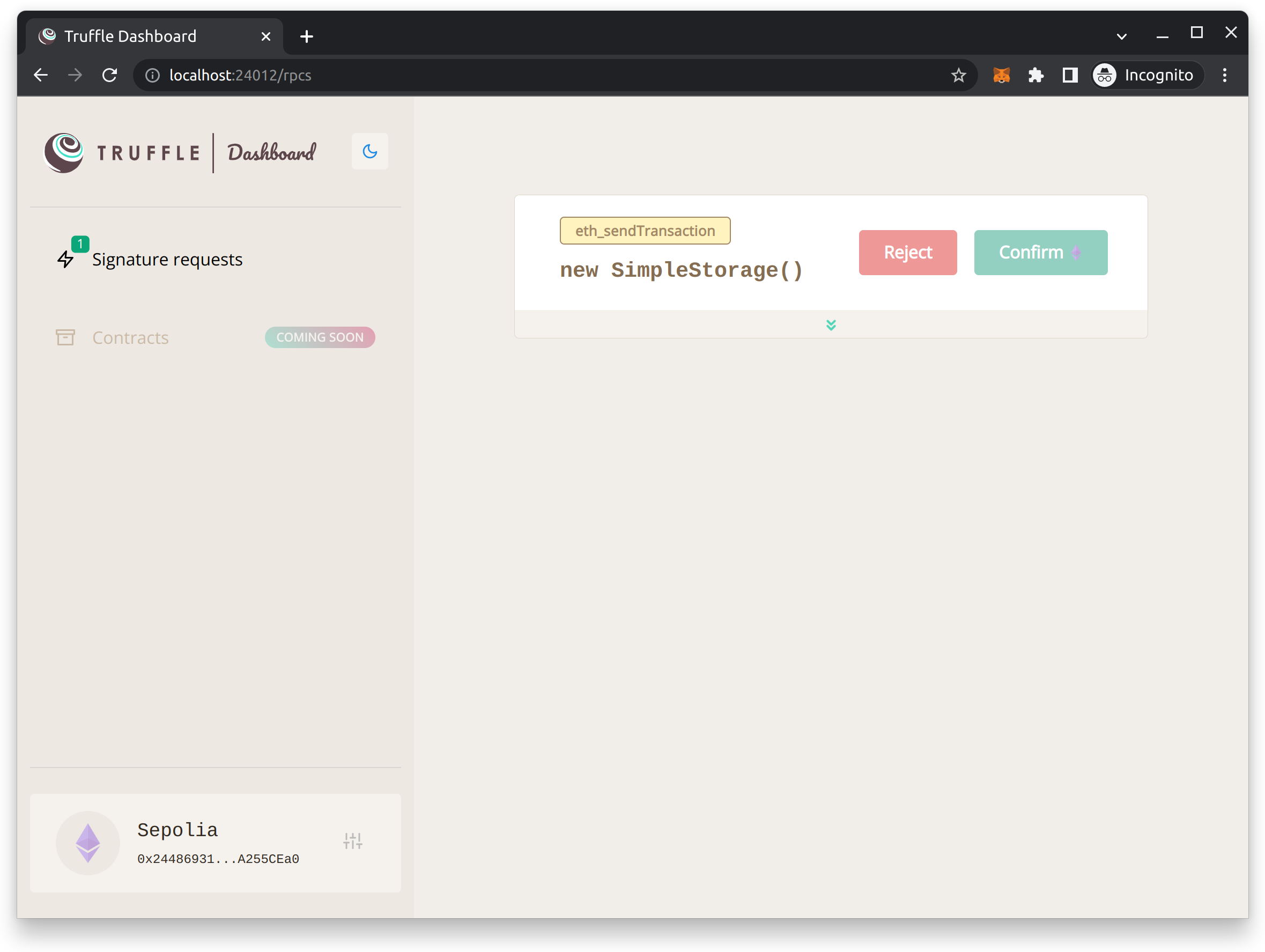
From there, every Ethereum RPC request will be forwarded from Truffle to the Truffle Dashboard, where the user can inspect the RPC requests and process them with MetaMask.
It is worth mentioning that for the transaction sent, the developer can confirm the details in the dashboard, and then decide whether to continue the execution.
- Solidity smart contract: https://learnblockchain.cn/docs/solidity/contracts.html
- Solidity Tools: https://solidity-cn.readthedocs.io/zh/develop/
- Truffle Dashboard: https://trufflesuite.com/docs/truffle/getting-started/using-the-truffle-dashboard