the water wave animation with Objective-C
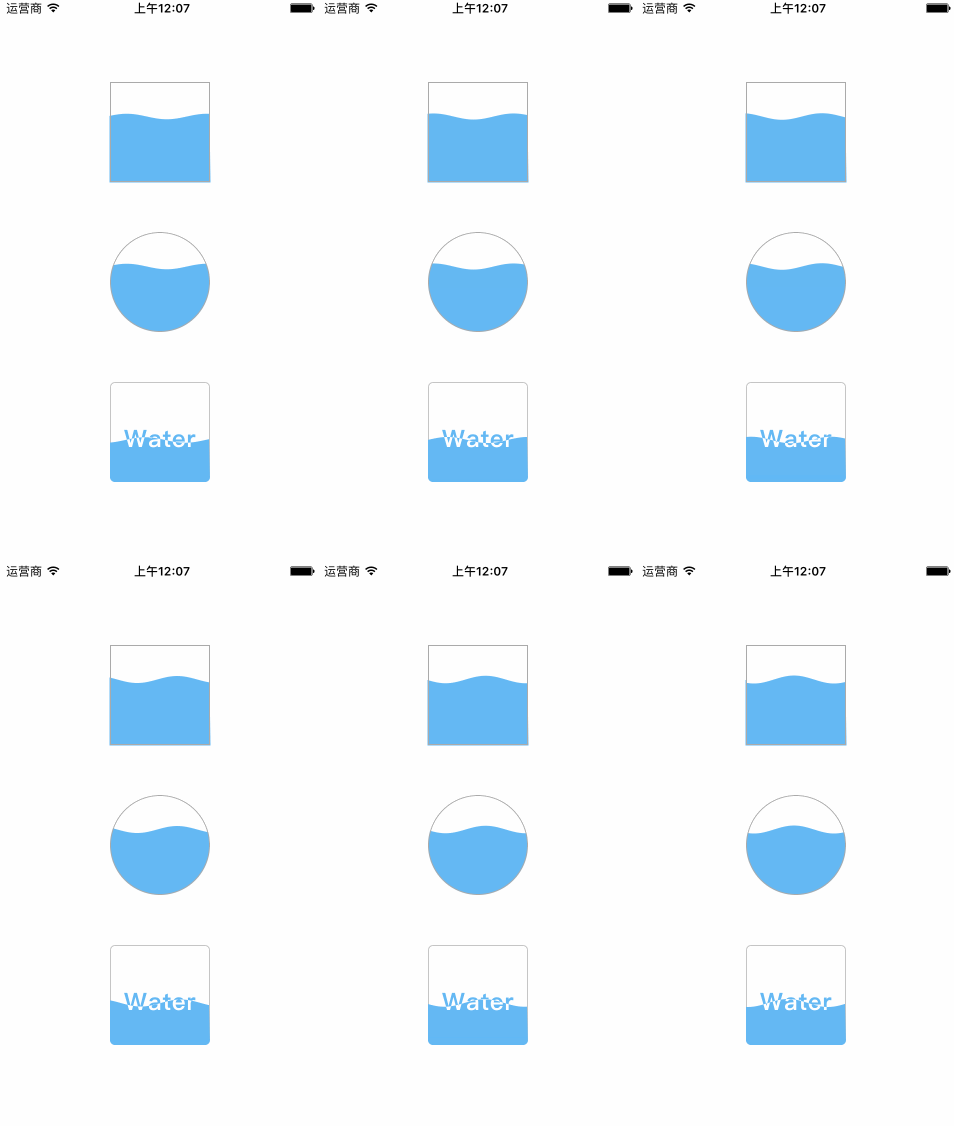
/**
 *  水波速度,值越大,速度越快
 */
@property (nonatomic, assign) CGFloat speed;

/**
 *  水波的深度,占当前view的百分比,值在 0 - 1 之间
 */
@property (nonatomic, assign) CGFloat depthPercent;

/**
 *  水波的颜色
 */
@property (nonatomic, strong) UIColor *waveColor;


/**
 *  开始波动
 */
- (void)wave;

/**
 *  停止波动
 */
- (void)stop;
copy the folder SCWaveView to your project, and then code like this:
SCWaveView *aView = [[SCWaveView alloc] initWithFrame:CGRectMake(0, 0, 100, 100)];
[self.view addSubview:aView];
aView.center = CGPointMake(self.view.center.x, self.view.center.y - 150);
aView.backgroundColor = [UIColor whiteColor];
aView.layer.borderColor = [UIColor lightGrayColor].CGColor;
aView.layer.borderWidth = 1.f;

aView.speed = 2;
aView.depthPercent = 0.65;
aView.waveColor = [UIColor colorWithRed:105/255.0 green:186/255.0 blue:241/255.0 alpha:1];

[aView wave];
SCWaveView *aView = [[SCWaveView alloc] initWithFrame:CGRectMake(0, 0, 100, 100)];
[self.view addSubview:aView];
aView.center = CGPointMake(self.view.center.x, self.view.center.y - 0);
aView.backgroundColor = [UIColor whiteColor];
aView.layer.borderColor = [UIColor lightGrayColor].CGColor;
aView.layer.borderWidth = 1.f;

aView.layer.cornerRadius = 50;
aView.clipsToBounds = YES;

aView.speed = 2;
aView.depthPercent = 0.65;
aView.waveColor = [UIColor colorWithRed:105/255.0 green:186/255.0 blue:241/255.0 alpha:1];

[aView wave];
SCWaveMaskView *aView = [[SCWaveMaskView alloc] initWithFrame:CGRectMake(0, 0, 100, 100) bottomImage:[UIImage imageNamed:@"bottom"] upImage:[UIImage imageNamed:@"up"]];
[self.view addSubview:aView];
aView.center = CGPointMake(self.view.center.x, self.view.center.y + 150);
aView.backgroundColor = [UIColor whiteColor];

aView.speed = 3;
aView.depthPercent = 0.42;

[aView wave];
This code is distributed under the terms and conditions of the MIT license.