-
nPOP sample preparation Website | Download data from origninal publication | Download data from protocol
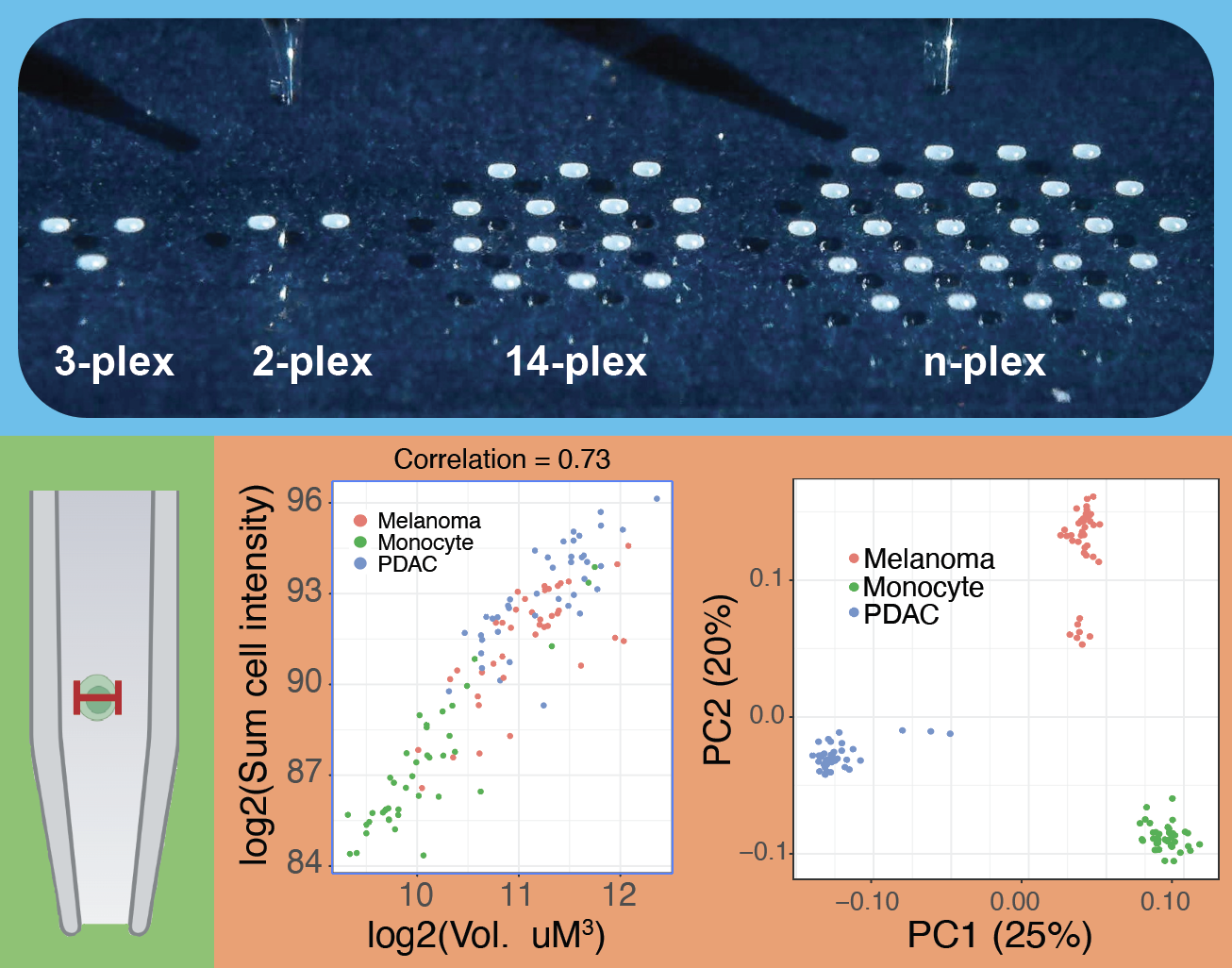
QuantQC is available as both an R package and a Python package.
Requires Python >= 3.10. Install directly from GitHub:
pip install git+https://github.com/Andrew-Leduc/QuantQC.git#subdirectory=pythonOr clone the repo and install in editable mode for development:
git clone https://github.com/Andrew-Leduc/QuantQC.git
cd QuantQC/python
pip install -e .
Optional dependencies for UMAP, graph-based clustering, batch correction, and XGBoost can be installed with:
pip install -e ".[all]"Requires R >= 3.5.0. There are two required packages that are not installed by default:
To install the QuantQC package, run (you may need to install devtools first):
devtools::install_github("https://github.com/SlavovLab/QuantQC")
library(QuantQC)import quantqc as qqc
# Import data (supports TSV and parquet files)
obj = qqc.diann_to_qqc("report.tsv", "linker.csv", plex=3)
# Link CellenONE metadata
obj = qqc.link_cellenone_raw(obj, cellenone_path="cellenone_files/")
# Build cell x peptide matrix and normalize
obj = qqc.cell_x_peptide(obj)
obj = qqc.collapse_to_protein(obj)
# QC plots
obj = qqc.compute_pca(obj)
fig = qqc.plot_pca(obj, by="Condition")
# Peptide correlations
obj = qqc.shared_peptide_cor(obj)
fig = qqc.plot_pep_cor(obj)See AnalysisFromPaper/Analysis_python.ipynb for a complete walkthrough with the plexDIA and pSCoPE datasets.
-
Download all the data reports from the "search" section of MassIVE MSV000093494.
-
Download the "AnalysisFromProtocol" folder from the QuantQC Github page. In the R script "Analysis.R", change the path names for the relevant meta data files. There are two types. The linker file which connects the file names from the MS runs to the wells of the plate they were run from, and the cellenONE cell sorting files. These files are origninally named XXX_isolated.xls and are auto generated by the cellenONE in the folder created when the user performs cell sorting to the glass slide.
-
Run the Analysis.R script line by line following the comments in the script. Alternatively, run the Python notebook
AnalysisFromPaper/Analysis_python.ipynb.
The manuscript is freely available on bioRxiv: Leduc et al., 2023.
For more information, contact Slavov Laboratory or directly Andrew Leduc
The QuantQC code is distributed by an MIT license.
Please feel free to contribute to this project by opening an issue or pull request.
For any bugs, questions, or feature requests, please use the GitHub issue system to contact the developers.