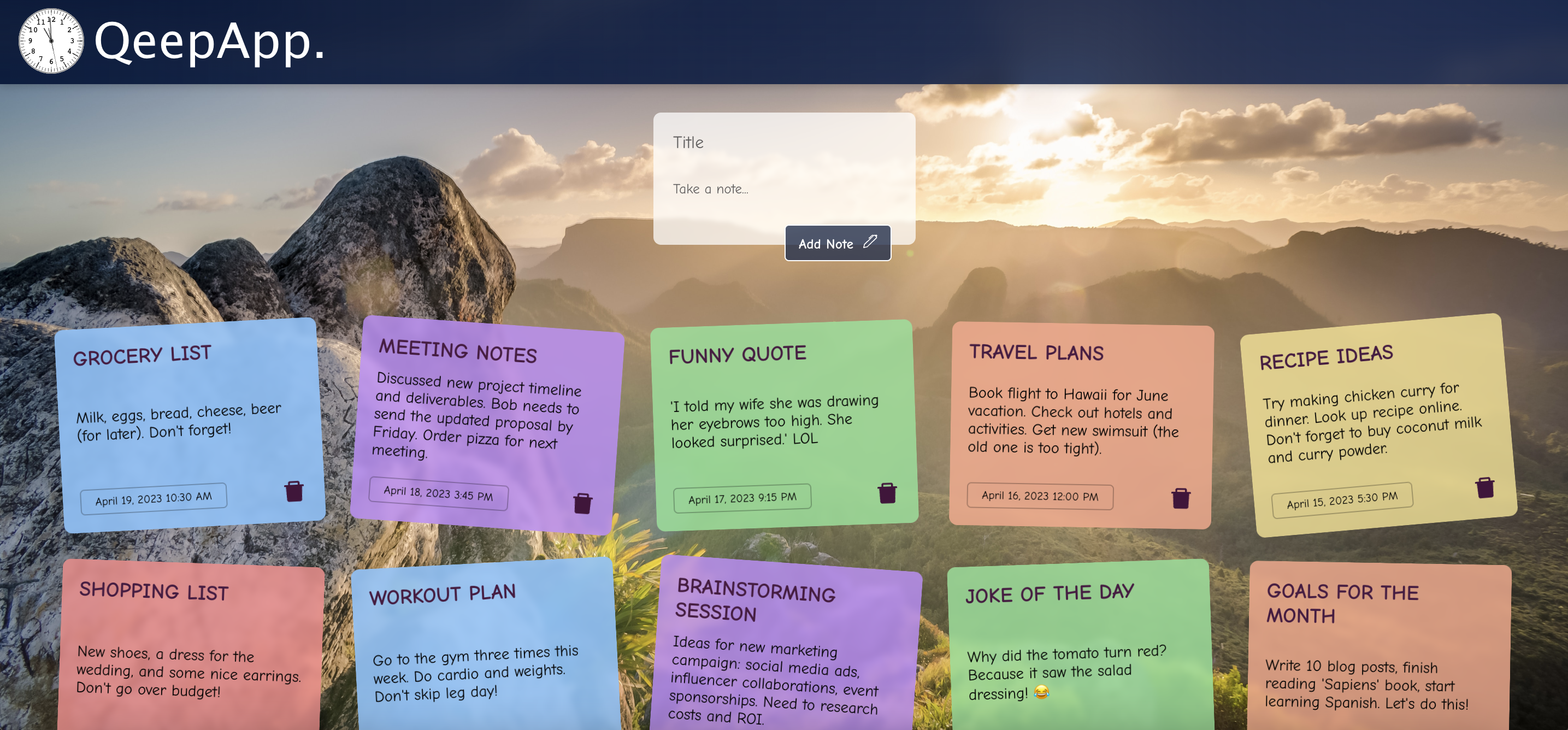





QeepApp is a simple and intuitive note-taking app built with React that allows users to quickly jot down their thoughts and ideas. With QeepApp, users can easily create, save and delete notes, as well as organize them using labels. QeepApp is also fully responsive so you can access it from your Desktop, Tablet, or mobile phone.
- Create notes: Quickly create new notes with a title and body text.
- Delete notes: Delete notes that are no longer needed.
- Cross-device usage: QeepApp's responsive design ensures that the app looks great on any device, from desktops to mobile phones. Each with its local storage.
- Dynamic UI: QeepApp's Dynamic UI feature includes a dynamic, beautiful and functional background image, along with a working clock that updates in real-time, giving a fresh experience each session.
To improve QeepApp, simply clone the repository and install the dependencies using git clone https://github.com/HAYVENO/Qeepp-App.git then cd Qeepp-app to open the directory, and npm install to install the dependencies, then npm start to start the app on your local server.
Here is the code snippet:
# Clone the Qeepp-App repository from GitHub
$ git clone https://github.com/HAYVENO/Qeepp-App.git

# Change the current directory to the newly cloned repository
$ cd Qeepp-app

# Install the required dependencies using npm package manager
$ npm install

# Start the development server for the application
$ npm start
You can create new notes, edit existing ones, and organize them using labels. When you're done using the app, your notes will be saved in the browser's Local Storage, so they'll be available the next time you open the app.
QeepApp was built using the following technologies:


We welcome and appreciate all contributions to TheyPlay! Here's how you can contribute:
- Visit the QeepApp repository on GitHub
- Click the "Fork" button in the top right corner
git clone https://github.com/your-username/Qeepp-App.git
cd Qeepp-Appgit checkout -b feature/your-feature-name- Write your code
- Test that it works by running the changes locally
- Ensure your code follows the project's coding standards
git add .
git commit -m "Add: brief description of your changes"git push origin feature/your-feature-name- Go to the TheyPlay repository
- Click "Pull Requests" and then "New Pull Request"
- Select your fork and branch
- Click "Create Pull Request"
- Provide a clear description of your changes
- Reach out if possible: Optional, but before submitting a pull request, please reach out to discuss your proposed changes. You can check my email on my bio.
- Coding Best Practices: Adhere to established coding standards and conventions.
- Clear Comments: Include meaningful comments to explain complex logic or non-obvious code sections.
- Comprehensive Testing: Write thorough tests to ensure code quality and prevent regressions.
- Keep pull requests focused on a single feature or fix
| Skill | Description |
|---|---|
| React | A popular JavaScript library for building user interfaces. |
| React Hooks | Used to manage the state of the app and handle user interactions. |
| Local Storage | The app utilizes the browser's Local Storage API to persist notes across sessions without server calls, ensuring privacy, simplicity and security. |
| Typescript | A statically typed superset of JavaScript that adds optional types to JavaScript. TypeScript helps catch errors early in the development process and provides enhanced developer tooling. |
Feel free to open an issue for:
- Bug reports
- Feature requests
- Questions about the codebase
As the sole maintainer at this time, I aim to review all pull requests within 48 hours. I'm excited to grow the team and welcome more contributors to TheyPlay.
Thank you for checking out QeepApp, a note-taking app built with React. And even more, for checking out my repo. The app is primarily to showcase my basic React and React hooks skills. If you appreciate the effort put into this, please do well to star the repo. Thanks ;)
