Custom ava dataset, Multi-Person Video Dataset Annotation Method of Spatio-Temporally Actions
paper in arxiv::A Multi-Person Video Dataset Annotation Method of Spatio-Temporally Actions
AVA paper:https://arxiv.org/pdf/1705.08421.pdf
CSDN:https://blog.csdn.net/WhiffeYF/article/details/124358725 https://zhuanlan.zhihu.com/p/503031957 https://www.bilibili.com/video/BV1j3411M7Ba/

The AI platform I use is: https://cloud.videojj.com/auth/register?inviter=18452&activityChannel=student_invite
The following operations are all done on this platform.
Instance mirroring selection:Pytorch 1.8.0,python 3.8,CUDA 11.1.1

For faster project download, I synchronized the project to Gitee: https://gitee.com/YFwinston/Custom-ava-dataset_Custom-Spatio-Temporally-Action-Video-Dataset.git
cd /home
git clone https://gitee.com/YFwinston/Custom-ava-dataset_Custom-Spatio-Temporally-Action-Video-Dataset.gitThe video is 1 randomly selected from the AVA dataset, and I will crop 3 10-second segments from this video:
https://s3.amazonaws.com/ava-dataset/trainval/2DUITARAsWQ.mp4Execute the following code on the AI platform:
cd /home/Custom-ava-dataset_Custom-Spatio-Temporally-Action-Video-Dataset/Dataset/videos
wget https://s3.amazonaws.com/ava-dataset/trainval/2DUITARAsWQ.mp4 -O ./1.mp4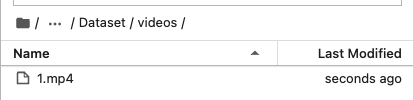
We use ffmpeg for video cropping and frame extraction, so install ffmpeg first
conda install x264 ffmpeg -c conda-forge -yExecute the code under /home/Custom-ava-dataset_Custom-Spatio-Temporally-Action-Video-Dataset/Dataset:
cd /home/Custom-ava-dataset_Custom-Spatio-Temporally-Action-Video-Dataset/Dataset
sh cut_video.sh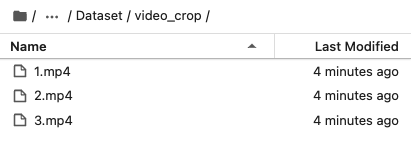
Referring to the ava dataset, crop 30 frames per second
Execute the code under /home/Custom-ava-dataset_Custom-Spatio-Temporally-Action-Video-Dataset/Dataset:
cd /home/Custom-ava-dataset_Custom-Spatio-Temporally-Action-Video-Dataset/Dataset
bash cut_frames.sh 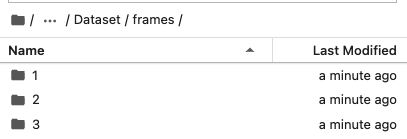

The structure of the frames folder generated in Section 4.3 will be inconvenient in the subsequent yolov5 detection, so I put all the pictures in a folder (choose_frames_all) in the following way.
It should be noted that not all images need to be detected and labeled. In the 10-second video, the detection labels are: x_000001.jpg, x_000031.jpg, x_000061.jpg, x_000091.jpg, x_0000121jpg, x_000151.jpg, x_000181.jpg, x_000211.jpg, x_000241.jpg, x_000271.jpg, x_000301.jpg.
Execute the code under /home/Custom-ava-dataset_Custom-Spatio-Temporally-Action-Video-Dataset/Dataset:
cd /home/Custom-ava-dataset_Custom-Spatio-Temporally-Action-Video-Dataset/Dataset
python choose_frames_all.py 10 0
In the above code, 10 represents the length of the video, and 0 represents the start from the 0th second.
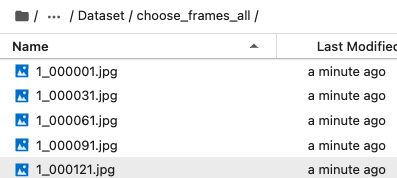
The consolidate and downscale frames in 4.4 is for the detection of yolov5, and not consolidate and downscale frames here is for the labeling of VIA.
Execute the code under /home/Custom-ava-dataset_Custom-Spatio-Temporally-Action-Video-Dataset/Dataset:
cd /home/Custom-ava-dataset_Custom-Spatio-Temporally-Action-Video-Dataset/Dataset
python choose_frames.py 10 0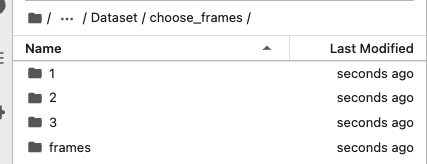

run the following code:
cd /home/Custom-ava-dataset_Custom-Spatio-Temporally-Action-Video-Dataset/yolovDeepsort
pip install -r requirements.txt
pip install opencv-python-headless==4.1.2.30

wget https://github.com/ultralytics/yolov5/releases/download/v6.1/yolov5s.pt -O /home/Custom-ava-dataset_Custom-Spatio-Temporally-Action-Video-Dataset/yolovDeepsort/yolov5/yolov5s.pt
mkdir -p /root/.config/Ultralytics/
wget  https://ultralytics.com/assets/Arial.ttf -O /root/.config/Ultralytics/Arial.ttf
The reason for using deep sort: In preparation for generating [train/val].csv, dense_proposals_[train/val/test].pkl will not use the detection results of deep sort.
cd /home/Custom-ava-dataset_Custom-Spatio-Temporally-Action-Video-Dataset/yolovDeepsort
python ./yolov5/detect.py --source ../Dataset/choose_frames_all/ --save-txt --save-conf
The result is stored in: /home/Custom-ava-dataset_Custom-Spatio-Temporally-Action-Video-Dataset/yolovDeepsort/yolov5/runs/detect/exp
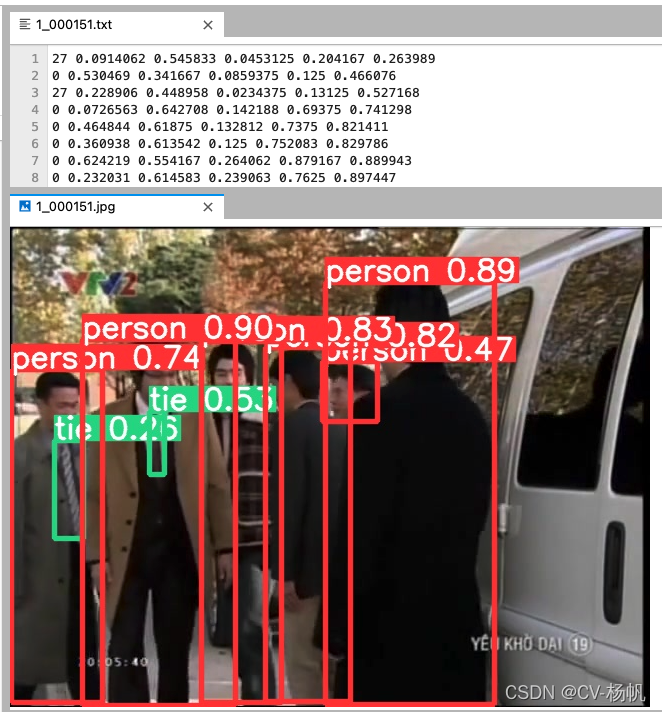
Execute the code under /home/Custom-ava-dataset_Custom-Spatio-Temporally-Action-Video-Dataset/yolovDeepsort/mywork:
cd /home/Custom-ava-dataset_Custom-Spatio-Temporally-Action-Video-Dataset/yolovDeepsort/mywork
python dense_proposals_train.py ../yolov5/runs/detect/exp/labels ./dense_proposals_train.pkl showThe choose_frames folder under /home/Custom-ava-dataset_Custom-Spatio-Temporally-Action-Video-Dataset/Dataset contains 11 pictures in the 10-second video, but the final generated annotation file does not contain the first 2 pictures and The last 2 pictures. So you need to create a choose_frames_middle folder to store the folders without the first 2 pictures and the last 2 pictures.
cd /home/Custom-ava-dataset_Custom-Spatio-Temporally-Action-Video-Dataset/Dataset/
python choose_frames_middle.py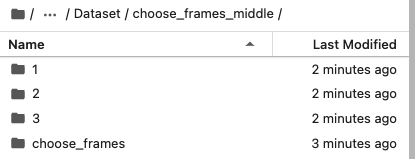
The custom action is in: /home/Custom-ava-dataset_Custom-Spatio-Temporally-Action-Video-Dataset/yolovDeepsort/mywork/dense_proposals_train_to_via.py file, the specific location is as follows:
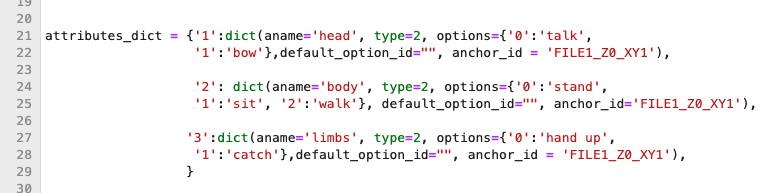
Execute the code under /home/Custom-ava-dataset_Custom-Spatio-Temporally-Action-Video-Dataset/yolovDeepsort/mywork/:
cd /home/Custom-ava-dataset_Custom-Spatio-Temporally-Action-Video-Dataset/yolovDeepsort/mywork/
python dense_proposals_train_to_via.py ./dense_proposals_train.pkl ../../Dataset/choose_frames_middle/
The generated annotation files are saved in: /home/Custom-ava-dataset_Custom-Spatio-Temporally-Action-Video-Dataset/choose_frames_middle
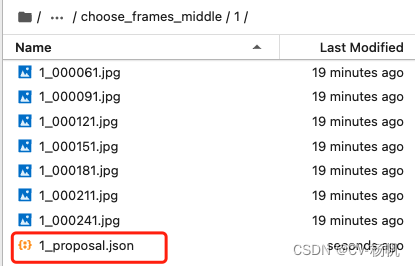
There is a default value when labeling, which will affect our labeling and needs to be canceled.
I have tried many times and want to remove the default value in the annotation option when generating the via annotation file, but it is still not implemented. Then after the generation, directly operate the via json file and remove the default value.
Execute the code under /home/Custom-ava-dataset_Custom-Spatio-Temporally-Action-Video-Dataset/:
cd /home/Custom-ava-dataset_Custom-Spatio-Temporally-Action-Video-Dataset/Dataset
python chang_via_json.py 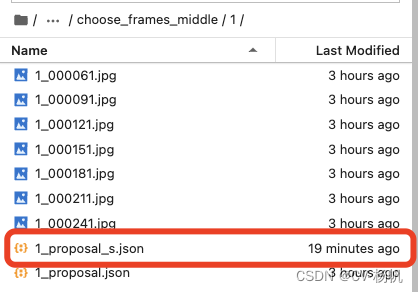
Compress the choose_frames_middle file
Execute the code under /home/Custom-ava-dataset_Custom-Spatio-Temporally-Action-Video-Dataset/Dataset:
apt-get update
apt-get install zip
apt-get install unzip

cd /home/Custom-ava-dataset_Custom-Spatio-Temporally-Action-Video-Dataset/Dataset
zip -r choose_frames_middle.zip choose_frames_middle
Download choose_frames_middle.zip
Then use via to label
via official website:https://www.robots.ox.ac.uk/~vgg/software/via/
via annotation tool download link: https://www.robots.ox.ac.uk/~vgg/software/via/downloads/via3/via-3.0.11.zip
Click in the annotation tool: via_image_annotator.html

The following picture is the interface of via, 1 represents adding pictures, 2 represents adding annotation files

Import the image, open the annotation file (note, open x_proposal_s.json), the final result:
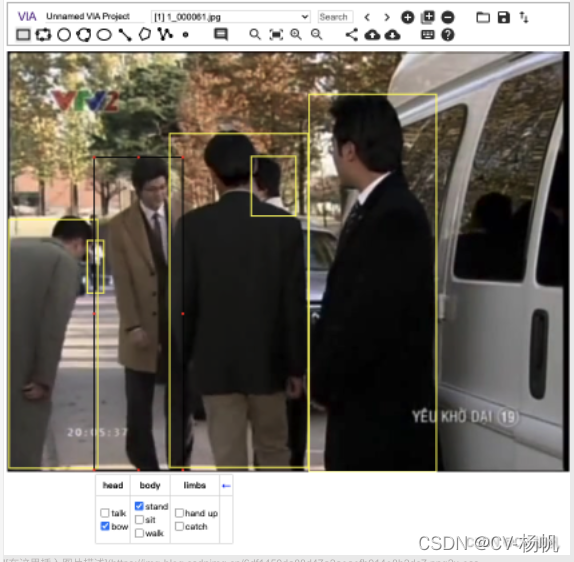
After action annotation, the annotation information of via is saved as a json file. The json file contains: the name of the video, the number of the video frame, the boundding box of the human, and the number of the action category.
These information are required for the annotation file, and the information in the json file needs to be integrated. This section is to integrate the information in the via.
The following figure is the ava annotation file (ava_train.csv)

Column 1: The name of the video
Column 2: the video frame ID, for example, the frame at 15:02 is expressed as 902, and the frame at 15:03 is expressed as 903
Column 3-6: the boundding box of the human (x1, y1, x2, y2)
Column 7: Action category number
Column 8: Person's ID
At present, there is no ID of the last column in our data, and everything else is generated, so let's extract this information first.
Parse the json parsing website using the runoob platform: https://c.runoob.com/front-end/53/


It should be noted here that I named the labeled file: video_name_finish.json, such as video 1, the marked name is: 1_finish.json
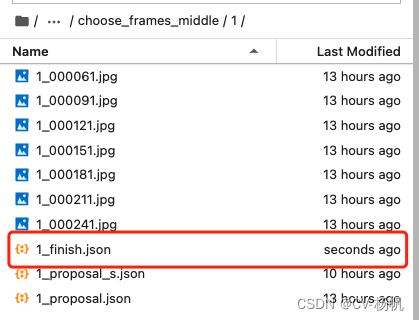
Execute the code under /home/Custom-ava-dataset_Custom-Spatio-Temporally-Action-Video-Dataset/Dataset:
cd  /home/Custom-ava-dataset_Custom-Spatio-Temporally-Action-Video-Dataset/Dataset/
python json_extract.py
It will be generated under /home/Custom-ava-dataset_Custom-Spatio-Temporally-Action-Video-Dataset/Dataset/:
train_without_personID.csv
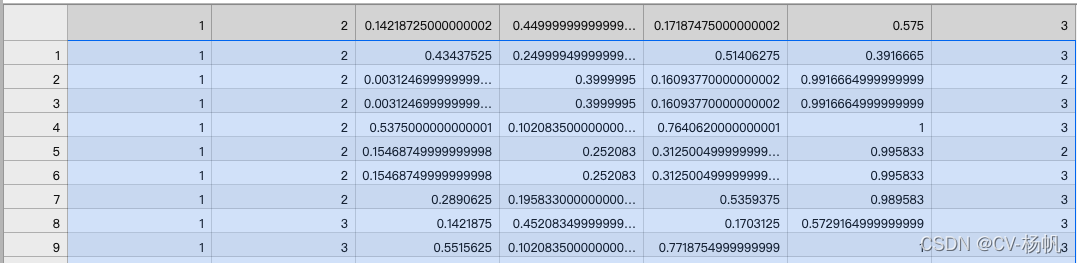
Since deepsort needs to send 2 frames of pictures in advance, and then can label the person's ID from the third frame, dense_proposals_train.pkl starts from the third frame (that is, 0, 1 are missing), so 0, 1 need to be added.
Execute the code under: /home/Custom-ava-dataset_Custom-Spatio-Temporally-Action-Video-Dataset/yolovDeepsort/mywork
cd /home/Custom-ava-dataset_Custom-Spatio-Temporally-Action-Video-Dataset/yolovDeepsort/mywork
python dense_proposals_train_deepsort.py ../yolov5/runs/detect/exp/labels ./dense_proposals_train_deepsort.pkl show
Next use deep sort to associate the human's ID
Send the image and the boundding box detected by yolov5 to deep sort for detection
Execute the code under /home/Custom-ava-dataset_Custom-Spatio-Temporally-Action-Video-Dataset/yolovDeepsort/:
cd /home/Custom-ava-dataset_Custom-Spatio-Temporally-Action-Video-Dataset/yolovDeepsort/
wget https://drive.google.com/drive/folders/1xhG0kRH1EX5B9_Iz8gQJb7UNnn_riXi6 -O ./deep_sort_pytorch/deep_sort/deep/checkpoint/ckpt.t7
python yolov5_to_deepsort.py --source /home/Custom-ava-dataset_Custom-Spatio-Temporally-Action-Video-Dataset/Dataset/frames
ckpt.t7 can be downloaded separately and then uploaded to the AI platform
The result is in: /home/Custom-ava-dataset_Custom-Spatio-Temporally-Action-Video-Dataset/Dataset/train_personID.csv, as shown below
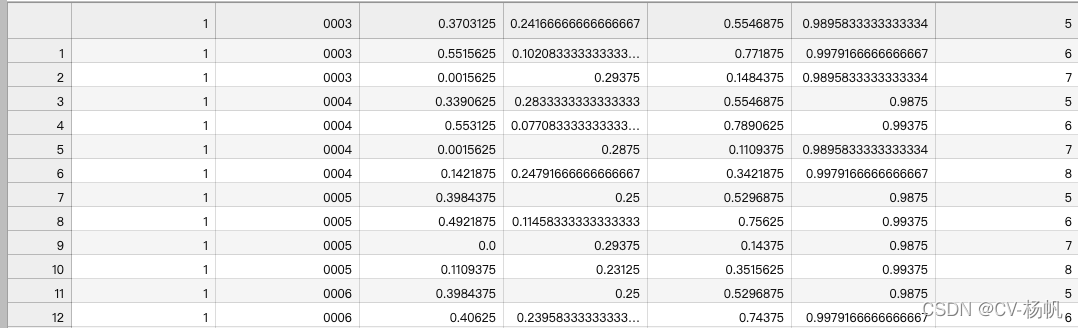
There are already 2 files:
1,train_personID.csv Include: boundding box, personID
2,train_without_personID.csv Include: boundding box, actions
So now we need to put the two together
Execute the code under:/home/Custom-ava-dataset_Custom-Spatio-Temporally-Action-Video-Dataset/Dataset/
cd  /home/Custom-ava-dataset_Custom-Spatio-Temporally-Action-Video-Dataset/Dataset/
python train_temp.py
The result is in /home/Custom-ava-dataset_Custom-Spatio-Temporally-Action-Video-Dataset/Dataset/train_temp.csv
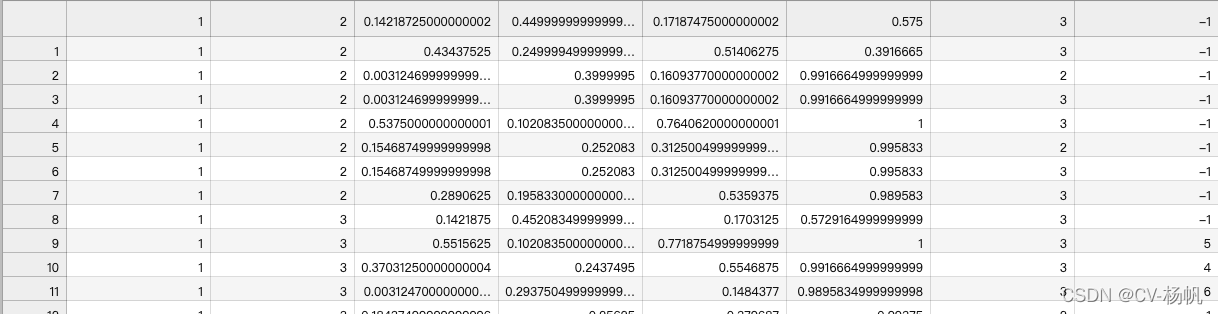
After the operation, you will find that some IDs are -1. These -1s are data that deepsort has not detected. The reason is that people appear for the first time or the appearance time is too short, and deepsort does not detect IDs.
For the case where -1 exists in train_temp.csv, it needs to be corrected
Execute the code under:/home/Custom-ava-dataset_Custom-Spatio-Temporally-Action-Video-Dataset/Dataset/
cd /home/Custom-ava-dataset_Custom-Spatio-Temporally-Action-Video-Dataset/Dataset/
python train.py
The result is in:/home/Custom-ava-dataset_Custom-Spatio-Temporally-Action-Video-Dataset/Dataset/annotations/train.csv
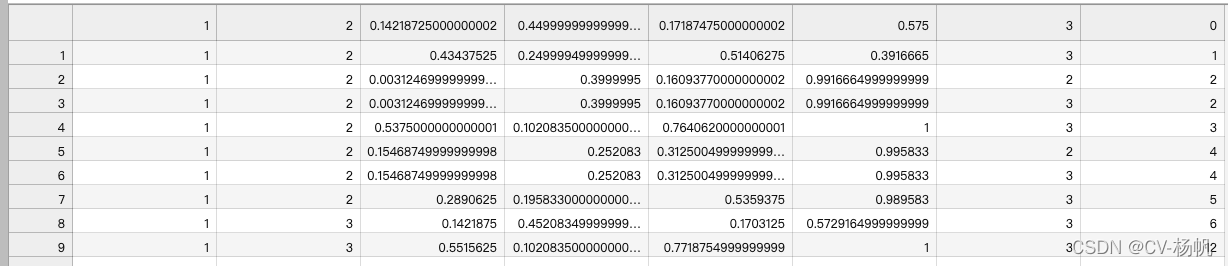
I spent almost 85% of the content talking about the method of ava_train.csv, and the generation method of the rest of the annotation files is relatively simple
cd /home/Custom-ava-dataset_Custom-Spatio-Temporally-Action-Video-Dataset/Dataset/annotations
touch train_excluded_timestamps.csvcd /home/Custom-ava-dataset_Custom-Spatio-Temporally-Action-Video-Dataset/Dataset/annotations
touch included_timestamps.txtThen in included_timestamps.txt write:
02
03
04
05
06
07
08cd /home/Custom-ava-dataset_Custom-Spatio-Temporally-Action-Video-Dataset/Dataset/annotations
touch action_list.pbtxtitem {
name: "talk"
id: 1
}
item {
name: "bow"
id: 2
}
item {
name: "stand"
id: 3
}
item {
name: "sit"
id: 4
}
item {
name: "walk"
id: 5
}
item {
name: "hand up"
id: 6
}
item {
name: "catch"
id: 7
}cp /home/Custom-ava-dataset_Custom-Spatio-Temporally-Action-Video-Dataset/yolovDeepsort/mywork/dense_proposals_train.pkl //home/Custom-ava-dataset_Custom-Spatio-Temporally-Action-Video-Dataset/Dataset/annotationsI'm just doing a sample, so I set train and val to be the same
cp /home/Custom-ava-dataset_Custom-Spatio-Temporally-Action-Video-Dataset/Dataset/annotations/dense_proposals_train.pkl /home/Custom-ava-dataset_Custom-Spatio-Temporally-Action-Video-Dataset/Dataset/annotations/dense_proposals_val.pklcp /home/Custom-ava-dataset_Custom-Spatio-Temporally-Action-Video-Dataset/Dataset/annotations/train.csv /home/Custom-ava-dataset_Custom-Spatio-Temporally-Action-Video-Dataset/Dataset/annotations/val.csvcp /home/Custom-ava-dataset_Custom-Spatio-Temporally-Action-Video-Dataset/Dataset/annotations/train_excluded_timestamps.csv /home/Custom-ava-dataset_Custom-Spatio-Temporally-Action-Video-Dataset/Dataset/annotations/val_excluded_timestamps.csvIn the name of the video frame, there is a problem that the name of the video frame does not match the training, so it is necessary to modify the name of the picture in /home/Dataset/frames
for example:
original name: rawframes/1/1_000001.jpg target name: rawframes/1/img_00001.jpg
cp -r /home/Custom-ava-dataset_Custom-Spatio-Temporally-Action-Video-Dataset/Dataset/frames/* /home/Custom-ava-dataset_Custom-Spatio-Temporally-Action-Video-Dataset/Dataset/rawframes
cd /home/Custom-ava-dataset_Custom-Spatio-Temporally-Action-Video-Dataset/yolovDeepsort/mywork/
python change_raw_frames.py
cd /home/Custom-ava-dataset_Custom-Spatio-Temporally-Action-Video-Dataset/yolovDeepsort/mywork
python change_dense_proposals_train.pycd /home/Custom-ava-dataset_Custom-Spatio-Temporally-Action-Video-Dataset/yolovDeepsort/mywork
python change_dense_proposals_val.pycd /home
git clone https://gitee.com/YFwinston/mmaction2_YF.git
pip install mmcv-full==1.3.17 -f https://download.openmmlab.com/mmcv/dist/cu111/torch1.8.0/index.html
pip install opencv-python-headless==4.1.2.30
pip install moviepy
cd mmaction2_YF
pip install -r requirements/build.txt
pip install -v -e .
mkdir -p ./data/ava
cd ..
git clone https://gitee.com/YFwinston/mmdetection.git
cd mmdetection
pip install -r requirements/build.txt
pip install -v -e .
cd ../mmaction2_YF
wget https://download.openmmlab.com/mmdetection/v2.0/faster_rcnn/faster_rcnn_r50_fpn_2x_coco/faster_rcnn_r50_fpn_2x_coco_bbox_mAP-0.384_20200504_210434-a5d8aa15.pth -P ./Checkpionts/mmdetection/
wget https://download.openmmlab.com/mmaction/recognition/slowfast/slowfast_r50_8x8x1_256e_kinetics400_rgb/slowfast_r50_8x8x1_256e_kinetics400_rgb_20200716-73547d2b.pth -P ./Checkpionts/mmaction/Create my_slowfast_kinetics_pretrained_r50_4x16x1_20e_ava_rgb.py under /mmaction2/configs/detection/ava/:
cd /home/mmaction2_YF/configs/detection/ava/
touch my_slowfast_kinetics_pretrained_r50_4x16x1_20e_ava_rgb.py
# model setting
model = dict(
type='FastRCNN',
backbone=dict(
type='ResNet3dSlowFast',
pretrained=None,
resample_rate=8,
speed_ratio=8,
channel_ratio=8,
slow_pathway=dict(
type='resnet3d',
depth=50,
pretrained=None,
lateral=True,
conv1_kernel=(1, 7, 7),
dilations=(1, 1, 1, 1),
conv1_stride_t=1,
pool1_stride_t=1,
inflate=(0, 0, 1, 1),
spatial_strides=(1, 2, 2, 1)),
fast_pathway=dict(
type='resnet3d',
depth=50,
pretrained=None,
lateral=False,
base_channels=8,
conv1_kernel=(5, 7, 7),
conv1_stride_t=1,
pool1_stride_t=1,
spatial_strides=(1, 2, 2, 1))),
roi_head=dict(
type='AVARoIHead',
bbox_roi_extractor=dict(
type='SingleRoIExtractor3D',
roi_layer_type='RoIAlign',
output_size=8,
with_temporal_pool=True),
bbox_head=dict(
type='BBoxHeadAVA',
in_channels=2304,
num_classes=81,
multilabel=True,
dropout_ratio=0.5)),
train_cfg=dict(
rcnn=dict(
assigner=dict(
type='MaxIoUAssignerAVA',
pos_iou_thr=0.9,
neg_iou_thr=0.9,
min_pos_iou=0.9),
sampler=dict(
type='RandomSampler',
num=32,
pos_fraction=1,
neg_pos_ub=-1,
add_gt_as_proposals=True),
pos_weight=1.0,
debug=False)),
test_cfg=dict(rcnn=dict(action_thr=0.002)))
dataset_type = 'AVADataset'
data_root = '/home/Custom-ava-dataset_Custom-Spatio-Temporally-Action-Video-Dataset/Dataset/rawframes'
anno_root = '/home/Custom-ava-dataset_Custom-Spatio-Temporally-Action-Video-Dataset/Dataset/annotations'
ann_file_train = f'{anno_root}/train.csv'
ann_file_val = f'{anno_root}/val.csv'
exclude_file_train = f'{anno_root}/train_excluded_timestamps.csv'
exclude_file_val = f'{anno_root}/val_excluded_timestamps.csv'
label_file = f'{anno_root}/action_list.pbtxt'
proposal_file_train = f'{anno_root}/dense_proposals_train.pkl'
proposal_file_val = f'{anno_root}/dense_proposals_val.pkl'
img_norm_cfg = dict(
mean=[123.675, 116.28, 103.53], std=[58.395, 57.12, 57.375], to_bgr=False)
train_pipeline = [
dict(type='SampleAVAFrames', clip_len=32, frame_interval=2),
dict(type='RawFrameDecode'),
dict(type='RandomRescale', scale_range=(256, 320)),
dict(type='RandomCrop', size=256),
dict(type='Flip', flip_ratio=0.5),
dict(type='Normalize', **img_norm_cfg),
dict(type='FormatShape', input_format='NCTHW', collapse=True),
dict(type='Rename', mapping=dict(imgs='img')),
dict(type='ToTensor', keys=['img', 'proposals', 'gt_bboxes', 'gt_labels']),
dict(
type='ToDataContainer',
fields=[
dict(key=['proposals', 'gt_bboxes', 'gt_labels'], stack=False)
]),
dict(
type='Collect',
keys=['img', 'proposals', 'gt_bboxes', 'gt_labels'],
meta_keys=['scores', 'entity_ids'])
]
val_pipeline = [
dict(type='SampleAVAFrames', clip_len=32, frame_interval=2),
dict(type='RawFrameDecode'),
dict(type='Resize', scale=(-1, 256)),
dict(type='Normalize', **img_norm_cfg),
dict(type='FormatShape', input_format='NCTHW', collapse=True),
dict(type='Rename', mapping=dict(imgs='img')),
dict(type='ToTensor', keys=['img', 'proposals']),
dict(type='ToDataContainer', fields=[dict(key='proposals', stack=False)]),
dict(
type='Collect',
keys=['img', 'proposals'],
meta_keys=['scores', 'img_shape'],
nested=True)
]
data = dict(
videos_per_gpu=5,
workers_per_gpu=2,
val_dataloader=dict(videos_per_gpu=1),
test_dataloader=dict(videos_per_gpu=1),
train=dict(
type=dataset_type,
ann_file=ann_file_train,
exclude_file=exclude_file_train,
pipeline=train_pipeline,
label_file=label_file,
proposal_file=proposal_file_train,
person_det_score_thr=0.9,
data_prefix=data_root,
start_index=1,),
val=dict(
type=dataset_type,
ann_file=ann_file_val,
exclude_file=exclude_file_val,
pipeline=val_pipeline,
label_file=label_file,
proposal_file=proposal_file_val,
person_det_score_thr=0.9,
data_prefix=data_root,
start_index=1,))
data['test'] = data['val']
optimizer = dict(type='SGD', lr=0.0125, momentum=0.9, weight_decay=0.00001)
optimizer_config = dict(grad_clip=dict(max_norm=40, norm_type=2))
lr_config = dict(
policy='step',
step=[10, 15],
warmup='linear',
warmup_by_epoch=True,
warmup_iters=5,
warmup_ratio=0.1)
total_epochs = 100
checkpoint_config = dict(interval=1)
workflow = [('train', 1)]
evaluation = dict(interval=1, save_best='mAP@0.5IOU')
log_config = dict(
interval=20, hooks=[
dict(type='TextLoggerHook'),
])
dist_params = dict(backend='nccl')
log_level = 'INFO'
work_dir = ('./work_dirs/ava/'
'slowfast_kinetics_pretrained_r50_4x16x1_20e_ava_rgb')
load_from = ('https://download.openmmlab.com/mmaction/recognition/slowfast/'
'slowfast_r50_4x16x1_256e_kinetics400_rgb/'
'slowfast_r50_4x16x1_256e_kinetics400_rgb_20200704-bcde7ed7.pth')
resume_from = None
find_unused_parameters = Falsecd /home/mmaction2_YF
python tools/train.py configs/detection/ava/my_slowfast_kinetics_pretrained_r50_4x16x1_20e_ava_rgb.py --validate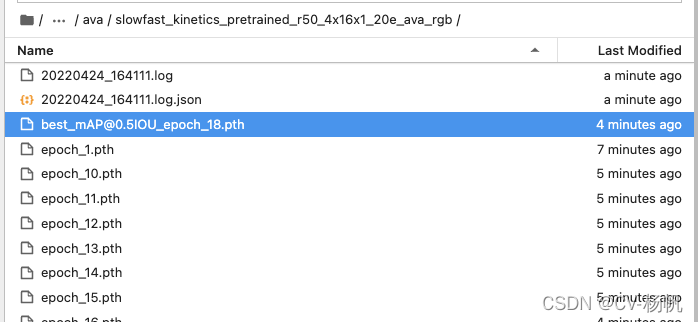
The weights after training are stored in:
home/mmaction2/work_dirs/ava/slowfast_kinetics_pretrained_r50_4x16x1_20e_ava_rgb
First, create a new label_map:
cd /home/mmaction2_YF/tools/data/ava
touch label_map2.txt
The content of label_map2.txt:
1: talk
2: bow
3: stand
4: sit
5: walk
6: hand up
7: catch
Then run:
cd /home/mmaction2_YF
python demo/demo_spatiotemporal_det.py --config configs/detection/ava/my_slowfast_kinetics_pretrained_r50_4x16x1_20e_ava_rgb.py --checkpoint /home/mmaction2_YF/work_dirs/ava/slowfast_kinetics_pretrained_r50_4x16x1_20e_ava_rgb/best_mAP@0.5IOU_epoch_10.pth --det-config demo/faster_rcnn_r50_fpn_2x_coco.py --det-checkpoint Checkpionts/mmdetection/faster_rcnn_r50_fpn_2x_coco_bbox_mAP-0.384_20200504_210434-a5d8aa15.pth --video /home/Custom-ava-dataset_Custom-Spatio-Temporally-Action-Video-Dataset/Dataset/video_crop/1.mp4 --out-filename demo/det_1.mp4 --det-score-thr 0.5 --action-score-thr 0.5 --output-stepsize 4 --output-fps 6 --label-map tools/data/ava/label_map2.txt
Where best_mAP@0.5IOU_epoch_47.pth is the trained model checkpoint, and 441.mp4 is the input video.
The detection result will be saved to:
/home/mmaction2/demo/det_1.mp4
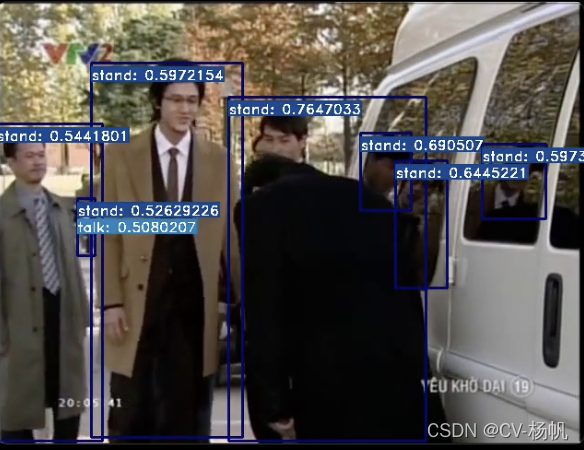
- The dataset is very small, leading to limited training.
- Almost 90% of the labels are "stand", causing class imbalance.