| title | Praat Fricative synthesis |
|---|---|
| author | Matthew Winn |
| format | html |
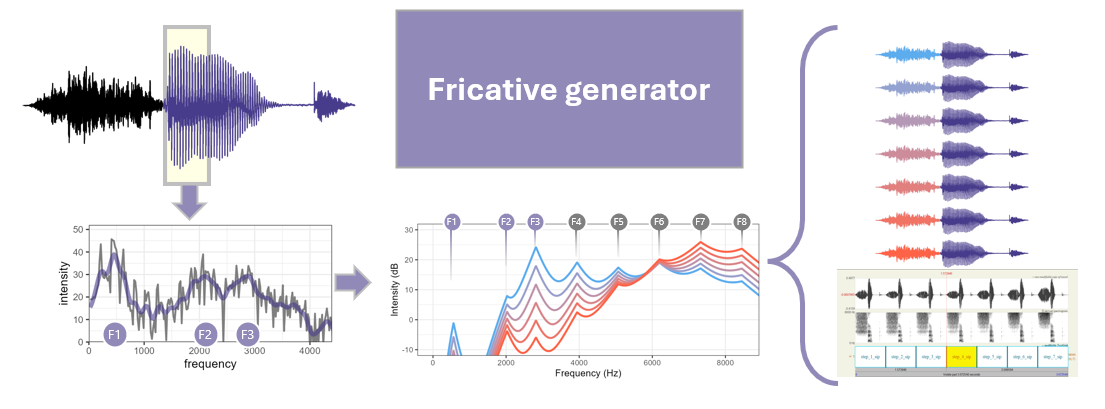
This script 'Fricative_continuum.txt' allows you to generative fricatives using the free open-source software Praat. The goal is to create fricatives with spectral peaks that have continuity with the formants in the adjacent vowel, so that they sound appropriate for the vocal tract producing them. Another main goal is to control differences between consecutive continuum steps to be equally perceptible, avoiding the undesirable nonlinearities that come from linear waveform mixing.
With this script you can:
-
Change carrier type (sinewave, noise, low-noise noise, harmonic complex)
-
Change number of channels
-
Use channel peak-picking (i.e. n-of-m)
-
Control spread of excitation for each carrier channel
-
Control interaction of analysis channels (very useful for sinewave carriers)
-
Change temporal envelope fidelity (low-pass filtering, quantization, compression)
-
Simulate specific device channel-frequency allocation
-
Spectral shift (i.e. simulate shallow device insertion)
-
preserve components that are assembled along the way, for offline inspection, analysis, and plotting
the script is available for download here:
https://github.com/ListenLab/Fricatives/blob/main/Fricative_continuum.txt
You can call up the script in two ways.
-
save the contents of that page to a text file and use Praat to call it up by clicking Praat > Open Praat script... and locate the file on your computer
-
In Praat, click Praat > New praat script, and paste the script into the script window
then, in the script window, click Run > Run (or ctrl-R on a PC) to start the script.
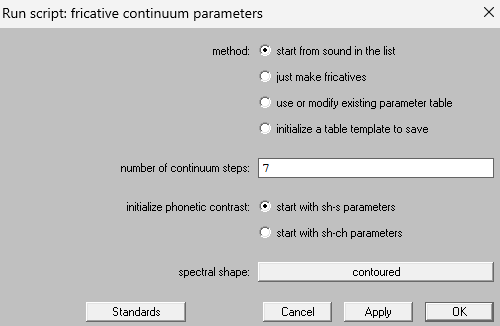
-
Start from sound in the list
- the most typical use case will be to start with a sound in the praat object list, where you want to produce fricatives that get appended to that sound (or part of the sound).
-
Just make fricatives
- fricatives without any other vowel attached, for example purely to hear something change from sh to s. These wouldn't be ideal stimuli for an experiment, but maybe you just want to quickly hear or draw something.
-
Use or modify existing parameter table
- If you already used the script to create fricatives but want to slightly adjust some parameters, this is a good choice.
-
initialize a table template to save
- produce a table that has all of the necessary column names and formatting, so that you can tinker with it on your own and then use it to create your sounds
self-evident
Currently, this script is set up to generate sounds that span the range from sh to s, or from sh to ch, in the way that a speaker of North American English woudl recognize them. You CAN tinker with the parameters to create other sounds, but these are the two phonetic contrasts that can be initiated by default with sensible values that will normally produce high-quality output.
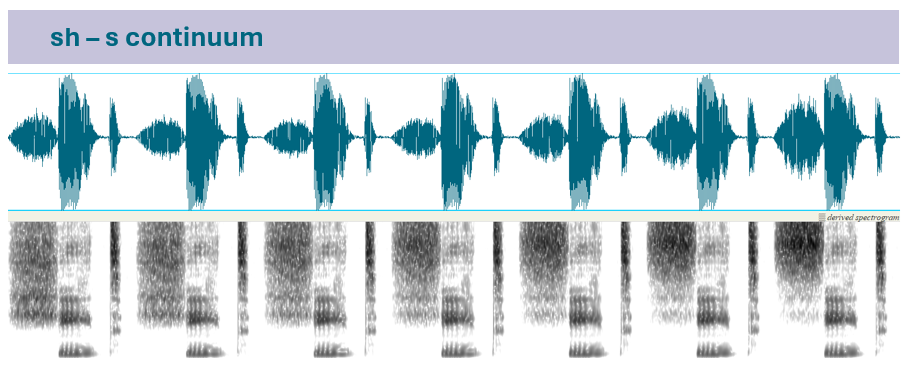
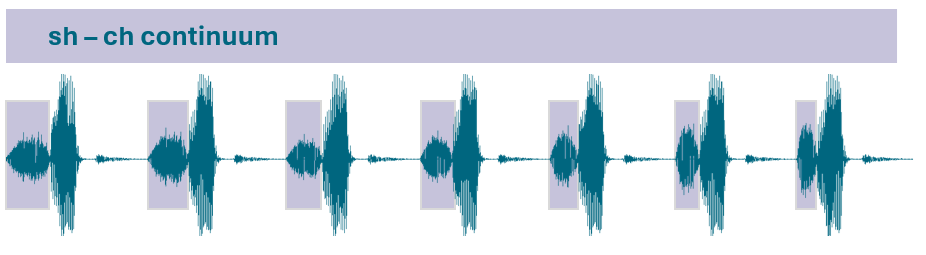
choosing this at the startup window initiates a set of parameter levels that will make it easy for you to create the target phonetic contrast you want.
The exact shape of the spectrum for these sounds is variable across people, so there is no one universally perfect spectrum shape. This startup option is the first of many ways that you can customize the spectrum shape.
-
“Sloped” means you will have a peak in the spectrum and it will slope down from that peak at a rate that you specify in later steps.
- the most typical use case will be to start with a sound in the praat object list, where you want to produce fricatives that get appended to that sound (or part of the sound).
-
“Contoured” means you still have a spectral peak, but the shape cannot be defined by a simple slope.
Contoured is a good choice to create natural-sounding fricatives, and Sloped is a good choice if you insist on being able to specify your parameters in simple numerical terms.
An essential part of this procedure is to ensure that the spectral peaks in the fricative have cotninuity with the formants in the adjacent vowel. Therefore, we recommend that you use the "start from sound in the list' method, which will allow you to select a sound, and verify that its formants are being correctly identified before creating the spectral shape for the fricative.
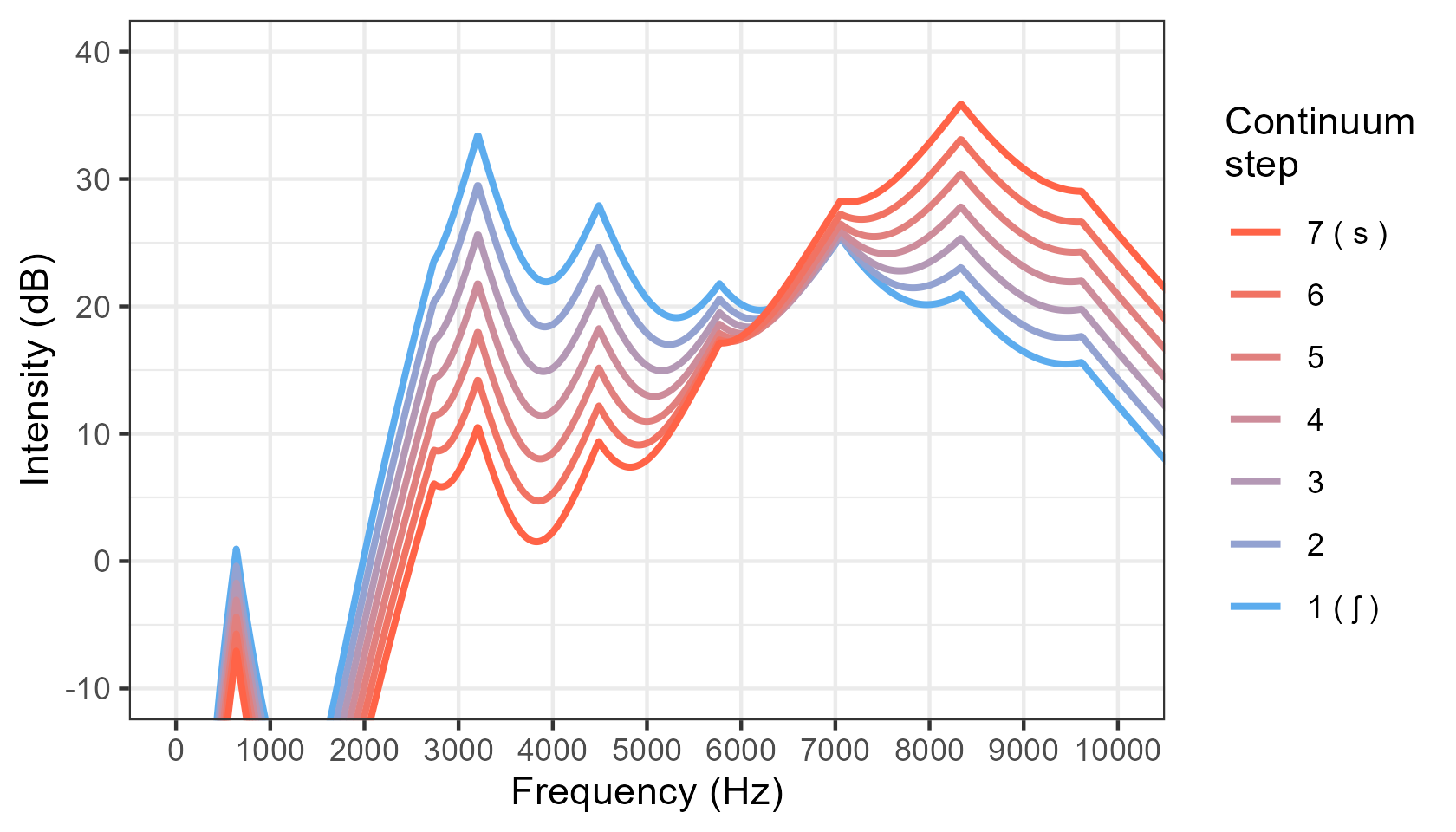
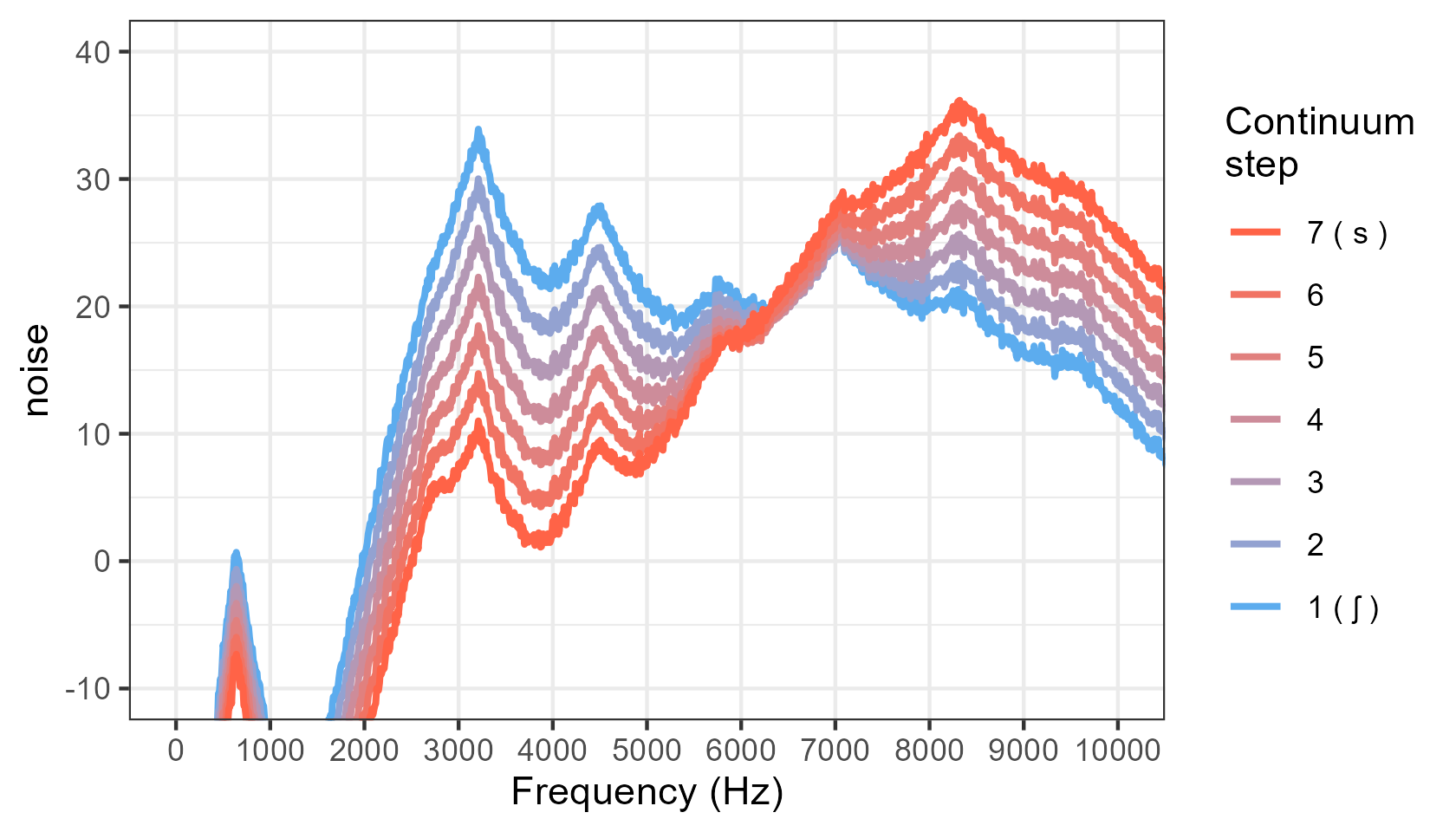
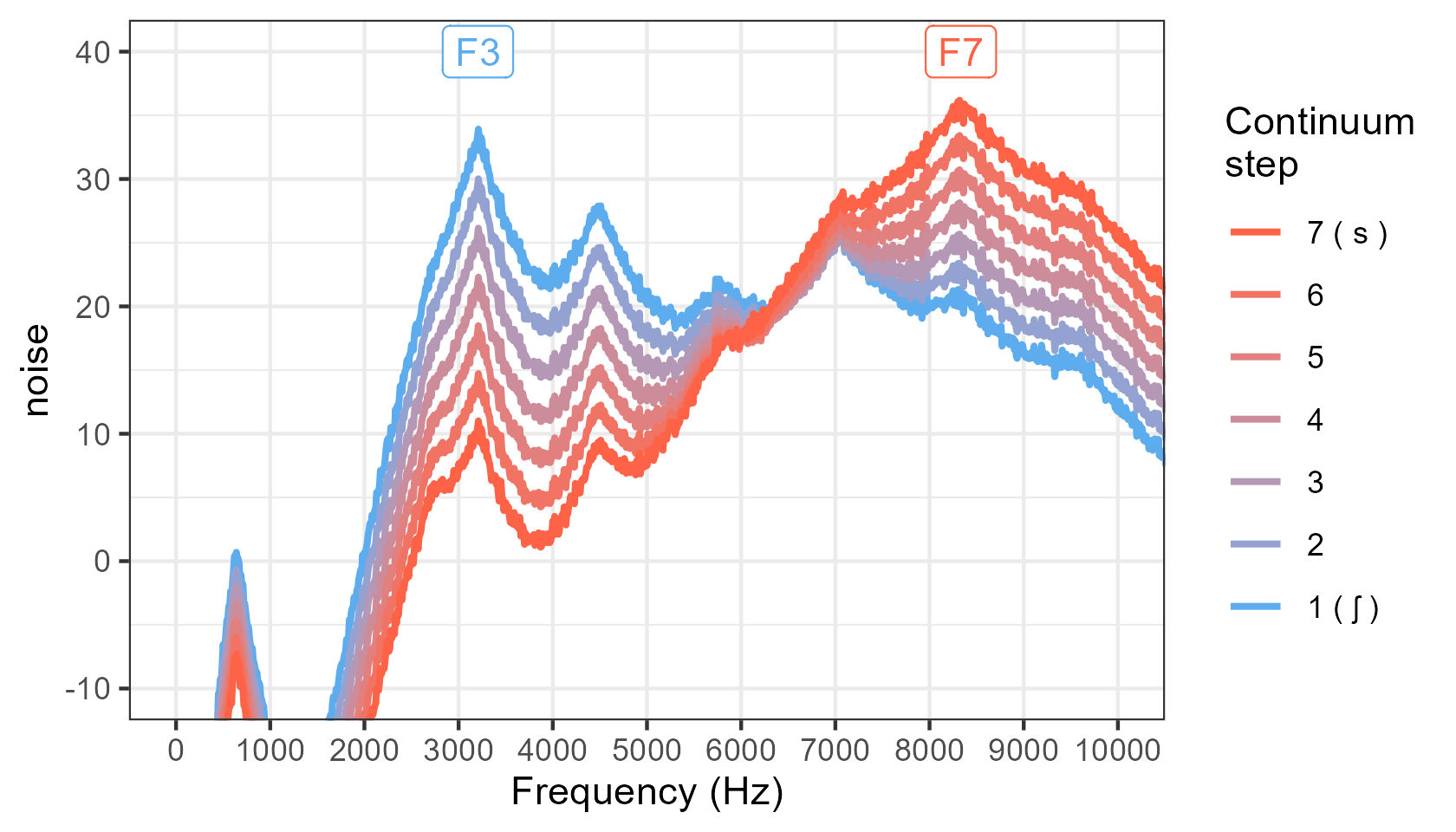
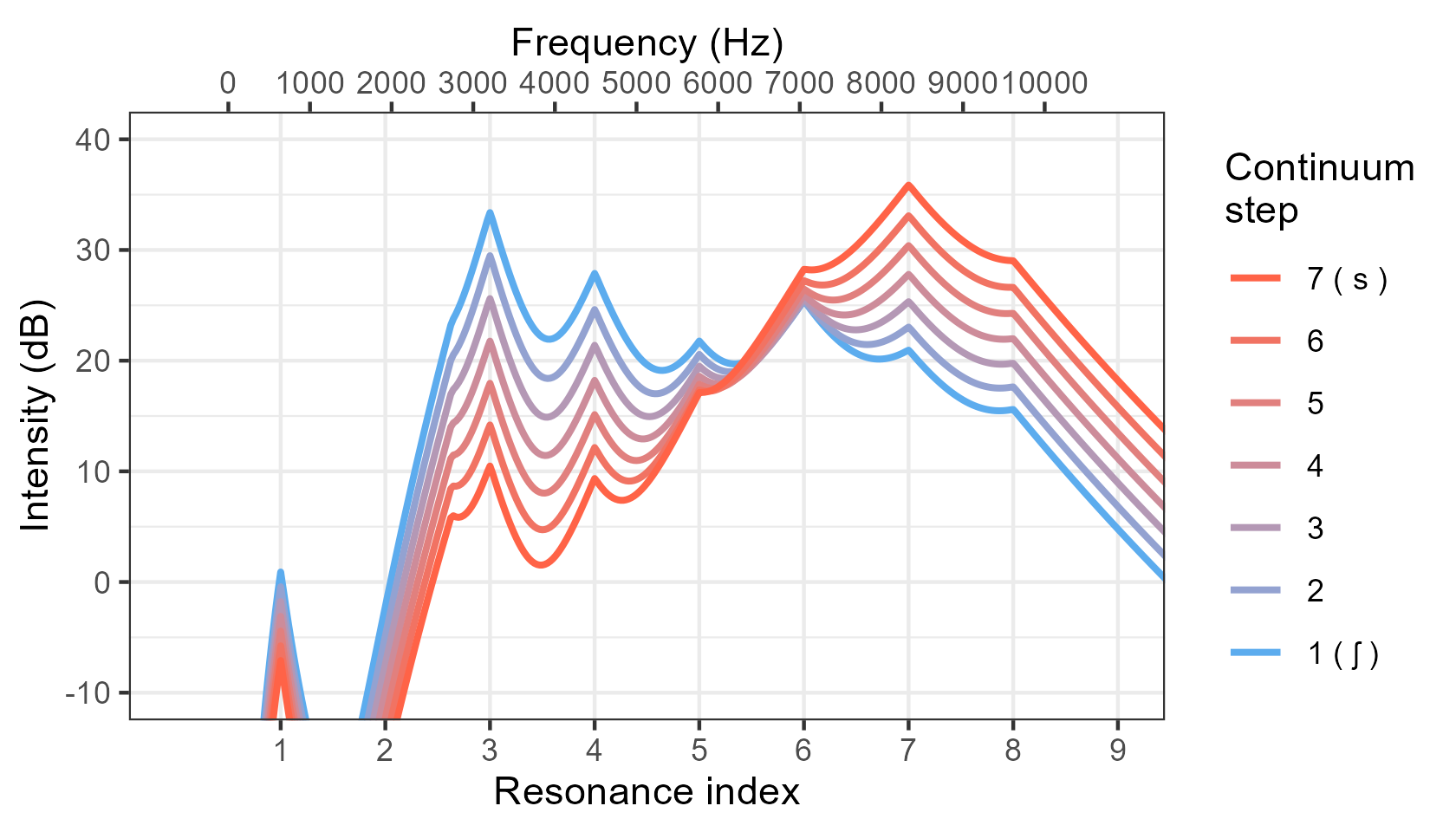
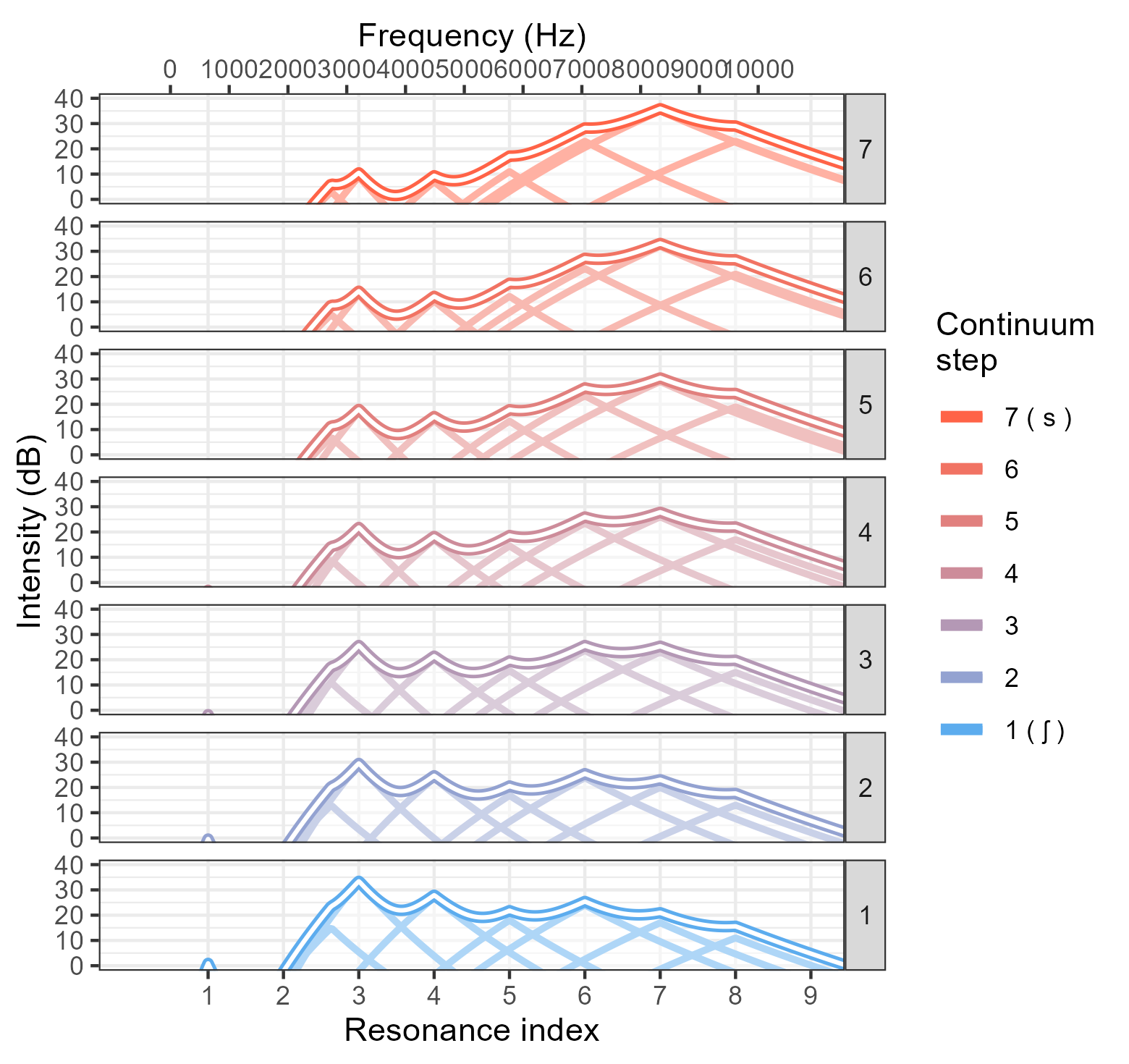
You can take the simple CSV parameter table produced by the script and use the R code in this repository to produce nice illustrations of the spectra of the sounds. For example:
- basic spectrum:
- basic spectrum with "noise" added to make it look more realistic:
- add direct labels of where the peak resonances are in the spectrum:
- the main x axis shows resonance number, with frequency axis on the top (this accurately reflects how the method treats the spectrum):
- Show the individual components that are added together to make each spectrum shape:
- This script works best for words with original [s]-onset; /s/ endpoint paired with vowel from [ʃ]-onset words sounds like it begins with a “sy” onset)
- This method will likely fail if you try to make sC clusters (st / sn/ sm)
- Fricative F2 intensity should probably be adjusted for rounded vowels, but this is not yet incorporated into the script
- Only built for ʃ, s, and tʃ so far (not for any non-sibilant fricatives { f v θ ð } )
- My knowledge of fricative acoustics is mainly based on my exposure to North American English.
- No spectral dynamics (this can be important for s)
- There is no solid theoretical grounding for fixing the s peak frequency at a formant. However, this does make it easy to ensure that a different frequency intermediate to other formants wouldn't cause unexpected spectral interactions.
Coming soon :)
A common technique for creative fricative continua is to take two naturally produced sound (like sh and s) and mix them in proporrtionally different amounts. For example, 100% sh, 0%s, then 80% sh and 20% s, then 60% sh and 40% s, and so on. The problem is waveform blending modifies the sound pressure level on a linear scale, but we produce and perceive sound intensity on a logarithmic scale. Halfway between 10 and 1000 is 505 in a linear scale, but it is 100 on a logarithmic scale. if these numbers were sound pressure levels, we would perceive the 100 to be in the middle, but the waveform blending technique would put 505 in the middle. And unfortunately, we cannot set up a proportional mix that is logarithmic because sh has some frequencies that have greater intensity than in s, but s have other frequencies that have higher intensity (so we would need a mixing proportion that is specific to each frequency).
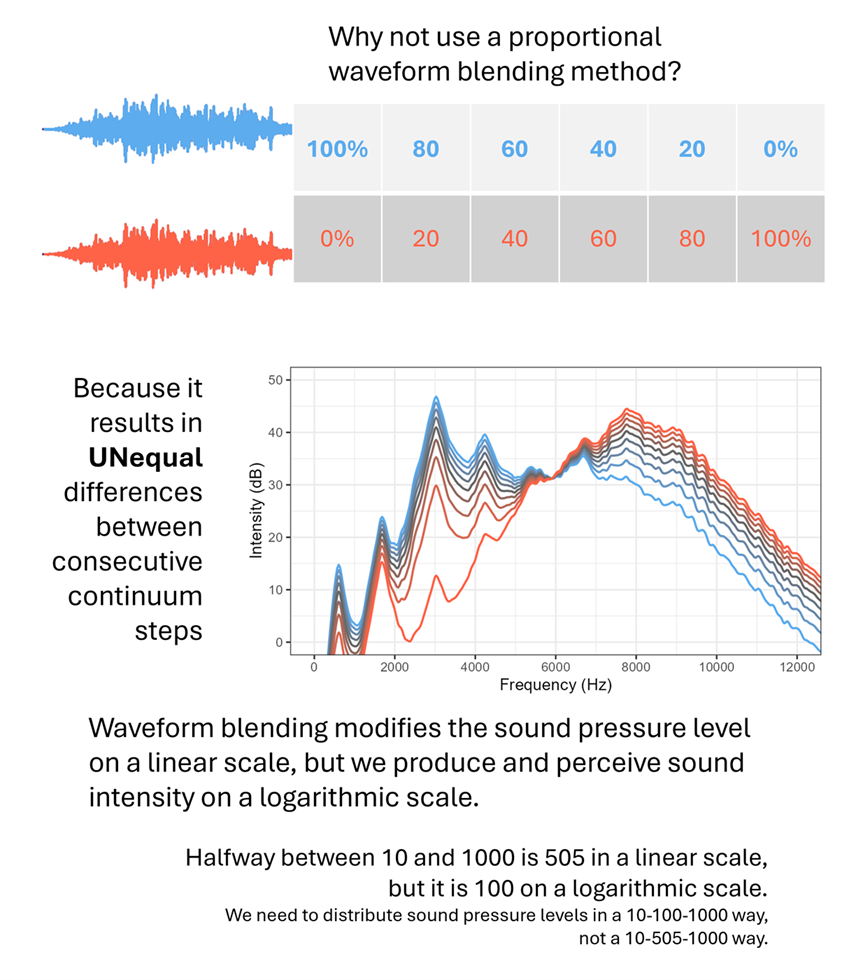
Instead, we need to make sure that the difference in sound intensity as expressed in decibels is equally spaced for all frequencies across all steps in the continuum. That's what this praat script does (see images above, in the Visualizing the output section).