


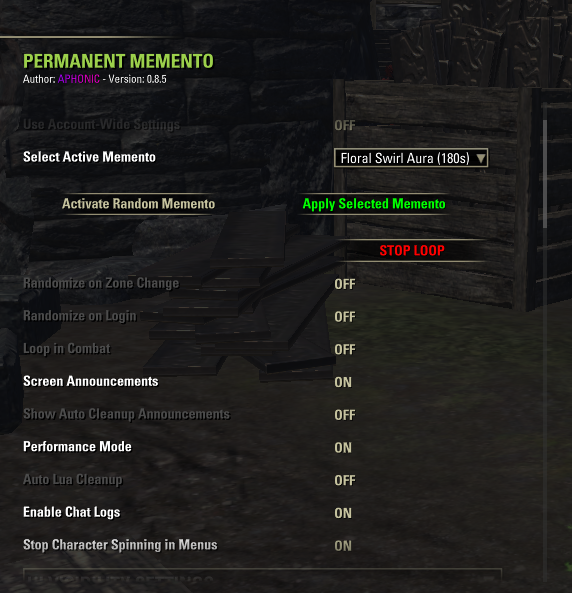
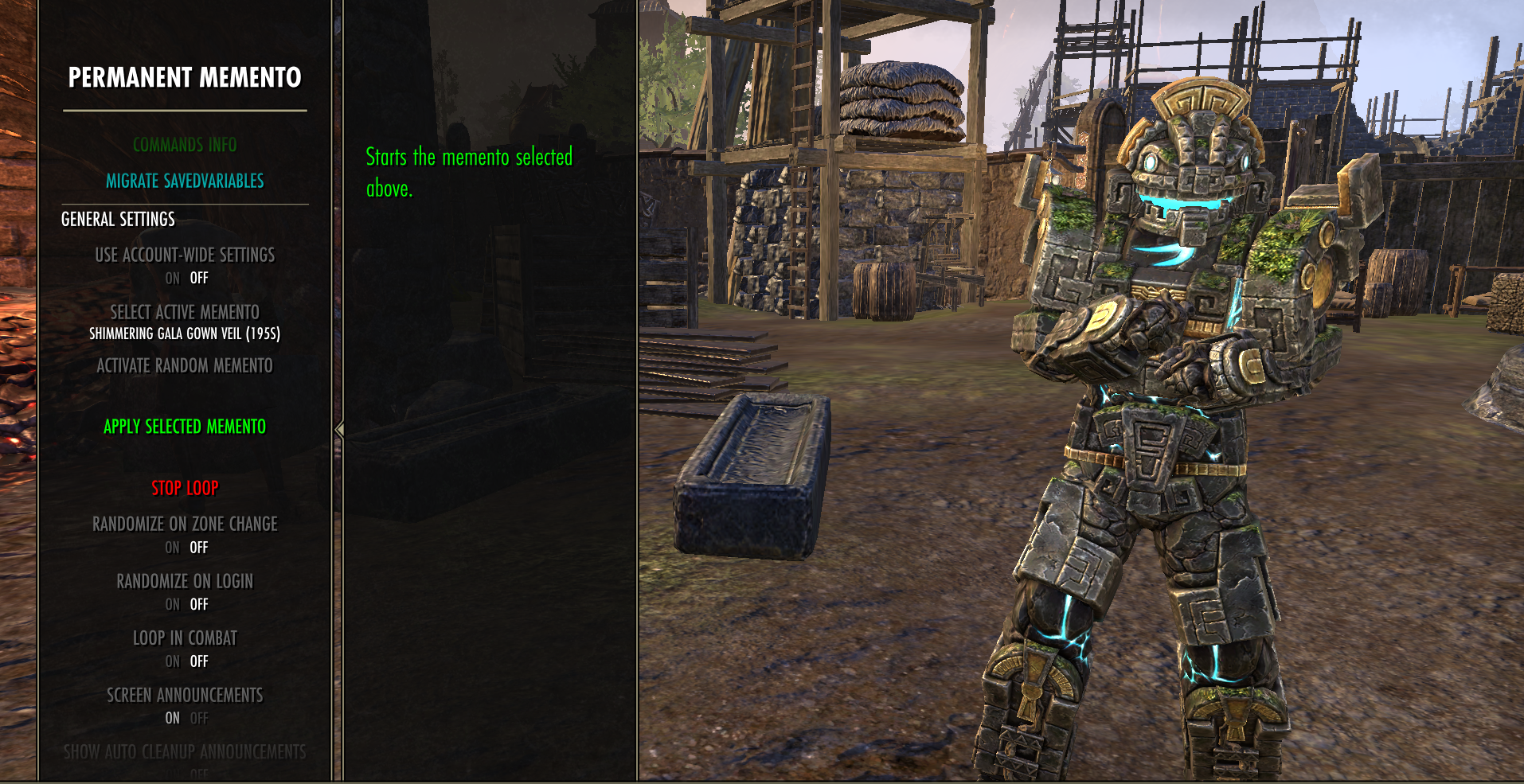

Optional Dependencies: This addon requires the following optional libraries:
- LibAddonMenu-2.0 (Required for Settings Menu)
- LibCombatAlerts (Required for Gamepad UI Movement)
Note
Without the Dependencies: You can still run the addon entirely independent, and control its settings via built-in slash commands as a standalone utility.
Usage & Settings:
- AUTO-LOOP: Activate any supported memento via Collections. The addon detects it and begins the loop automatically.
- MODULE MANAGER: Use the Settings Toggles to put unused modules to sleep.

: Automates memento effects like Finvir's Trinket, Almalexia’s Lantern, or Wild Hunt Transform. Intelligently pauses during combat, crafting, or specific menus to avoid gameplay interruption.
: No longer restricted to hardcoded mementos. Use the LEARN: Auto-Scan button to safely scan through all your unlocked mementos, and saves the data gathered.
: Build a curated list of your favorite effects. All "Randomize" features will prioritize your favorites pool.
: A real-time dashboard displaying Addon Memory footprint, Total/Session loops, and your Top 5 most used mementos.
: Easily create, save, load, and delete custom settings profiles.
: Synchronize your memento with your party. Supports every memento in the game, as long as you have it unlocked/owned!
: A draggable UI label shows current memento, player state, and settings status. Supports D-Pad movement for console users.
: Specific settings for Idle, Casting, Resurrecting, Teleporting, Menus etc.
: Toggle "Performance Mode" to reduce UI updates and save CPU, or enable "Stop Character Spinning" to prevent the camera from shifting while you are inside menus.
: Background memory cleaner. Automatically runs when memory hits 400MB (PC) or 85MB (Console) to prevent performance stuttering. Only triggers outside combat. For more control use Auto Lua Memory Cleaner addon.


- /pmem (or /permmemento) : Help menu and supported memento list.
- /pmem [name] : Force loop a specific memento.
- /pmemstop : Stops current loop and any active Auto-Scan.
- /pmempause : Pause or Resume the current loop.
- /pmemcur : Print the name of the currently looping memento.
- /pmemrand : Activate a random memento (favors your Favorites list).
- /pmemrandlrn : Activate a random memento specifically from your Learned Data list.
- /pmemrandzone : Toggle randomizing every time you change zones.
- /pmemrandlog : Toggle randomizing every time you login.
- /pmemstats : Toggle for the Stats Tracker module.
- /pmemrandfav : Toggle for Randomization & Favorites logic.
- /pmemlearn : Toggle for Learning Mode & Auto-Scan hooks.
- /pmemperf : Toggle Performance Mode (Throttles UI refresh from 0.25s to 1.0s).
- /pmemclean : Run manual Lua memory cleanup sweep.
- /pmemautoclean : Toggle background Auto Lua Cleanup.
- /pmemcsacls : Toggle announcements for Auto-Cleanups.
- /pmemscan : Start the silent Auto-Scan sequence.
- /pmemlist : List all learned mementos and durations.
- /pmemplay [name] : Force loop a learned memento.
- /pmemwipe : Permanently wipe all learned data.
- /pmemwipefav : Clear your entire favorites list.
- /pmemui : Toggle status display visibility.
- /pmemhud : Toggle between HUD mode and Menu-only mode.
- /pmemlock : Lock/unlock UI dragging.
- /pmemresetui : Reset UI scale and position to default.
- /pmemhudscale [val] : Set HUD UI scale (0.5 to 2.0).
- /pmemmenuscale [val] : Set Menu UI scale (0.5 to 2.0).
- /pmemcsa : Toggle all screen announcements.
- /pmemfree : Toggle Unrestricted Mode (loop any memento).
- /pmemcombat : Toggle Looping while in Combat.
- /pmemacct : Toggle Account-Wide vs Character settings.
- /pmemreset : Reset all settings to 0.8.6 defaults.
- /pmsyncon (PC Only) : Master toggle for the Group Sync Listener.
- /pmsync [name] (PC Only) : Send party sync request.
- /pmsyncrand (PC Only) : Send random party sync.
- /pmsyncstop (PC Only) : Send party stop request.
- /pmsyncdelay (PC Only) : Toggle random delay for syncs.
- /pmemlogs (PC Only) : Toggle Chat Logs.
- /pmemnospin (PC Only) : Toggle Camera Spin Lock in menus.

- Almalexia's Enchanted Lantern
- Astral Aurora Projector
- Blossom Bloom
- Dwemervamidium Mirage
- Dwarven Tonal Forks
- Fargrave Occult Curio
- Fetish of Anger
- Finvir's Trinket
- Floral Swirl Aura
- Inferno Cleats
- Mariner's Nimbus Stone
- Remnant of Meridia's Light
- Soul Crystals of the Returned
- Storm Atronach Aura
- Storm Atronach Transform
- Summoned Booknado
- Surprising Snowglobe
- Shimmering Gala Gown Veil
- Swarm of Crows
- The Pie of Misrule
- Token of Root Sunder
- Wild Hunt Leaf-Dance Aura
- Wild Hunt Transform

Warning
Console Flow Mode Warning: If you use the "Force Console Mode" toggle on PC and get stuck, type: /script SetCVar("ForceConsoleFlow.2", "0") followed by /reloadui
Important

Copyright (c) 2025-2026 @APHONlC. All rights reserved.
- Don't re-upload or mirror this on ESOUI/Nexus/etc without asking me first.
- Don't release modified versions of this code publicly.
- You're 100% free to tweak the code for your own private use on your machine.
Licensed under the Apache License, Version 2.0.
(For permissions or inquiries, contact @APHONlC on ESOUI or GitHub.)
How to Attribute This Work:
If you use, redistribute, or modify this script in your own project, please attribute it:
- Project Name: Permanent Memento
- Author: @APHONlC
- License: Apache License 2.0
- Original Source: Permanent Memento
Check out my other addons/projects:
• Auto Lua Memory Cleaner • Permanent Memento • Tamriel Trade Center, HarvestMap & ESO-Hub Auto-Updater (Linux, macOS, SteamDeck, & Windows)


If you encounter any issues, please submit a report here:
