NDM-123/OOP_Drawing-Functions
Folders and files
| Name | Name | Last commit date | ||
|---|---|---|---|---|
Repository files navigation
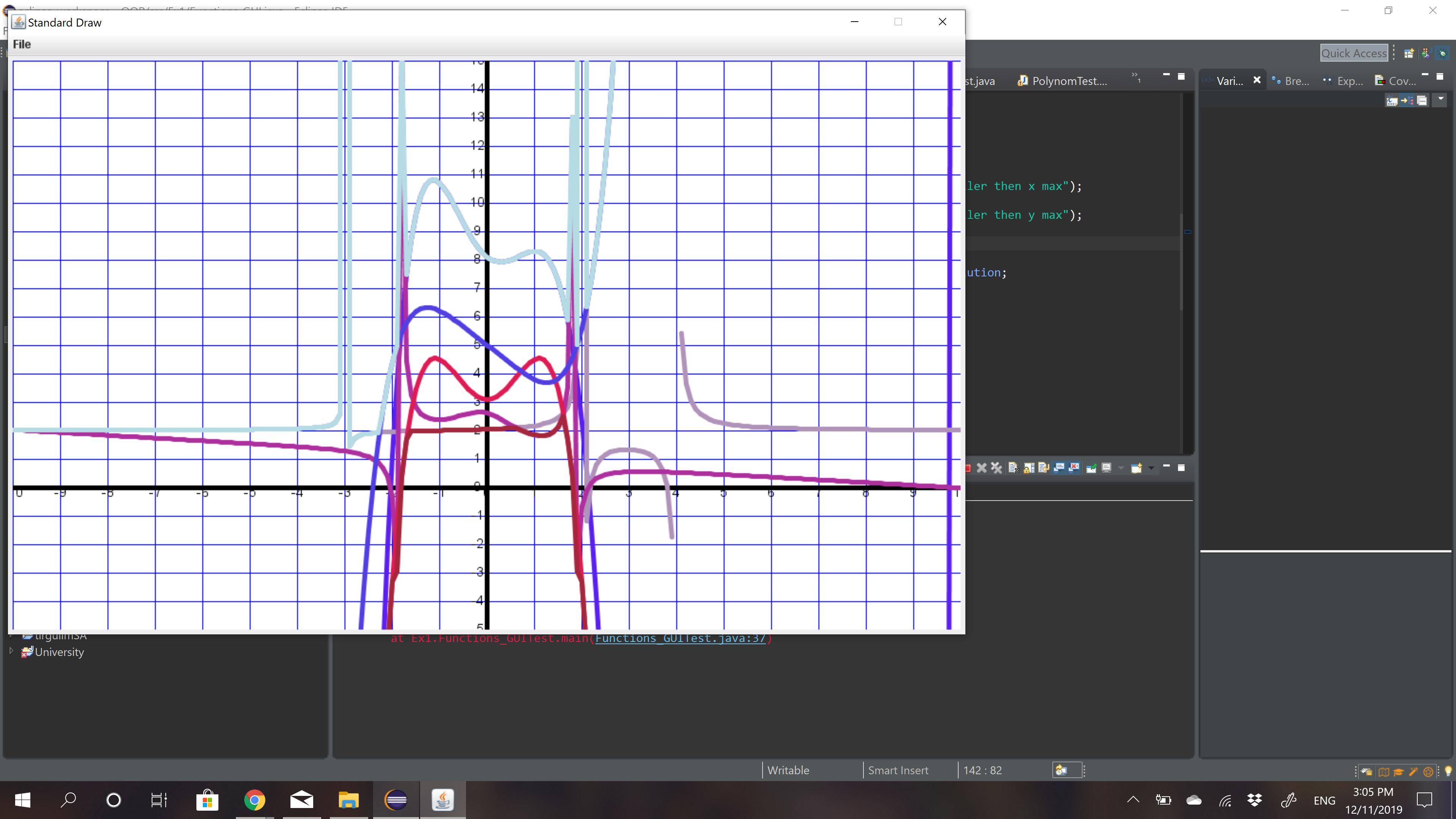
*This project creates Monoms and Polynoms and has a number of functions that interact with them. **Update 1.1 - We added to this project the options to create complex function using operations such as:Multiplying,Adding,dividing and so on. ** Update 1.2 - The new update allows the user to upload all the functions he wants to the project through Json file. **Update 2.0 - In this updadte we added the options to draw the functions the user created, using Cartesian coordinate system you can now see in a special GUI ** Update 2.1 - The new update allows the user to upload all the functions he wants to draw,including the parameters he wants to draw with in the project through Json file. The functions that operate in monom: 1)Adding one monom to another. 2)Multiplying one monom to another. 3)Checking equality. 4)Returns the value of a given x in the function. 5)If the monom equal to zero. 6)Does the derivative of the monom. The functions that operate with polynoms: 1)Adding to the polynom monom/polynom. 2)Subtracting to the polynom monom/polynom. 3)Multiplying to the polynom monom/polynom. 4)Checking equality. 5)Returns the value of a given x in the function. 6)If the polynom equal to zero. 7)Does the derivative of the monom/polynom. 8)Calculating the area between the function and above the x axis. 9)Calculating the root of the function. In order to create complex functions we use written operations for example: plus(2x,x^3). To create a complex function, you write inside the parenthsis the functions you want to have the interactions with, for example: plus(div(mul(2x^4,x^5),3),x). The functions that operate with complex function : 1)Adding to the polynom monom/polynom syntax:"plus". 2)Dividing the polynom monom/polynom syntax:"div". 3)Multiplying to the polynom monom/polynom syntax:"mul". 4)Returns the minimum function the syntax:"min". 5)Returns the maximum function the syntax:"max". 6)The option to compute a function inside another function the syntax:"comp". 7)The option to do no operation with the two polynoms the syntax:"none". The new class that draws the function needs to receive parameters that according to them he knows how to draw the Cartesian coordinate system and adfter that it will draw the function that the user supplied. The project can construct monoms polynoms and complex functions from strings,as long as the string is representing a valid monom/polynom/complex function. Examples for valid strings for monom: "2","x^4","-x". Examples for valid strings for polynom: "-x+4","x^2+3x-5","x^5+1". Examples for valid strings for complex function: "plus(-x+4",x^2+3x-5)"," div(mul(x^5+1,x^2),2)". ****** Important: Because the polynom is made of monoms, an invalid string of polynom will create a polynom from the valid figures in the string, if there is any.(an error will be printed for the invalid syntax, the valid will be recognized in the project). In order to upload a document to the project its needed to leave the project in the root directory of the project,and it should be in a txt format.