
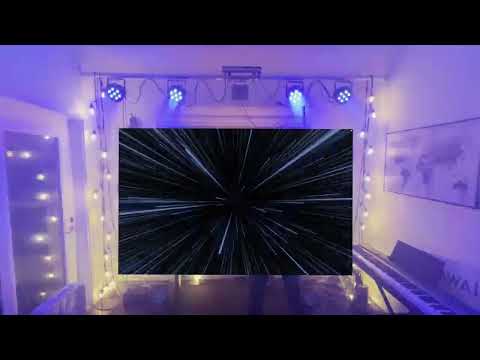
Captivate 2 generates live visuals and dmx lighting. All synchronized to music. Based on the wonderful work of Spencer @spencbot with Captivate as well as @fwcd and his fork of Captivate. Due to the discontinued nature of Captivate I am working to build upon the original code base with many new features and UI enhancements
Captivate is groundbreaking software that revolutionizes stage lighting and visuals. Music is intuitive, dynamic, and fun. Thanks to captivate, creating a visual experience feels just as good.
Concert quality visuals and lighting that is easy, fun, and dynamic. Captivate is designed to run autonomously, or you can take as much control as you'd like.
Captivate's design was inspired by synthesisers, so you'll find familiar tools like LFO's, midi integration, pads, and randomizers.
Captivate 2 builds upon this premise and brings new features and enhancements like a full feature fixture library database and the ability to share and import DMX fixtures, multi-window interface for multi screen control, multi-universe USB and Artnet, UI tooltips to help first time users learn the interface, Other UI tweaks and enhancements, and more!
Configure your dmx universe in minutes.
Tell Captivate which fixtures you have, and where they are located in space.
Add fixtures seamlessly, without the need to update scenes.

With captivate 2, hundreds or even thousands of DMX channels boil down to a handful of intuitive parameters
Take control of these parameters live with MIDI mapping or your keyboard and mouse, or automate them with Captivate's familiar, synth-like modulation tools.
Light groups allow you to add complexity as needed

Combine visualizers and effects in any way to perfect your visual experience
Add your own videos and photos to create something truly unique
Visualizers and effects listen to the parameters from the active light scene so lighing and visuals are automatically synchronized.

With Captivate 2, you'll forget there are 512 DMX channels and up to 16 universes running behind the scenes

With integrated Ableton Link technology, captivate can synchronize bpm and phase with hundreds of music apps across devices.
Intuitive MIDI mapping allows bi-directional synchronization with industry standard MIDI devices of different types, allows endless possabilities for control and syncronization.
Since all dmx channels boil down to the same parameters, captivate scenes can play on any lighting setup. Add and remove fixtures, or change venues with ease.
Join us on Discord or on the Github Discussion Board!
Captivate 2 is an Electron app (see package.json / lockfile for the resolved Electron version, e.g. ^41.1.1). Native addons (MIDI, serial/USB DMX, native/projectm-bridge, and other node-gyp modules) must be compiled with a standalone Node.js that matches the repo’s Node ABI—not an editor-bundled runtime.
| Requirement | Notes |
|---|---|
| Node.js | >= 25.9.0 (package.json → engines.node). Same version as .github/workflows/build.yml (node-version: 25.9.0). |
| npm | >= 11.11.0 (engines.npm; ships with Node 25). |
| Python | 3.11 recommended (CI uses 3.11 for node-gyp); 3.x is fine locally. |
| Git LFS | Required before npm install so large assets are present. |
| Git submodules | Required for vendored/native pieces used by the build. |
npm run check:build-env runs tools/check-build-environment.js and verifies Node/npm against engines before package:bundle / npm run package*. Run it anytime with npm run check:build-env.
- macOS: Xcode Command Line Tools (
xcode-select --install). - Windows: Visual Studio 2022 with the Desktop development with C++ workload (MSVC, Windows SDK).
node-gypis overridden in-repo to preferMSBuild\Current\Bin\amd64\MSBuild.exeon x64; the non-architectureBin\MSBuild.execan crash during native builds. - Linux (Debian/Ubuntu-style): packages used in CI include
libasound2-dev,libx11-dev, andlibgl1-mesa-dev(see the Install Linux dependencies step inbuild.yml).
- Clone on a local drive (e.g.
C:\dev\captivate). Building from a UNC path can trigger MSBuild instability;check:build-envwarns if the cwd is\\server\.... - MSBuild exit
3221225477: usually fixed by staying on Node 25.9+, using a local clone, and keeping the VS C++ workload updated. - Parallel MSBuild: packaging defaults to
JOBS=1for stability. If your machine is stable with more parallelism, set e.g.set JOBS=4(cmd) or$env:JOBS='4'(PowerShell) beforenpm run package:win. - Cursor / VS Code on Windows: the repo includes a workspace terminal profile (
.vscode/settings.json+scripts/cursor-terminal-init.ps1) that prepends a qualifying standalone Node (WinGet / Program Files /CAPTIVATE_NODE_BIN/ nvm symlink) so integrated terminals do not pick Cursor’s bundled Node first. You can also setCAPTIVATE_NODE_BINto the folder that containsnode.exe. Avoid packaging with an IDE-bundled Node;check-build-environment.jswarns whenprocess.execPathlooks editor-embedded. - Cursor Agent / headless shells do not load that terminal profile.
npm run package:bundle(and thereforepackage:win/package) first runstools/run-with-qualified-node.cjs, which on Windows searches the same locations and prepends a matching Node toPATHbefore running the rest—so packaging still picks Node 25.9+ even when the outernodeis older.
git clone https://github.com/NicholasTracy/captivate.git
cd captivate
git submodule update --init --recursive
git lfs pull
npm install
npm start
npm start runs the app in development mode with hot reloading.
npm run package          # current platform (runs check:build-env + bundle + electron-builder)
npm run package:win      # Windows installer
npm run package:linux
npm run package:mac
CI runs npm run package on macOS, Windows, and Ubuntu after setup-node (25.9.0), setup-python (3.11), submodules, and LFS.
- Captivate now bundles FFmpeg via
ffmpeg-staticfor visualizer streaming output. - NDI output can run through FFmpeg (
libndi_newtek) when available, or through native NDI SDK output when NDI Runtime libraries are installed. - For NDI output, install NDI runtime system-wide or place runtime libraries in:
assets/ndi-runtime/ - Use the Streaming page in-app to run diagnostics for FFmpeg + NDI support.
Thanks to electron-react-boilerplate for the app boilerplate