University of Dayton
Department of Computer Science
Instructor(s):
- Dr. Ahmed El Quadrihiri
- Dr. Phu Phung
- Anisha Chhatwani, chhatwania1@udayton.edu
- Omkar Sunil Karnik, karniko1@udayton.edu
| Date | Version | Description |
|---|---|---|
| 01/19/2023 | 0.0 | Init draft |
| 01/31/2023 | 0.5 | How to run and test this microservice |
| 02/10/2023 | 1.0 | Updated with use case and Sequence Diagram |
Management board (private access): https://trello.com/w/secure_password_manager_system
Source code for Frontend (private access): https://github.com/CPS-595/Secure-Password-Manager-System
Source code for Backend (private access): https://github.com/CPS-595/login_signup_microservice
Source code for Extension (private access): https://github.com/CPS-595/Extension
The idea is to build a secure web application where users can store and share their passwords for different urls.
Every person or organization has multiple accounts over various web platforms like Gmail, MongoDB, Facebook or even their wifi password. Remembering all the passwords across different platforms can be a problem especially when it comes to organizations as they need to share passwords among team members.
The intended password manager system would allow team members to store and share credentials securely. For instance, the wifi password of your office, the administrator password of a router, or your organization's social media account password. It leverages encryption and decryption algorithms to encrypt and decrypt the secrets using public and private keys. This system would be implemented using a website to manage the passwords and a Chrome extension to store the private key on the browser and interact with the website to do the decryption.
The project was introducted to us by Novobi, a Software Company in Texas but the reason why we chose to work on this project was that whenever we used to enter credentials to any website, google chrome used to ask us "Do you want to save your credentials?" and once you save your credentials you can direclty just click on the password section and the password was autofilled by the chrome. We often wondered if we could work on building something like this and that when we though of building this project.
So far the project is in its development stage Sprint 1. So far we have built a website along with database connectivity to store credentials.Futhermore, we are working on securely storing the password in Database by encrypting it and also we are trying to use passphrase for authentication. For session management we are using AWT tokens.
A rough design of the website that we planned to build will include a portal that will allow the user to add a chrome extension on the user browser which will generate and store the private key. Anytime the password needs to be reveal or store the public key would be used to encrypt the password and store in the database while private would be used to decrypt and reveal the password.
Everytime the user is comes back to the portal or the browser after few minutes if inactivity, the user will be asked to enter the passphrase which he stored after logging in.
The prototype has been made and currently the main website is being built on it so far the we are working on the authentication part but in the coming sprints we would be building an extension to enable encryption and decrpytion via public and private keys.
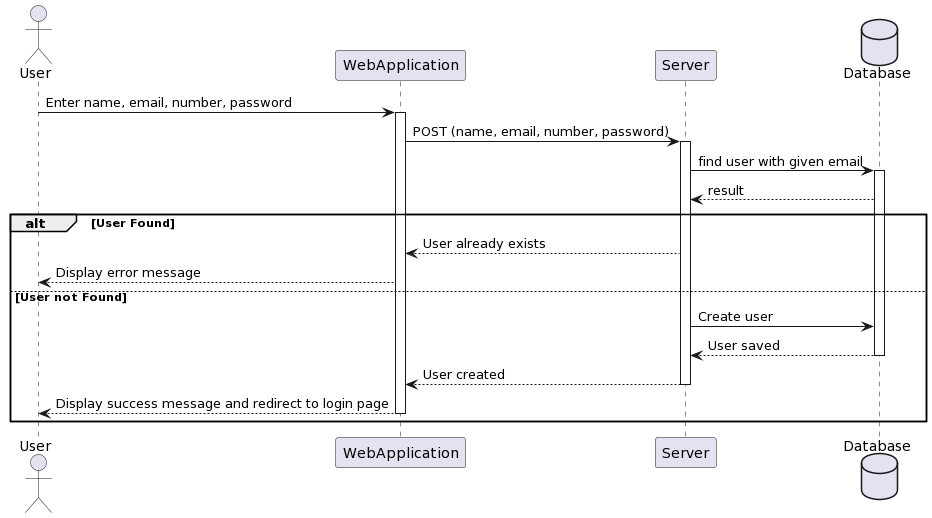
- Signup
When the user clicks on the signup button on our web application, he is redirected to the signup screen. Here, the user enters the name, email address, phone number and password and clicks the submit button. On this button click, our application sends a post request to the server with the given name, email, phone number and passwords. The Server checks in the database if a user already exists for this email address or not. If this email address already exists in the database, the server sends a response that this user already exists and this error message gets displayed on the UI. Otherwise, server creates a new user in the database and sends a success response to the web application and this success message gets displayed on the UI.
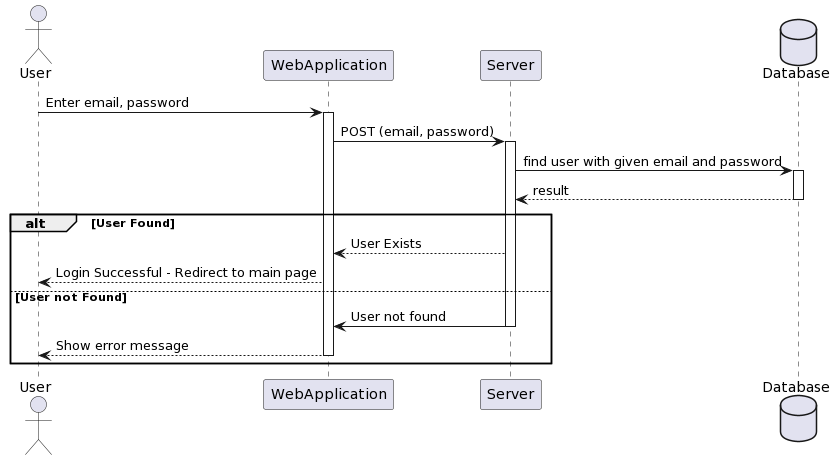
- Login
The user enters the email and password on the signup screen and clicks the submit button. On this button click, our web application sends a POST request to the server with the given email and password in the body. The server checks in the db if the user exists with the given credentials or not. If user not found, server sends an error response to the web application and this error message gets displayed on the UI. If user with the given credentials exists in the database, the server sends a success response back to the web application and the user gets redirected to the main screen.
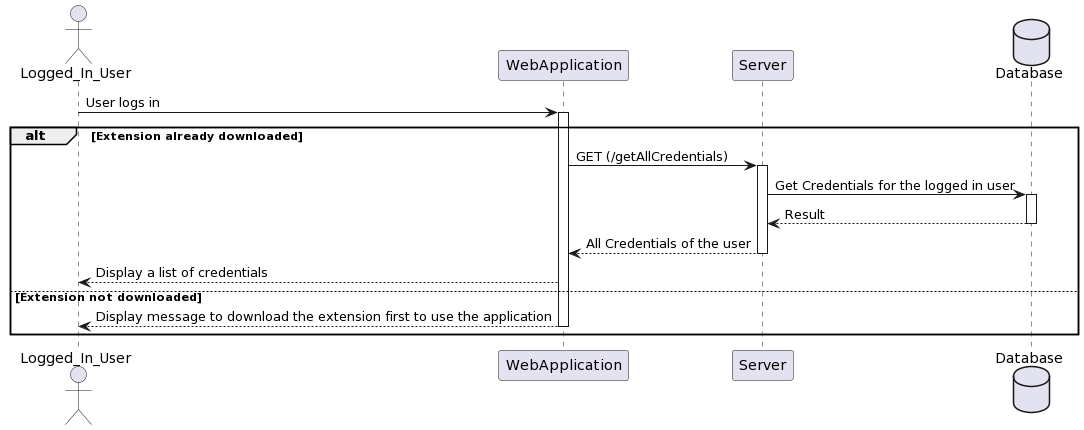
-
View all Credentials
-
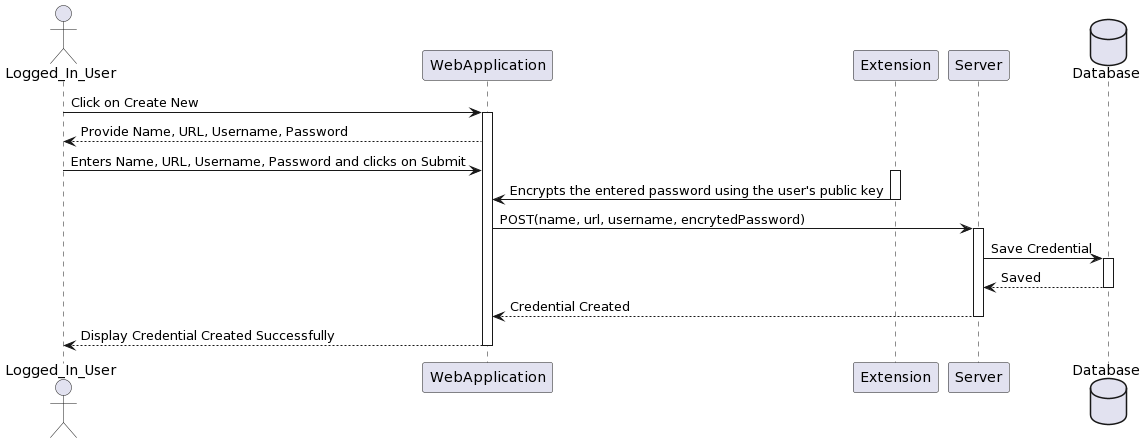
Create Credential
After loggin in successfully, the user lands on the main screen where he gets the option to add a resource. Resource is basically the password that the user needs to store. Resource contains the name, password, url and the name of the user who created this. When the user clicks on the create button, he is shown the pop up to add name, password, url and username. After adding this information, user is asked to enter the account password for verification. All this information entered by the user is sent to the server. The server first verifies if correct account password is entered or not. If the account password is correct, server creates a resource in the database and sends success response to the web application. Otherwise, it sends an error message to the web application that the account password is incorrect.
We have planned to use MERN stack (MongoDB, Express, React, NodeJS) to develop this project. So far the project is not completely developed to determine its impacts.
We have used AGILE methodology to divide the project into 5 sprints. Currently we are in the Development Stage sprint 1.
The Trello would have a weekly task and they would be updated everytime a task is completed.
- Make sure you have git installed via https://git-scm.com/book/en/v2/Getting-Started-Installing-Git
- Install node js for your Operating system by following the instructions on this link :https://nodejs.org/en/download/package-manager
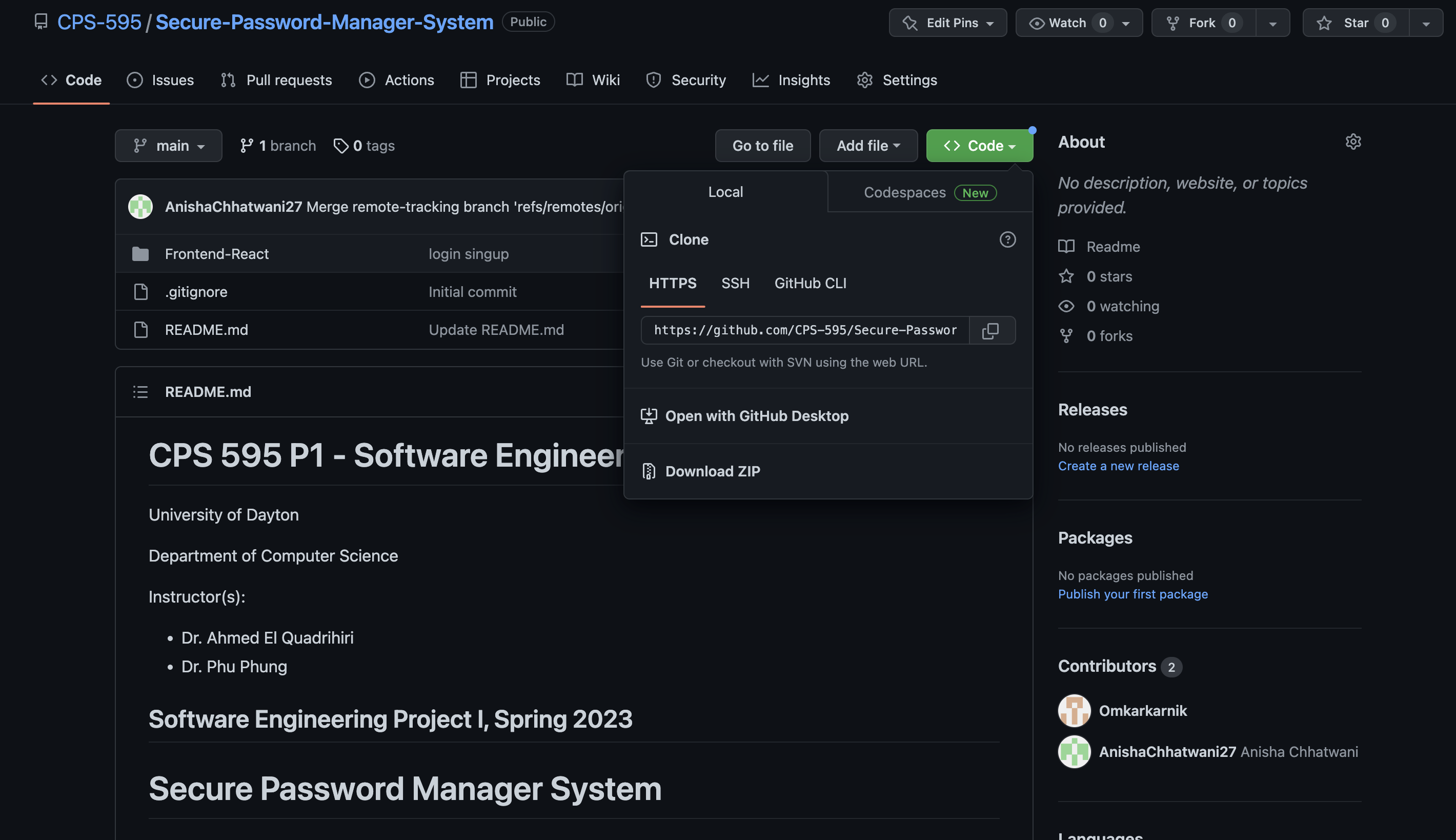
- Clone the login_signup_microservice repository https://github.com/CPS-595/login_signup_microservice and Secure Password Manager repository: https://github.com/CPS-595/Secure-Password-Manager-System by copying the link one by one.
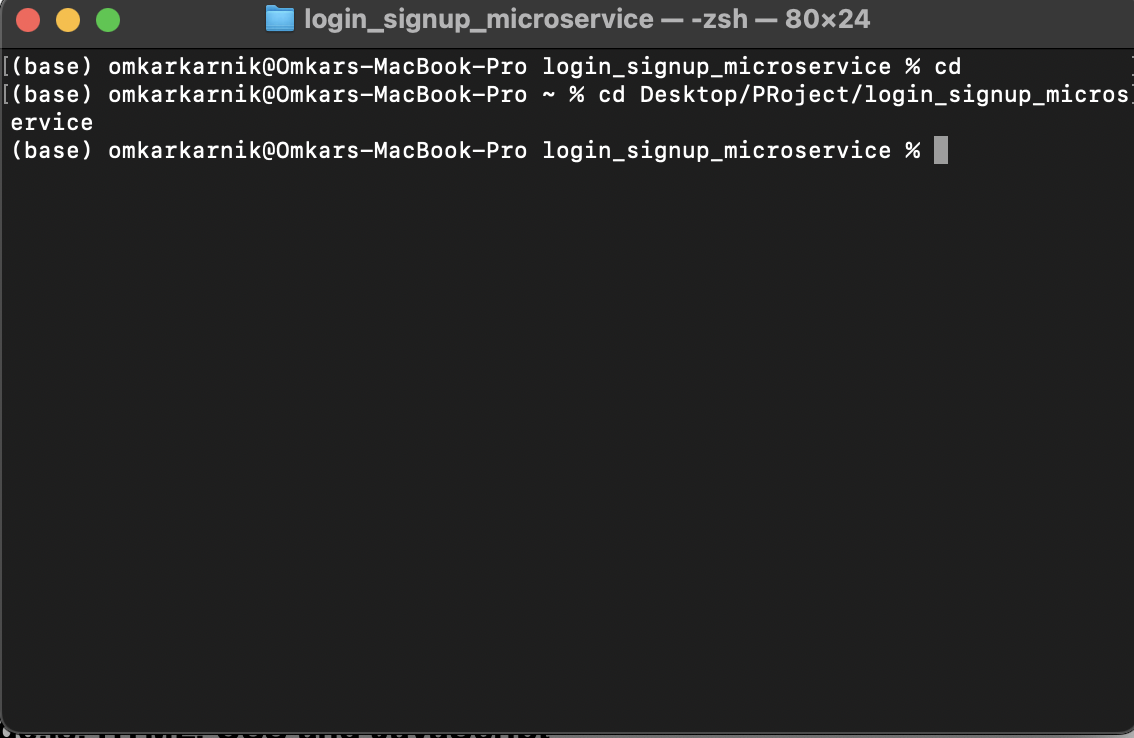
- Install all the dependencies via "npm install" command.

- Do step 4 & 5 for the Secure-password-Manager-System Repository as well.
- Go the both repostories and enter command "npm start".
- Go https://localhost:3000 to access the wesbite.
Duration: 01/09/2023 - 02/4/2023
- Project Plan
- Initial draft of the report
- Created microservice for login and signup
- Created MongoDB database and tested the data insertion via microservice
- Website Prototype and client approval
Duration: 02/05/2023 - 03/11/2023
- UI for Login Page
- UI for Signup Page
- Endpoints for Login and Signup
- Endpoint to show all the resources of a logged in user
- Endpoint to create a resource
- UI to see all the resources of a logged in user