
Coding agents, visible to your team.
Open-source and self-hostable. Track sessions, share prompts, and link every conversation to the commit it produced.
Website · Docs · Discord · Changelog
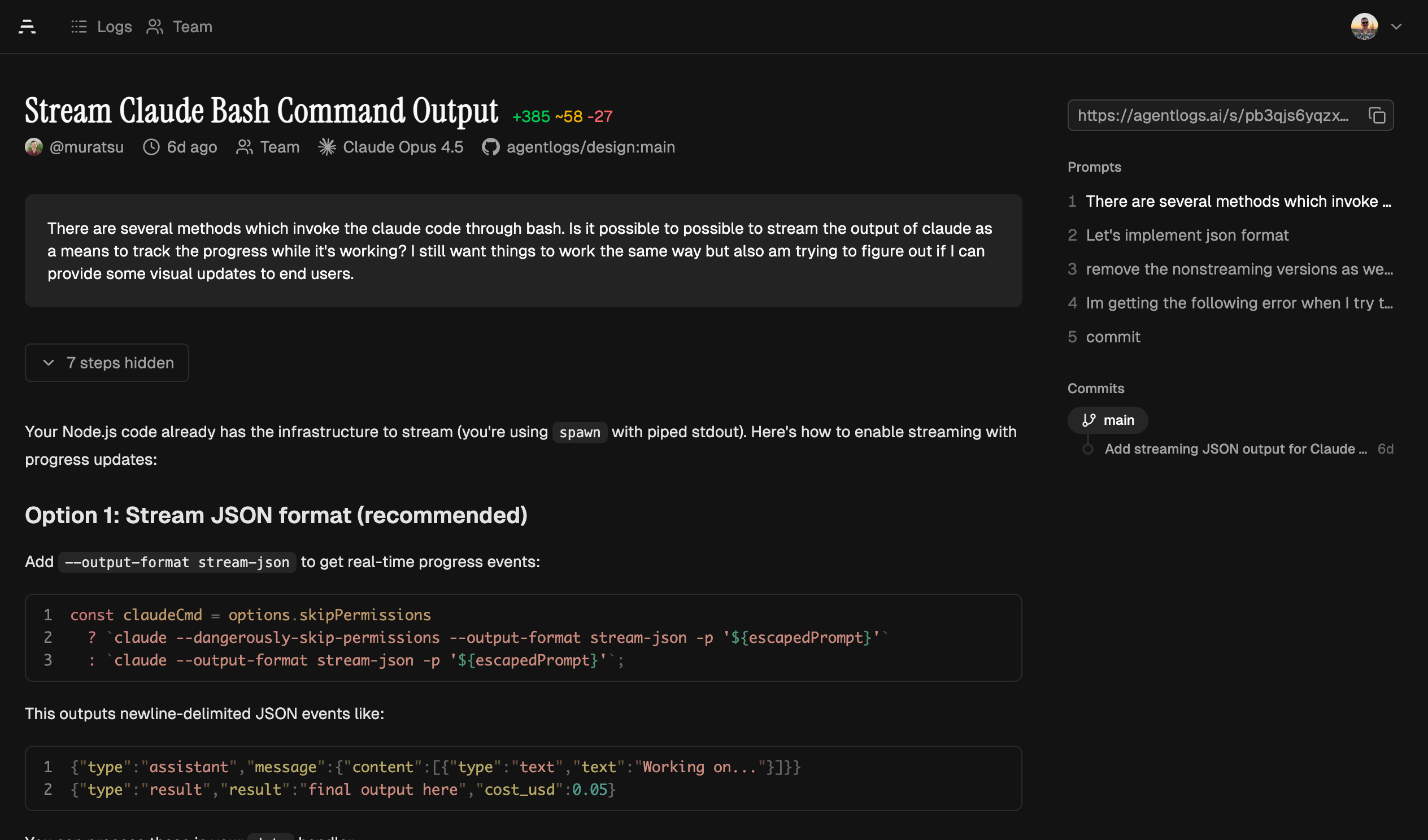
AgentLogs captures and analyzes transcripts from AI coding agents (like Claude Code, Codex, OpenCode, and Pi) to give your team visibility into how AI tools are used in their codebases.
See it in action → Example transcript
AI coding agents are becoming core to how teams write software. But right now, every session is a black box stored on the machine of the user. You can't see the context put into each session and there is no knowledge sharing between teammates.
AgentLogs fixes that:
- Team observability — Dashboard with activity metrics, agent & model usage, and per-member breakdowns
- Git integration — Links sessions to the commits they produced. See which transcript wrote which code
- Shared learning — Browse and share your team's sessions to discover effective prompts and workflows
| Team Dashboard | Git Integration | Session Browser |
|---|---|---|
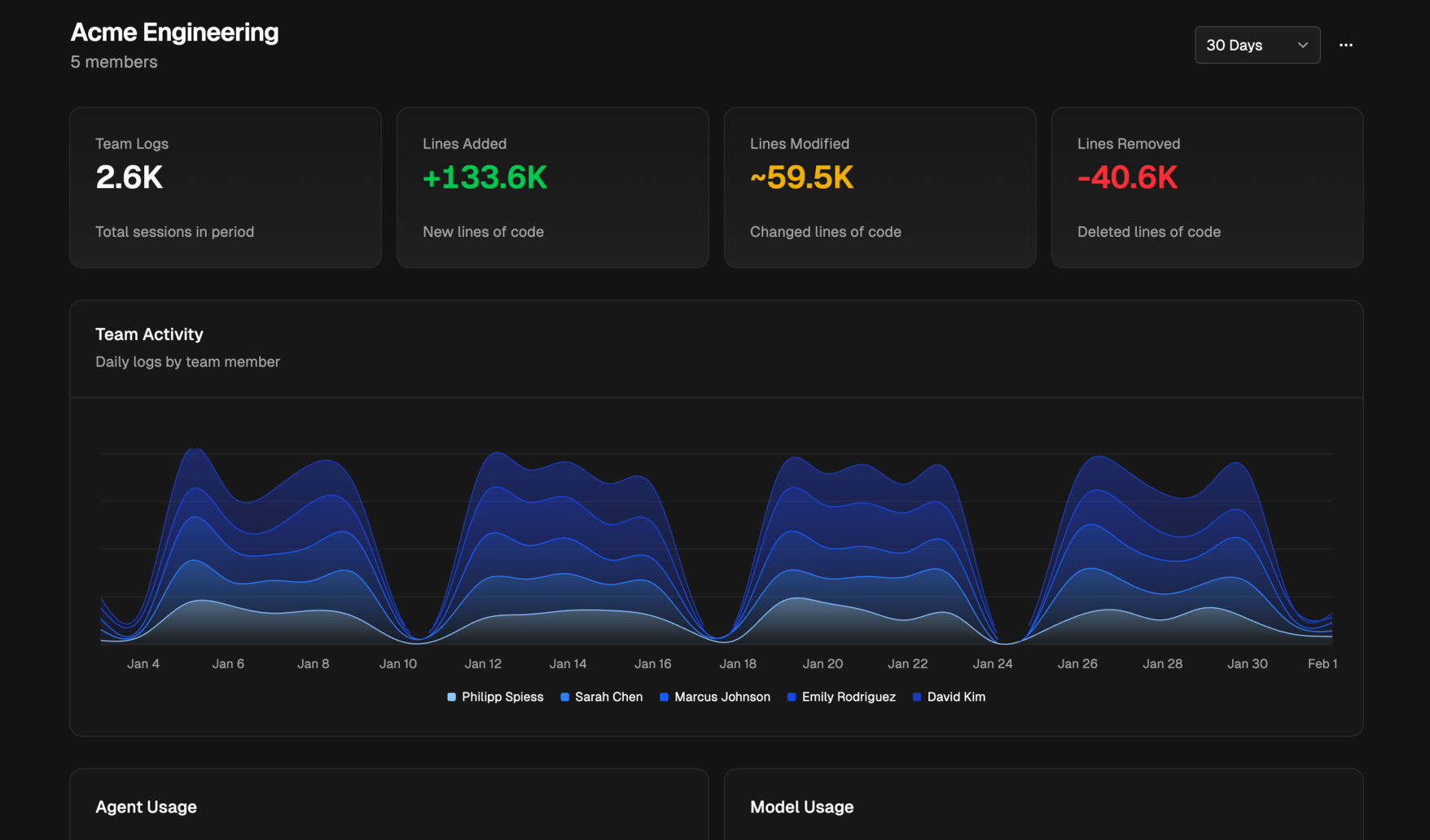 |
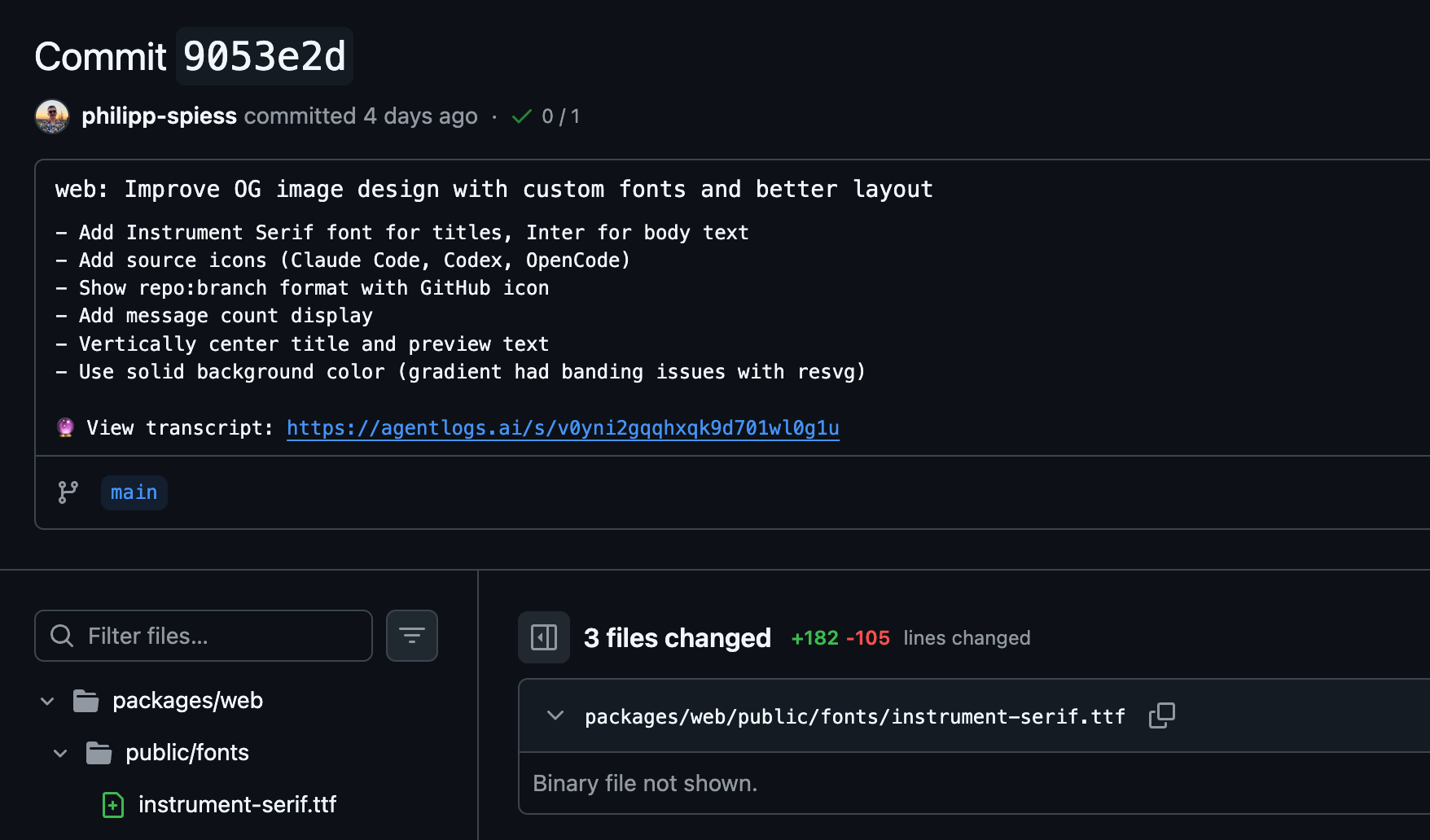 |
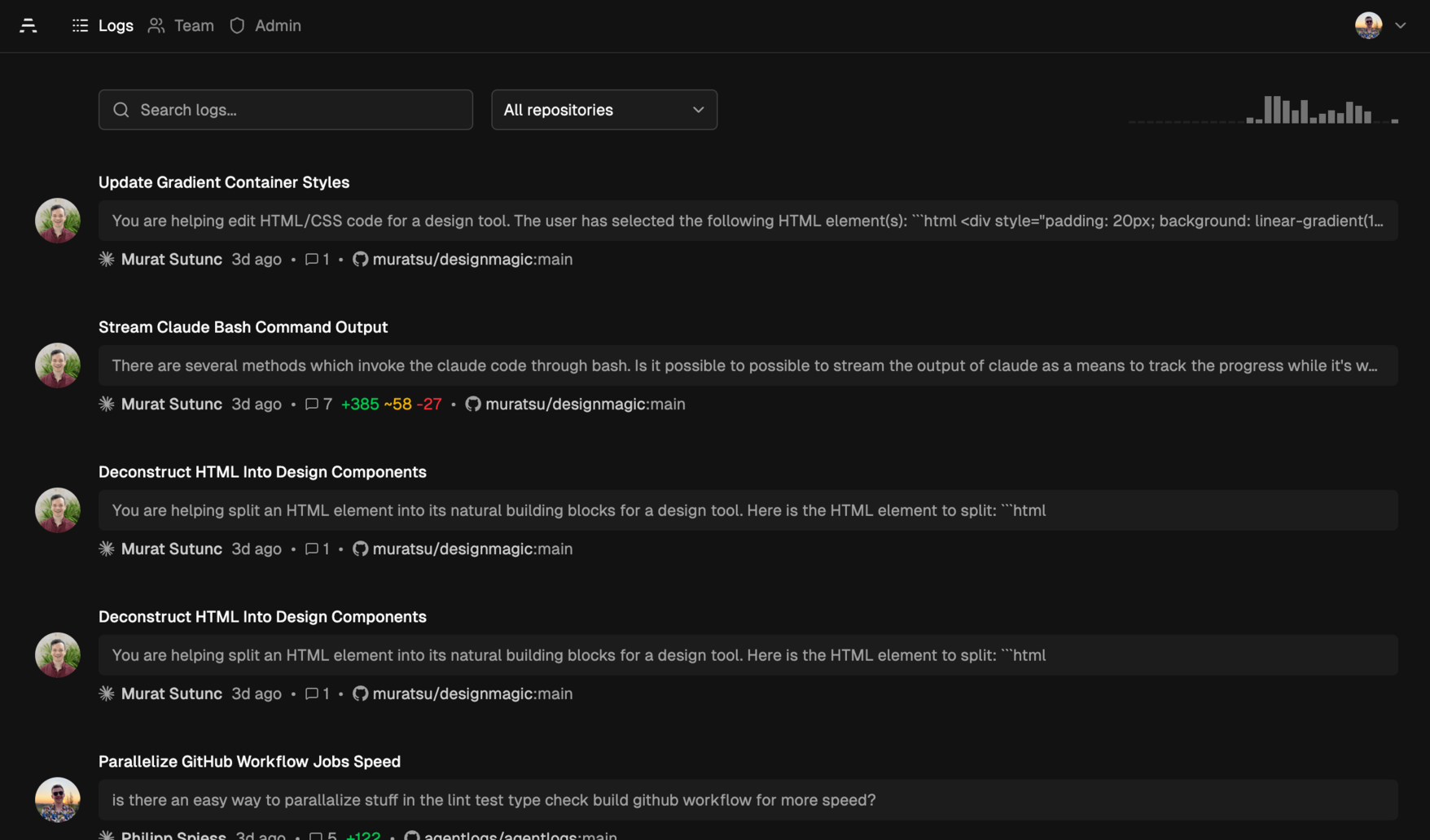 |
| Agent | Transcripts | Auto-sync | Commit Tracking |
|---|---|---|---|
| Claude Code | ✓ | ✓ | ✓ |
| Cline (experimental) | ✓ | ✓ | ✓ |
| Codex | ✓ | ✓ | ✓ |
| OpenCode | ✓ | ✓ | ✓ |
| Pi | ✓ | ✓ | ✓ |
npx agentlogs login agentlogs.aiClaude Code — inside Claude Code:
/plugin marketplace add agentlogs/claude-code
/plugin install agentlogs
Cline:
npx agentlogs cline installCodex:
Run npx agentlogs codex install to write ~/.codex/hooks.json, enable Codex hook capture, and track git commits in AgentLogs.
Set AGENTLOGS_CLI_PATH='bun /absolute/path/to/packages/cli/src/index.ts' before starting Codex if you want hooks to use a local AgentLogs checkout while developing.
Codex does not currently let hooks rewrite the commit message body, so transcript URLs are not appended to commit messages automatically.
See the full setup guide: https://agentlogs.ai/docs/agents/codex
OpenCode — add to opencode.json:
{ "plugin": ["@agentlogs/opencode"] }Pi — run inside Pi or from the terminal:
pi install npm:@agentlogs/piTranscripts are captured and uploaded automatically. View them at agentlogs.ai.
The CLI can also be used standalone for manual uploads:
# Interactive picker, browse transcripts from all agents
npx agentlogs upload

# Upload most recent transcript
npx agentlogs upload --latest

# Sync all Claude Code transcripts
npx agentlogs claudecode sync

# Check auth status
npx agentlogs status
See the full CLI reference.
AgentLogs is source-available and can be self-hosted.
You can deploy it either as:
- A container from
ghcr.io/agentlogs/agentlogs - A standalone
agentlogs-serverbinary from GitHub Releases
See the full guide at Hosting Docs.
- GitHub OAuth App (create one)
- Homepage URL:
https://your-domain.example - Callback URL:
https://your-domain.example/api/auth/callback/github - For local development:
http://localhost:3000andhttp://localhost:3000/api/auth/callback/github
- Homepage URL:
GITHUB_CLIENT_IDGITHUB_CLIENT_SECRETBETTER_AUTH_SECRET(generate withopenssl rand -base64 32)WEB_URL(public app URL, e.g.https://logs.example.com)
AgentLogs can generate short transcript titles automatically. Configure one of:
OPENROUTER_API_KEYfor the default hosted backendAI_BASE_URLandAI_MODELfor any OpenAI-compatible endpoint (Ollama, vLLM, LiteLLM, and similar)AI_API_KEYif your OpenAI-compatible endpoint requires authentication
If AI_BASE_URL and AI_MODEL are set, AgentLogs prefers that endpoint and only falls back to OpenRouter when the custom backend is not configured. See the full Hosting Docs.
Requires Bun v1.3.10.
git clone https://github.com/agentlogs/agentlogs.git
cd agentlogs
bun install

# Configure environment
cp packages/server/.env.example packages/server/.env
# Edit packages/server/.env with:
#   GITHUB_CLIENT_ID=...
#   GITHUB_CLIENT_SECRET=...
#   BETTER_AUTH_SECRET=...  (openssl rand -base64 32)
#   WEB_URL=http://localhost:3000
# Optional AI summaries:
#   OPENROUTER_API_KEY=...
# or use an OpenAI-compatible endpoint:
#   AI_BASE_URL=http://localhost:11434/v1
#   AI_MODEL=llama3.2
#   AI_API_KEY=...  # only if your endpoint requires auth

# Initialize database
bun db:migrate

# Start
bun dev
Open http://localhost:3000.
Point the CLI at your local instance:
npx agentlogs login localhost:3000docker run -d \
--name agentlogs \
-p 3000:3000 \
-v agentlogs-data:/app/.data \
-e GITHUB_CLIENT_ID=... \
-e GITHUB_CLIENT_SECRET=... \
-e BETTER_AUTH_SECRET=... \
-e WEB_URL=https://logs.example.com \
ghcr.io/agentlogs/agentlogs:latestDownload the correct binary for your OS/architecture from GitHub Releases:
chmod +x ./agentlogs-server
./agentlogs-server
By default, the standalone server applies embedded migrations before startup. Use --no-migrations to skip them or --only-migrations to run them and exit.
npx agentlogs login logs.example.compackages/
├── cli/ — CLI tool (npx agentlogs)
├── server/ — Server package (TanStack Start web UI + API, standalone Bun binary + SQLite)
├── shared/ — Shared types, schemas, transcript parsing, secret redaction
├── pi/ — Pi extension (@agentlogs/pi)
├── opencode/ — OpenCode plugin (@agentlogs/opencode)
└── e2e/ — End-to-end tests
docs/ — Documentation (Mintlify)
# Start the server package
bun dev

# Run CLI
bun agentlogs

# Type check, lint, format
bun run check

# Format code
bun run format

# Run e2e tests
bun run test:e2e

# Database commands
bun db:migrate       # Run migrations
bun db:generate      # Generate migrations from schema changes
bun db:studio        # Open Drizzle Studio
bun db:reset # Reset local database- Web: TanStack Start + Bun standalone runtime
- Data: SQLite + local blob storage on disk
- ORM: Drizzle
- Auth: BetterAuth (GitHub OAuth + device flow)
- Styling: Tailwind CSS v4 + shadcn/ui
- CLI: Commander
- Quality: oxlint + oxfmt + tsgo
We welcome contributions! Please:
- Fork the repo and create a branch
- Make your changes
- Run
bun run formatandbun run check - Open a PR
AgentLogs was inspired by and builds on ideas from:
- Amp Threads — team observability for AI coding agents
- Yaplog, Pi session sharing, OpenCode session sharing — public sharing of AI coding sessions