Releases: QoderAI/changelog-QoderWork
HTML Rendering

HTML now renders in-app — preview your web pages right in the conversation. This release also polishes the usage panel and includes a round of bug fixes.
✨ New
- HTML rendering
HTML files now render in-app, so you can see your web pages take shape without switching to a browser.
🔧 Improvements
- Usage panel polish
Polished the usage overview layout — remaining credits are now easy to spot at a glance.
🐛 Fixes
- Fixed a number of issues affecting daily usage, including duplicate messages, update notification popups, Settings dialog behavior, and image display.
Patch
Bug Fixes
Scheduled Tasks
🎉 Scheduled Tasks are live.
Let QoderWork handle recurring tasks for you — all managed from a dedicated sidebar. This release also introduces macOS Connectors and math formula rendering.
✨ New
- Scheduled Tasks
Create them manually from the sidebar, or tell QoderWork in conversation and it sets them up for you. Tasks are automatically grouped for easy management, with execution results and history always accessible. - macOS Connectors
Enable them in Settings. QoderWork can read and write your Notes, Calendar, Reminders, Mail, and Contacts — no extra setup required. - Math formula rendering
LaTeX math formulas now render properly.
Browser Connector
QoderWork introduces the Browser Connector — a zero-dependency, zero-config way to connect your real browser, completely replacing complex browser MCP setups.
✨ New Features
- Browser Connector
Seamlessly integrates via a browser extension with no extra dependencies. Reuses your real browser so cookies and login sessions are preserved out of the box. Carries your authentic browser fingerprint to avoid bot detection. Lets you manually select which tabs to connect, giving you precise control over what the AI can access. Click the setup link in the chat box and follow the guide to load the extension.

Bug Fixes
Fixed a few issues affecting daily usage.
🐛 Fixes
- Fixed "Add to Chat" quoted content being sent to the AI as unreadable raw tokens instead of properly formatted text
- Fixed an occasional blank screen when switching between tasks
- Fixed the "Open with" menu for output files showing no available applications
Direct Connect
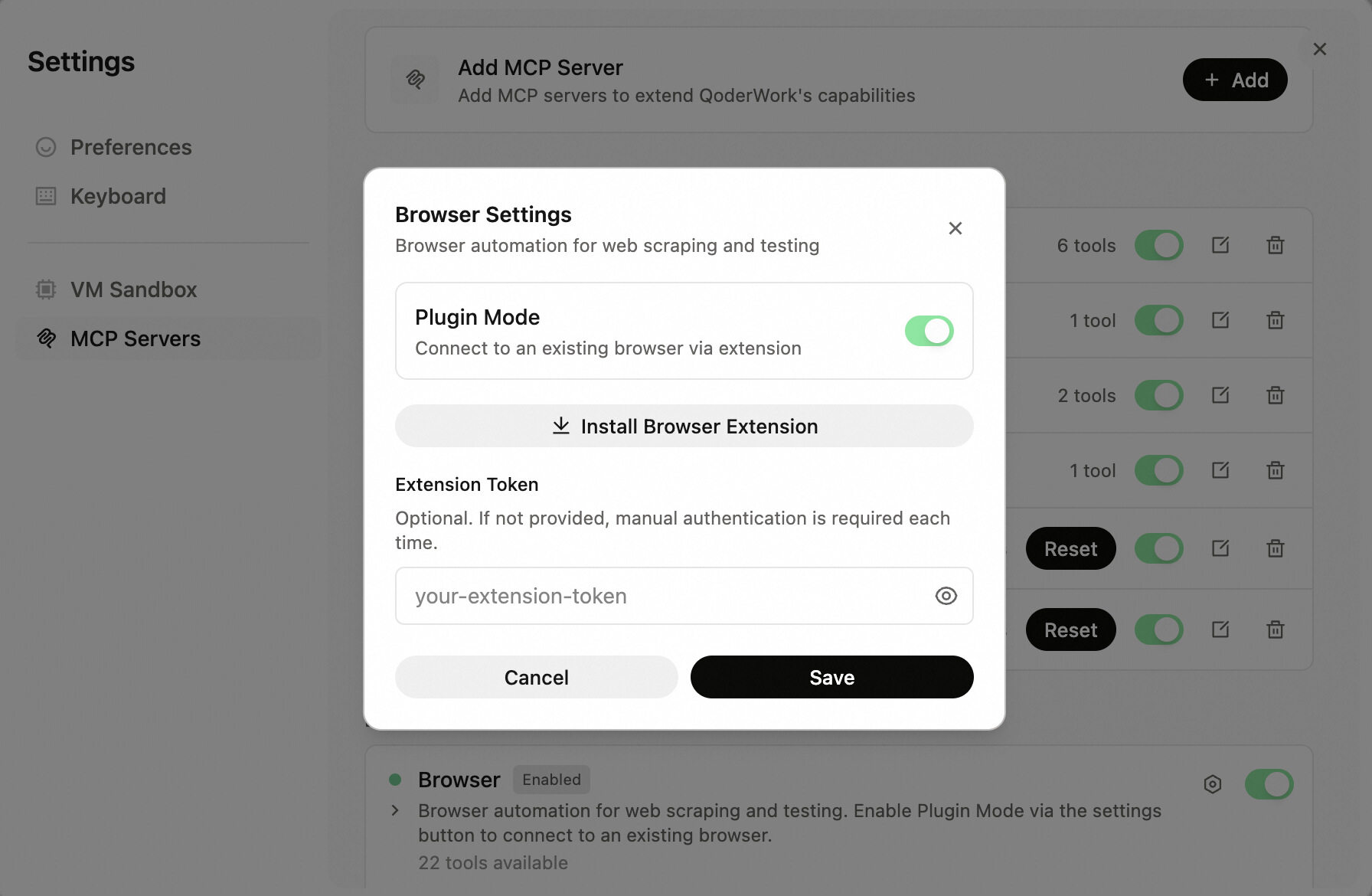
The Browser tool now supports Plugin Mode — flip the toggle to connect to your existing browser.
🔧 Improvements
- Browser Plugin Mode
Turn on Plugin Mode to connect to your existing browser session — complete with all your logins and cookies.
Bug Fixes
Safer File Ops
A small but meaningful update that makes file handling safer and fixes a model list loading issue.
🔧 Improvements
- Safer file operations
File handling is now more cautious and controlled, reducing the risk of unintended changes.
🐛 Fixes
- Fixed an issue where the model list could fail to load.
The Little Things
A round of detail-level polish and bug fixes to make everyday use more reliable.
🔧 Improvements
- Expanded QoFounder contact fields
A new "Other contact" field lets you share additional ways to reach you. - File context menu
Right-click any file card to open it, reveal it in your file manager, copy its path, or choose which app to open it with.
🐛 Fixes
- Fixed a race condition where the first message in a new task would occasionally not appear.
- Various other fixes including local session recovery, feedback submission, and startup stability.