
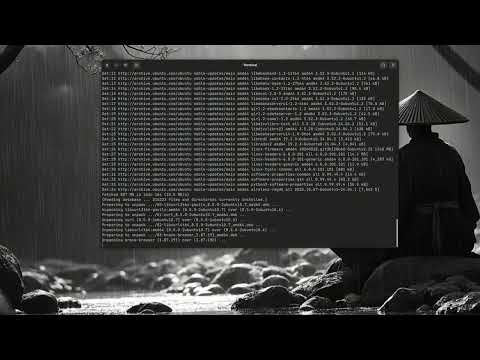




uCareSystem is an all-in-one system update and maintenance application for Ubuntu and its derivatives. It provides a simple way to keep your system up-to-date and clean.
Name   : uCareSystem
License: GPL3 (http://www.gnu.org/licenses/gpl.html)
Author : Salih Emin
Email  : salih-emin(a)ubuntu.com
Date   : 25-02-2026 (first release 19-02-2009)
Version: 26.02.25
System : Ubuntu Linux and derivatives. With Deb, Snap or Flatpak. (Partial support for Debian and WSL2)
WebSite: http://utappia.org
I am deeply grateful to the community members who supported the previous development cycle through donations or code contributions:
- W. Schreinemachers (Thanks for your continued support)
- Hewitt R.
- Monovel I.
- Stade M.
Every version has also a code name dedicated as a release honored to one of the contributors. For historical reference, you can check all previous honored releases.
uCareSystem is an all-in-one, fully automated system update and maintenance tool for Ubuntu, Debian, Mint, Raspberry Pi OS, WSL2, and derivatives. It is designed for maximum reliability, user-friendliness, and cross-distro compatibility.
- Fully automated update, upgrade, and cleanup of system packages
- Robust pre-update health checks: interrupted installs, package locks (with retry logic), broken/held packages, disk space
- Snap and Flatpak update/cleanup (auto-detects and skips if not installed)
- Safe kernel cleanup: keeps current and one previous kernel (configurable)
- Cleans package cache, removes obsolete/orphan packages, and deletes config files of uninstalled packages
- Real-time output with colorized messages and progress countdowns
- Debug mode (
-x|--debug): full tracing to log file, user notification, and safe cleanup - Enhanced detection for systemd, WSL2, and container environments (safe daemon-reload)
- POSIX-compliant launcher with advanced terminal fallback logic (supports all major terminal emulators)
- All scripts are fully shellcheck compliant
- Runtime test matrix with Docker, LXD, and VM scenarios (logs for each run)
No matter which installation method you choose below, the following steps will be performed automatically:
Choose whichever installation method suits you best—each will ensure a complete and up-to-date installation of uCareSystem :
- Install the uCareSystem core package
- Check if the Utappia repository exists in your system
- If the repository is not found, it will automatically:
- Add the Utappia repository for future updates of uCareSystem
- Add the repository signing key
You can install uCareSystem in three ways:
This one-liner will update your package list, install jq and curl if needed, download the latest .deb to /tmp, and install it:
sudo apt update && sudo apt install -y jq curl && cd /tmp && \
url="$(curl -fsSL -A 'uCareSystem-installer' https://api.github.com/repos/utappia/ucaresystem/releases/latest | jq -r '.assets[] | select(.name | test("^ucaresystem-core_.*\\.deb$")) | .browser_download_url' | head -n1)" && \
[ -n "$url" ] && curl -fL -A 'uCareSystem-installer' "$url" -o ucaresystem-core_latest.deb && \
sudo apt install ./ucaresystem-core_latest.deb
Note: Installing from
/tmpas shown above avoids the unsandboxed download warning.
If you prefer, you can add the official Utappia PPA directly and install uCareSystem from there:
sudo add-apt-repository ppa:utappia/stable
sudo apt update
sudo apt install ucaresystem-core
Note: On some Ubuntu or Linux Mint systems, the
add-apt-repositorycommand may not be available by default. If you get a "command not found" error, install it first with:sudo apt install software-properties-common
This method will automatically add the repository and signing key for you. You will always get the latest stable version and updates via your package manager.
-
Download the latest
.debpackage from the releases page -
Install the package:
sudo apt install ./ucaresystem-core_*.deb
If you install the package from your home or Downloads directory, you may see a warning about “Download is performed unsandboxed as root... Permission denied for user '_apt'.” This is normal and does not affect the installation. To avoid the warning, move the
.debfile to/tmpor another directory readable by all users before installing.
On Desktop environments, uCareSystem creates a launcher icon in your Applications menu. Just search for ucare and click the icon to start the default maintenance tasks. The launcher is fully POSIX-compliant and supports all major terminal emulators, with robust fallback logic for maximum compatibility across desktop environments.
Alternatively, you can invoke it through the terminal with various options/flags:
ucaresystem-core
- Show version:
ucaresystem-core -v - Read the manual:
man ucaresystem-core - Shutdown after maintenance:
ucaresystem-core -s - Upgrade to next Ubuntu release:
ucaresystem-core -u - Upgrade to next development (rolling) release:
ucaresystem-core -d - Upgrade from EOL Ubuntu to next supported release:
ucaresystem-core -eol - Enable debug mode (tracing to log file):
ucaresystem-core -xAfter completion, the debug log file will be saved as
~/ucaresystem-debug-<date>.log(in your home directory). If your home directory cannot be determined, it will be saved in/tmp.
For all available options, run:
ucaresystem-core -h
To completely remove uCareSystem and its repository:
- Remove the package:
sudo apt autoremove ucaresystem-core
- (Optional) Remove the repository and its signing key:
If you keep the repository and its signing key you can reinstall ucaresystem-core without downloading the *.deb package but instead by
sudo rm /etc/apt/sources.list.d/utappia*
sudo rm /etc/apt/keyrings/utappia*.gpg
apt install ucaresystem-core. - Update package lists:
sudo apt update
If you encounter errors related to missing or invalid repository GPG keys (e.g., NO_PUBKEY A726F660EBC8F9FD or signature verification failures) during installation or apt update, follow these steps:
-
Remove any existing (possibly invalid) keyring file:
sudo rm /etc/apt/keyrings/utappia-archive-keyring.gpg
-
Download and install the Utappia GPG key:
curl -fsSL 'https://keyserver.ubuntu.com/pks/lookup?op=get&search=0xEBC8F9FD' | sudo gpg --dearmor -o /etc/apt/keyrings/utappia-archive-keyring.gpg
If the above fails, try an alternative keyserver:
curl -fsSL 'https://keys.openpgp.org/vks/v1/by-fingerprint/EBC8F9FD' | sudo gpg --dearmor -o /etc/apt/keyrings/utappia-archive-keyring.gpg
-
Update package lists:
sudo apt update
If you still experience issues, check your network connectivity or try from a different environment (e.g., outside a VM or with different firewall settings).
If you have an idea and want to contribute code:
- Open an Issue describing what you want to fix/change/enhance
- From the branches button, change the "master" to "develop" branch
- Start coding and once you are done, create a pull request that you want to be merged to the "develop" branch
Please do not use master branch for code contribution. Use the develop branch for forking and pull requests.
For questions, support, and community discussions, visit the uCareSystem Discussion Forum.
