
Chat with your local Ollama models from anywhere — right from your phone.


PocketLlama turns your PC into a private AI server. Run the server script, scan the QR code with your phone, and start chatting — with streaming responses, vision model support, conversation branching, and more.
┌─────────────┐         ┌──────────────────┐         ┌──────────┐
│  📱 Phone    │ ──────▶ │  🌐 DevTunnel     │ ──────▶ │  🦙 Ollama │
│  PocketLlama │ ◀────── │  (authenticated   │ ◀────── │  (local)   │
│  App         │         │   Python proxy)   │         │            │
└─────────────┘         └──────────────────┘         └──────────┘
       │                        │
       │    QR Code / Manual    │
       │◀───────────────────────│
       │   {url, key} JSON      │
- Run the server on your PC → it starts Ollama, creates a secure tunnel, and shows a QR code
- Scan the QR with the PocketLlama app → instantly connected
- Pick a model and start chatting — responses stream in real-time
- 💬 Streaming responses — token-by-token, just like ChatGPT
- 🧠 Thinking model support —
<think>tags shown in a collapsible "Thought Process" section - 🌿 Conversation branching — edit a message to create branches, navigate with
< 1/2 >arrows (like ChatGPT) - 🔄 Retry responses — regenerate any assistant response as a new branch
- ✏️ Edit messages — modify sent messages with full image re-attachment
- 📋 Copy messages — one-tap copy to clipboard
- 📝 Auto-generated titles — the LLM names your chats after the first exchange
- 🗑️ Chat management — rename, delete, organized by date in a side drawer
- 📷 Vision model support — attach images from camera or gallery (auto-detected via
/api/show) - 🔍 Full-screen image viewer — tap any image to view at full size
- 🎤 Voice input (STT) — optional speech-to-text via faster-whisper (server-side)
- 📱 QR code scanning — instant connection, no typing
- 🔑 Secure auth — random key generated on each server start, validated on every request
- 💾 Saved connections — quickly reconnect to previous servers
- 🌐 DevTunnels — secure public access to your local Ollama, no port forwarding needed
- 🗄️ Local SQLite — all chats stored on-device, no cloud, fully private
- 🌿 Branch-aware storage — full conversation tree persisted, switch branches anytime
- Ollama installed with at least one model pulled
- DevTunnel CLI installed and logged in
- Python 3.11+ (for the server)
cd server

# Create virtual environment
python -m venv .venv

# Activate it
.venv\Scripts\activate        # Windows
source .venv/bin/activate     # Linux/Mac

# Install dependencies
pip install -r requirements.txt

# Copy config template
cp .env.example .env

# Start the server
python start.py
The server will:
- Auto-start Ollama if not running
- Generate a random auth key
- Start a DevTunnel with public access
- Display a QR code + connection details in the terminal
Option A — Install the APK (Android)
Download the latest APK from the mobile/dist/ folder and install it on your phone.
Option B — Development with Expo Go
cd mobile
npm install
npx expo start
Scan the Expo QR code with the Expo Go app on your phone.
Option C — Build your own APK
cd mobile
npm install -g eas-cli
eas login
eas build --platform android --profile preview| Variable | Default | Description |
|---|---|---|
PROXY_PORT |
8080 |
Port the proxy server listens on |
OLLAMA_PORT |
11434 |
Port Ollama is running on |
ENABLE_STT |
false |
Enable speech-to-text endpoint |
WHISPER_MODEL |
small |
Whisper model size: tiny, base, small, medium, large |
# Install faster-whisper
pip install faster-whisper

# Edit .env
ENABLE_STT=true
WHISPER_MODEL=small    # Use 'tiny' for faster but less accurate

# Restart the server
python start.py
When STT is enabled, a microphone button appears in the chat input. Tap to record, tap again to stop — the audio is sent to the server for transcription and the text is appended to your message.
server/
├── start.py              # Entry point — startup orchestration
├── app.py                # FastAPI — proxy, auth, /health, /stt
├── config.py             # .env loader
└── Start-PocketLlama.ps1 # Legacy PowerShell server

mobile/
├── app/                  # Screens (expo-router)
│   ├── index.tsx         # Connection (QR scan / manual)
│   ├── models.tsx        # Model selection
│   └── (chat)/[id].tsx   # Chat interface
├── components/           # UI components
├── services/             # API client, database, connection
├── contexts/             # Global state (React Context)
├── types/                # TypeScript interfaces
└── constants/            # Theme tokens
| Layer | Technology |
|---|---|
| Server | Python, FastAPI, httpx, uvicorn |
| Tunnel | Azure DevTunnels |
| LLM | Ollama (local) |
| Mobile | React Native, Expo SDK 54, TypeScript |
| Navigation | expo-router, @react-navigation/drawer |
| Storage | expo-sqlite |
| Streaming | XMLHttpRequest + NDJSON parsing |
| STT | faster-whisper (optional) |
| Auth | Random hex key + X-Auth-Key header |
The original server was a PowerShell script (server/Start-PocketLlama.ps1). It still works and can be used as an alternative if Python isn't available:
cd server
.\Start-PocketLlama.ps1
Note: The PowerShell server does not support STT.
- Ensure the server terminal shows the DevTunnel URL
- Test from your PC:
curl.exe -H "X-Auth-Key: <key>" <url>/api/tags - Make sure DevTunnel CLI is logged in:
devtunnel user login
- This was fixed by using XMLHttpRequest instead of fetch (Hermes doesn't support ReadableStream)
- Make sure you're on the latest code
- Pull a model first:
ollama pull llama3.1 - Check Ollama is running:
ollama list
- Check
/healthreturns"stt": true - Ensure
ENABLE_STT=truein.envandfaster-whisperis installed
Contributions are welcome! Feel free to:
- 🐛 Report bugs by opening an issue
- 💡 Suggest features
- 🔀 Submit pull requests
- 📖 Improve documentation
- Fork the repository
- Create a feature branch:
git checkout -b feature/my-feature - Make your changes
- Run TypeScript check:
cd mobile && npx tsc --noEmit - Test on a device with Expo Go
- Submit a pull request
Varun Patkar — github.com/Varun-Patkar
Made with ❤️ for the local AI community
Your AI, your data, your phone.
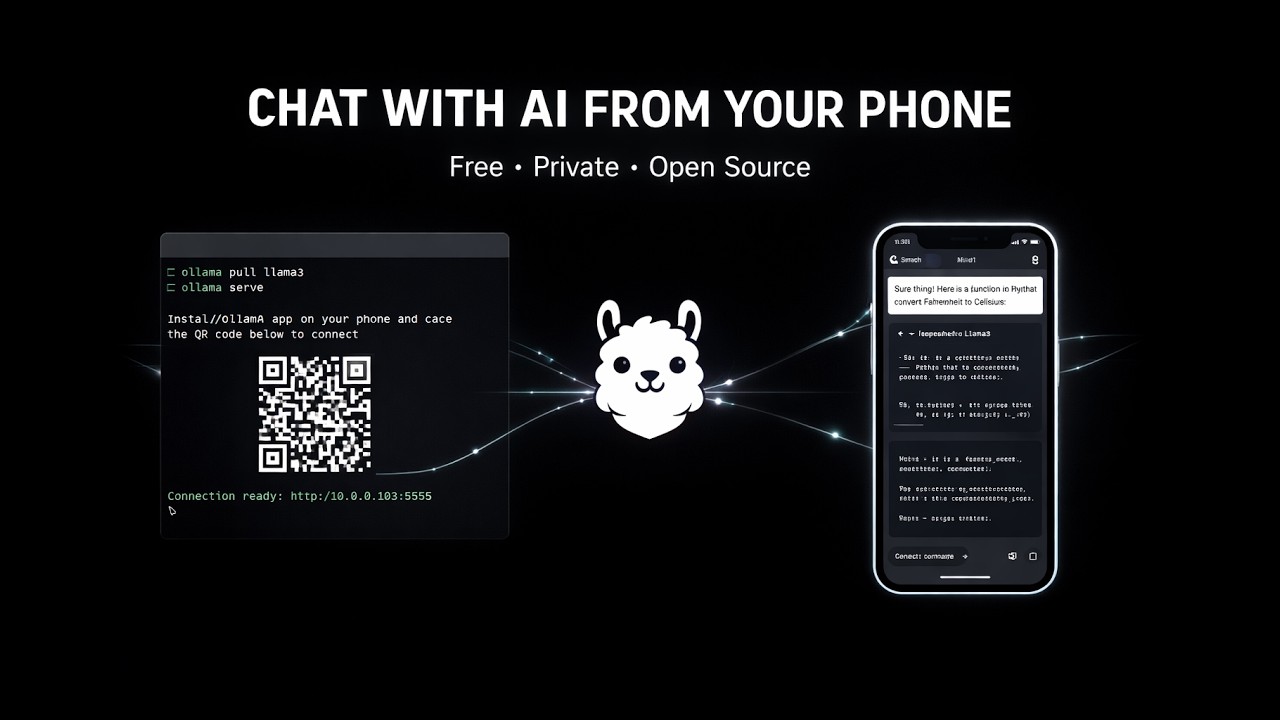
📹 Click the image above to watch the demo on YouTube