Bruno Gola, Alberto de Campo, S4NTP 2025/6
NTSS is a NonTrivial Sound System, developed by https://s4ntp.org, and it is built for diversity of loudspeaker sound colors.
It currently consists of 26 loudspeakers set up at UdK Berlin Medienhaus room 111.
// Install the NTSS quark
Quarks.install("https://github.com/aiberlin/NTSS");
// update your installed quarks
Quarks.installed.do(_.update);
// sometimes the update fails silently,
// then it may be necessary to do a git pull in that quark folder (ask adc or bg)

// recompile -> ready!-> AMPS On the table ARE OFF NOW.
-> Audio interfaces of the NTSS are ON now:
- Behringer X-32 Mixer
- Behringer S16 Expander
- RME ADI 8 Pro
choose a good location to sit, and open SuperCollider ...
// If you use StartupFile, switch to your NTSS startup, and recompile
-> N_T_S_S comes up
// If not, run xstartup_example_NTSS.scd, or simply do
NTSS.run
// and then run your setup files for other things. YAMAHA + Denon receivers, and the 5 little amps on the YAMAHA are on.
Behringer guitar amp and BlueCab bass amp are on
Check that the active speakers are on:
- Genelec on Stand should be on,
- McCrypt speaker on the table (power switch on the back side)
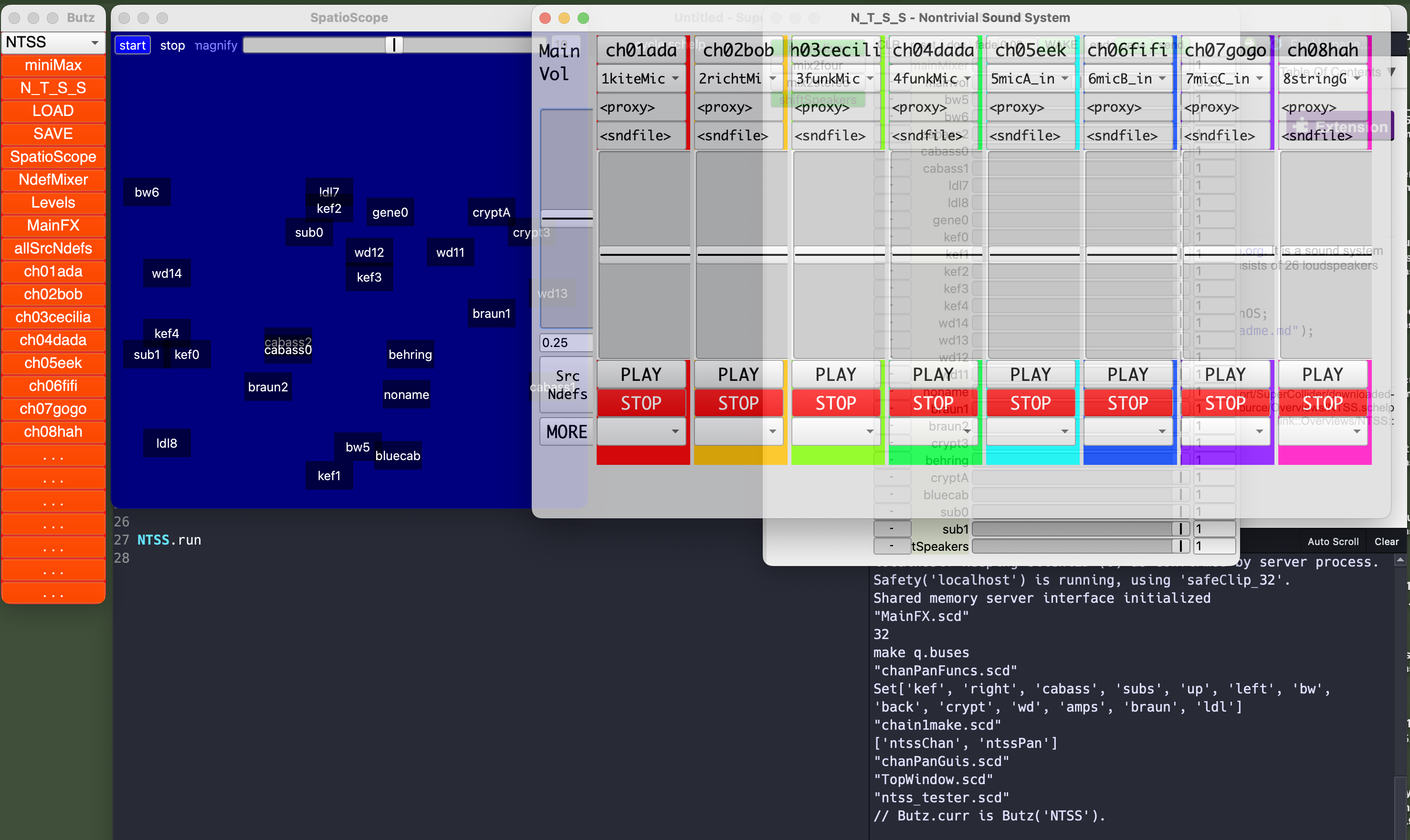
On the N_T_S_S window, turn up mainvol to maybe 0.25
-> in MainFX, you can see the parameter mainvol move.
Open one channel GUI, e.g. ch1ada, Turn up noiseAmp
-> you should see levels move in the top NdefGui slider
switch panFunc to 'direct', and set direct_out to 0, 1, 2, 3, .. 25: -> every speaker should sound!
On the red Butz Window, click on SpatioScope to show it; go to GUI ch1ada, to the lower half; switch panfunc to dbap, and move the controls: dbap_x - sound moves left/right dbap_y - sound moves front / back (up down on Spatio) dbap_k - sound spreads to more or fewer speakers.
If SpatioScope does not show live signals, stop and start to wake it up!
- First, turn off central power for all amps: the black distributor labeled 2 AMPS
- Turn off power for guitar and bass amps: the distributor in the cupboard
- When all amps are off, turn off central power for computers: the white distributor labeled 1 COMP