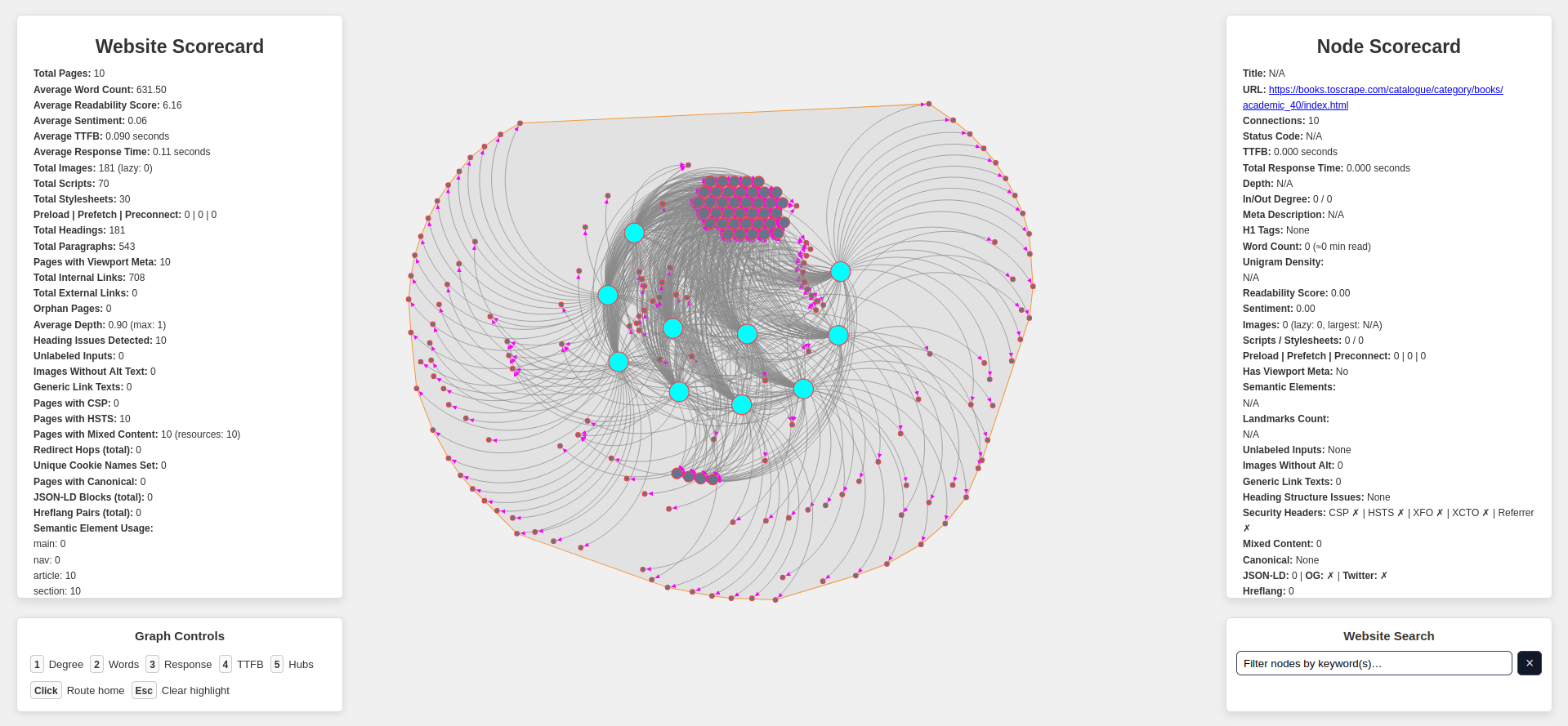
Explore a website's internal links, then visualize and interact with those connections as a network graph with scorecards and analysis using Claude AI.
Below are the required software programs and instructions for installing and using this application.
-
Install the above programs
-
Open a terminal
-
Clone this repository using
gitby running the following command:git clone git@github.com:devbret/website-internal-links.git -
Navigate to the repo's directory by running:
cd website-internal-links -
Create a virtual environment with this command:
python3 -m venv venv -
Activate your virtual environment using:
source venv/bin/activate -
Install the needed dependencies for running the script:
pip install -r requirements.txt -
Set the environment variable for your Anthropic API key by renaming the
.env.templatefile to.envand placing your value immediately after the=character -
Edit the
app.pyfileWEBSITE_TO_CRAWLvariable (on line 21), this is the website you would like to visualize- Also edit the
app.pyfileMAX_PAGES_TO_CRAWLvariable (on line 24) which specifies how many pages you would like to crawl
- Also edit the
-
Run the script with the command:
python3 app.py -
To view the website's connections using the
index.htmlfile you will need to run the following command in a new terminal:python3 -m http.server -
Once the network map has been launched, hover over any given node for more information about the particular web page, as well as the option submit data for analysis via Claude AI
-
By double-clicking on a node you will be sent to the related URL address in a new tab
-
To exit the virtual environment (venv), type this command in the terminal:
deactivate
We use textstat for readability and TextBlob for sentiment. Beyond headings, alt text, labels and semantic tags, the crawler also records:
-
Status/Timing: status code, TTFB, total response time
-
Structure: word counts, H1s, paragraphs
-
Links: internal/external, depth, orphan pages
-
SEO: canonical, JSON-LD, OpenGraph, Twitter, hreflang
-
Security/Delivery: CSP/HSTS headers, redirects, mixed content, cookies
-
Language:
langvs detected
Upon clicking any node, the shortest route back to the homepage is highlghted, giving a clear visual of how deeply the page sits within the site structure. This feature uses a breadth-first search to trace paths efficiently, even in large crawls. The result is an intuitive way to explore navigation depth and connectivity directly within the visualization.
Generating visualizations with this app takes an unexpectedly large amount of processing power. It is advisable to experiment with mapping less than one hundred pages per launch.
If working with GitHub codespaces, you may have to:
-
python -m nltk.downloader punkt_tab -
Then reattempt steps 7 - 10
If all else fails, please contact the maintainer here on GitHub or via LinkedIn.
Cheers!