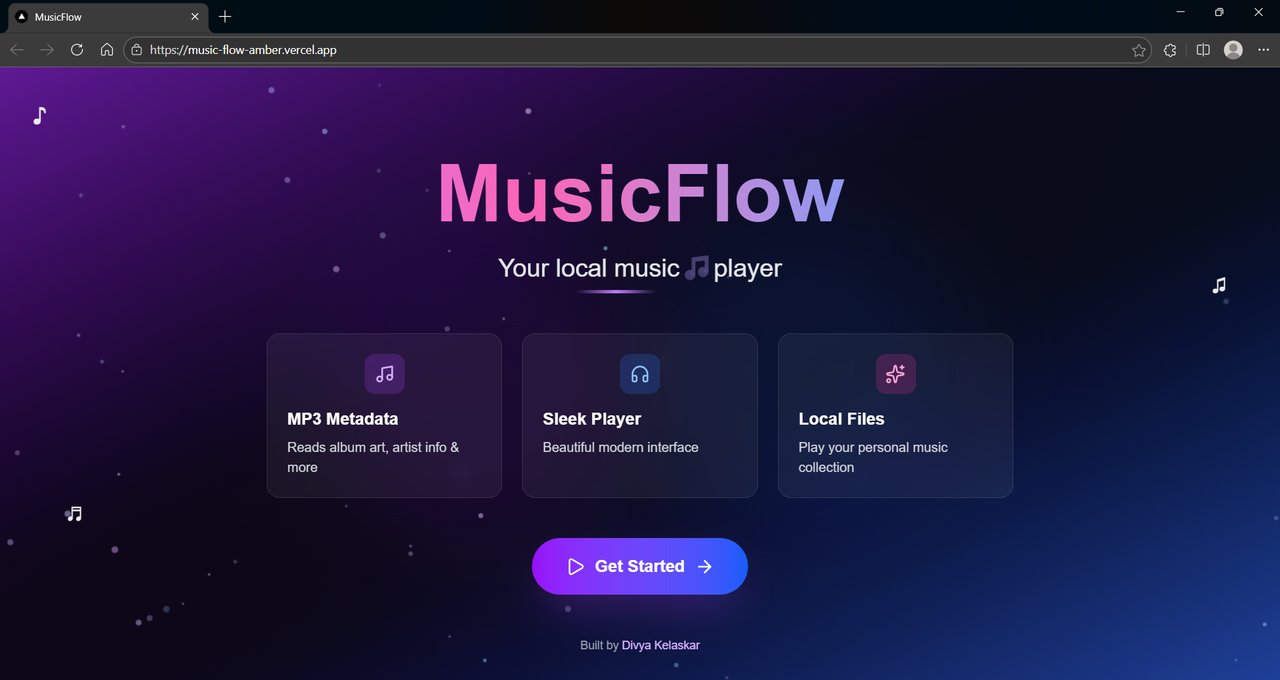
A beautiful, modern MP3 player that reads and displays all your ID3 tag data



- Color extraction from album art using ColorThief - the UI adapts to your music's colors
- Animated particle background that responds to your presence
- Smooth gradients and glass-morphism effects throughout
- Displays all metadata from your MP3 files:
- Title, Artist, Album
- Year, Genre, Track number
- Composer, Comment
- Full lyrics (USLT/SYLT frames)
- Album art extraction
- Toggle display settings to show/hide specific metadata
- Full playback controls with keyboard shortcuts
- Space: Play/Pause
- Arrow keys: Skip forward/backward (10s)
- Arrow Up/Down: Volume control
- M: Mute, S: Shuffle, R: Repeat
- Playback speed control (0.5x, 0.75x, 1x, 1.25x, 1.5x, 2x)
- Shuffle and repeat modes (Repeat All / Repeat One)
- Drag-and-drop playlist reordering
- Visual progress bar with seek functionality
- Responsive 3-column layout:
- Album art display
- ID3 tag viewer with lyrics section
- Playlist queue
- Sleek music player at the bottom (25vh)
- Beautiful file selector with drag-and-drop support
- Floating music notes and animated elements
- Next.js 15 - React framework with App Router
- TypeScript - Type safety
- Tailwind CSS - Styling
- music-metadata-browser - ID3 tag parsing
- ColorThief - Color extraction from album art
- Lucide React - Beautiful icons
The app is live at: https://music-flow-amber.vercel.app
- Node.js 18.17 or later, npm
-
Clone the repository
git clone https://github.com/divyakelaskar/MusicFlow.git cd MusicFlow -
Install dependencies
npm install
-
Run the development server
npm run dev
-
Open http://localhost:3000 in your browser
- Launch the app - You'll see the animated landing page
- Click "Get Started" or navigate to
/player - Upload your MP3 files:
- Drag and drop files anywhere on the file selector
- Or click to browse your computer
- Watch the magic happen:
- Album art is automatically extracted
- Colors adapt to match your album art
- All ID3 tags are displayed beautifully
- Control playback:
- Play/pause, skip, adjust volume
- Toggle shuffle and repeat modes
- Click on playlist items to switch songs
- Drag to reorder your playlist
- Customize display:
- Click the gear icon to toggle which metadata fields to show
- View lyrics in the dedicated section
MusicFlow/
├── app/                    # Next.js App Router
│   ├── page.tsx           # Landing page with animations
│   └── player/            # Player page route
│       └── page.tsx       # Main player component
├── components/            # React components
│   ├── FileSelector.tsx   # Drag-drop file upload
│   ├── MusicPlayer.tsx    # Audio controls & playback
│   ├── PlaylistQueue.tsx  # Playlist management
│   └── DisplaySettings.tsx # Metadata visibility toggles
├── types/                 # TypeScript definitions
│   ├── colorthief.d.ts    # ColorThief type declarations
│   └── index.ts           # Shared interfaces
├── utils/                 # Utility functions
│   └── id3Reader.ts       # ID3 tag extraction logic
├── public/                # Static assets
└── ...config files
The app uses music-metadata-browser to extract comprehensive metadata:
- Common tags: Title, artist, album, year, genre
- Advanced tags: Composer, publisher, BPM, comments
- Lyrics: Full support for USLT and SYLT frames
- Album art: Automatic extraction and display
- Album art colors are analyzed to create a harmonious UI
- Background, headings, and accents adapt to each song
- Text contrast is automatically calculated for readability
| Key | Action |
|---|---|
Space |
Play/Pause |
← |
Skip backward 10s |
→ |
Skip forward 10s |
↑ |
Volume up |
↓ |
Volume down |
M |
Toggle mute |
S |
Toggle shuffle |
R |
Cycle repeat modes |
- music-metadata-browser for ID3 parsing
- ColorThief for color extraction
- Vercel for hosting

Made with ❤️ for music lovers who appreciate their local files