deep_learning
Simple face detection module using openCV + caffee pretrained models
import image_processing as imp
from image_processing  import im_processing,color_adjust
from image_processing.face_detection import detect_faces #simple DNN/openCV based face detection

img = imp.im_processing.cv_read('image_processing/face_detection/test2.jpg',RGB=True) #load as RGB image

detected = detect_faces.detect(img,'image_processing/face_detection/deploy.prototxt.txt',
	'image_processing/face_detection/res10_300x300_ssd_iter_140000.caffemodel',min_conf=.12) #load with appropriate pretrained models

imp.plot_grey(detected) #plot grey will plot as gray scale (matplotlib style) or colored depending on image dims

Yolo classifier with openCV DNN module with pretrained weights
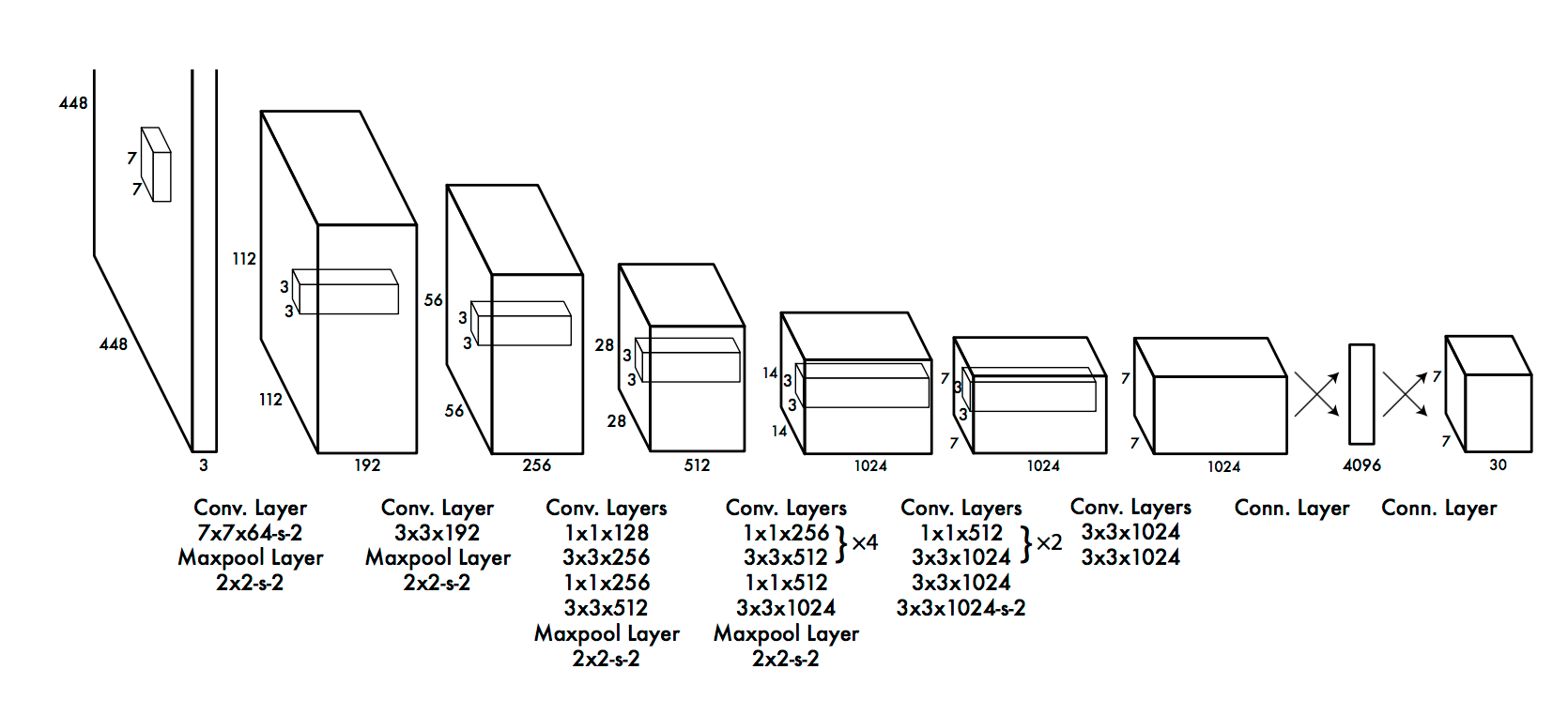
import image_processing as imp
from image_processing  import im_processing,color_adjust
from image_processing.yolo import yolo #yolo DNN/openCV based 80-class classifier

img = imp.cv_read('images/img_3.jpg',RGB=True)

detected =yolo.predict(img,model='image_processing/yolo/yolov2.weights', #load with appropriate pretrained models
	config= 'image_processing/yolo/yolov2.cfg')

detected = color_adjust.rgb2bgr(detected) #rgb --> bgr (Can skip this and just used imp.plot_grey() as well)
imp.cv_plot(detected) #plot using openCV
