
A simple, reliable Bash script to upload files/folders to archive.org with metadata prompts and progress tracking.
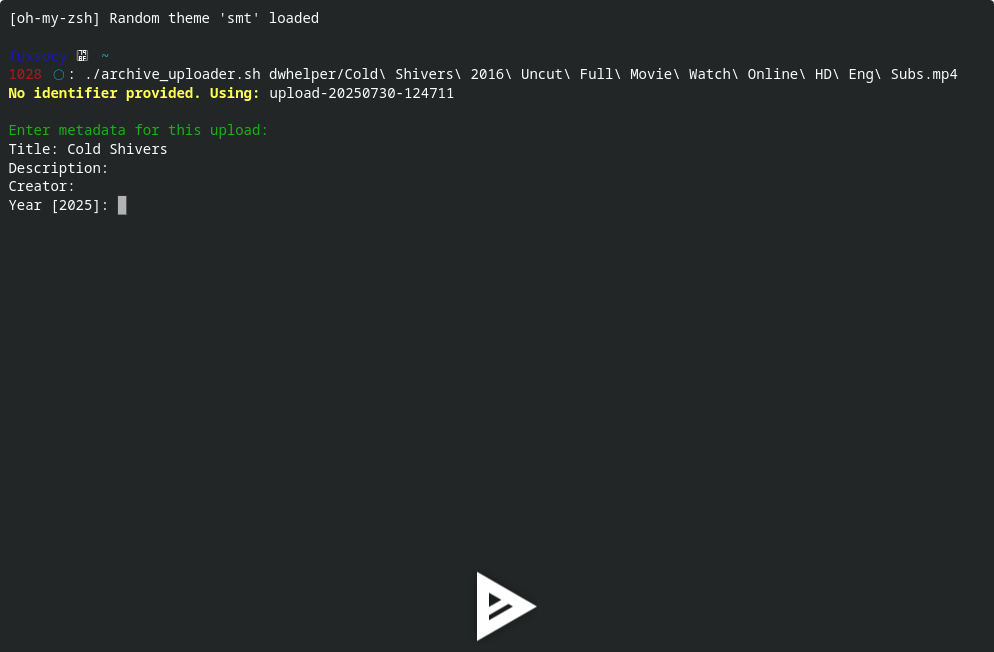
- Upload single files or entire folders
- Interactive metadata prompts (title, creator, year, etc.)
- Auto-generate identifiers or use custom ones
- Real-time progress bar with
pv - Fail-safe design with error checking
- Supports all media types (video/audio/text/custom)
-
Internet Archive CLI (
ia)pip install internetarchive
Authenticate once:
ia configure
(Follow prompts to enter your archive.org credentials)
-
Progress Viewer (
pv)# Debian/Ubuntu sudo apt-get install pv # macOS (Homebrew) brew install pv
curl -O https://raw.githubusercontent.com/eyeblech/archive-uploader/main/archive_upload.sh
chmod +x archive_upload.sh./archive_upload.sh <file_or_folder> [custom_identifier]-
Upload a single file (auto ID):
./archive_upload.sh documentary.mp4
-
Upload folder with custom ID:
./archive_upload.sh ./photos my-vacation-2024
The script will ask for:
- Title
- Description
- Creator
- Year (defaults to current year)
- Topics (comma-separated keywords)
- Media type (movies/audio/text/custom)

