Ship more by working in parallel. Multiple Claude AI sessions. Multiple branches. One app.


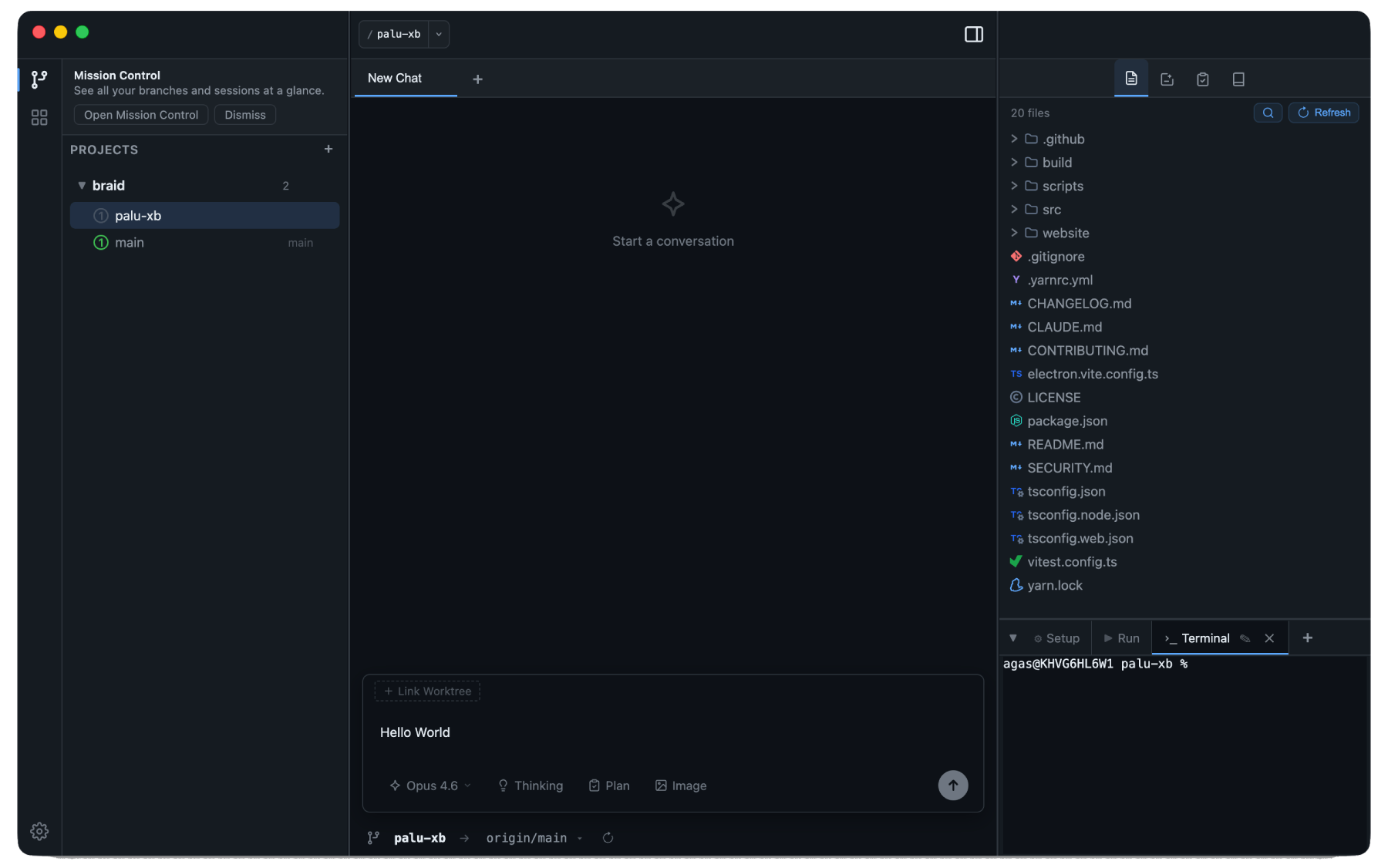
The typical AI coding workflow is serial: one task, one conversation, one branch. When Claude is thinking, you wait. When you context-switch, you lose your place.
Braid breaks that pattern. Every session runs in an isolated Git worktree - its own branch, its own filesystem, its own Claude conversation. Run five features in parallel and check in on any of them without interrupting the others.
Download the latest .dmg from Releases, open it, and drag Braid to Applications.
Requirements:
| Dependency | Required | Notes |
|---|---|---|
| Claude Code | Yes | Must be installed and in your PATH |
GitHub CLI (gh) |
Yes | Must be authenticated (gh auth login) |
ANTHROPIC_API_KEY |
No | Optional - only needed if you use your own API key instead of a Claude subscription |
Atlassian CLI (acli) |
No | Enables Jira integration |
Run as many Claude sessions as you need - each scoped to its own Git worktree so they never step on each other. Stream output in real time, queue your next message while Claude is still working, and attach images, files, or code snippets for full context. Choose your model (Sonnet, Opus, Haiku) and toggle extended thinking per session.
One screen that shows everything: every session, every branch, every PR - organized by status. Idle, running, needs your attention, done. Filter by project, search across sessions. Stop juggling terminal tabs to remember what state each branch is in.
Review Claude's changes with an interactive diff viewer. Select lines or ranges and leave inline comments that get sent back to Claude as context - the same workflow as a GitHub PR review, but inside the chat.
Monaco editor, multi-tab terminal, and a file tree with inline diffs - all scoped per worktree. Binary file preview for images. LSP support (TypeScript, Go, Rust, Python) gives you hover docs, go-to-definition, and live diagnostics without leaving the app. Monorepo-aware: LSP walks up to the nearest config file so it works correctly inside large repos.
Create worktrees, rename branches, set upstream tracking, and push - all from the sidebar. Claude can generate your commit message from staged diffs. PR status, CI checks, and merge controls (merge / squash / rebase) are surfaced inline. Jira ticket IDs in branch names are automatically resolved and shown alongside checks. Copy files between worktrees during creation.
Claude can authenticate with MCP servers via OAuth device flow. Proactive auth setup available in Settings. Health checks probe server connectivity before sessions start.
Working across a personal project and a work repo? Set a different user.name / user.email per project so your commits always go out under the right identity.
git clone https://github.com/gedeagas/braid.git
cd braid
corepack enable
yarn install
yarn dev| Command | Description |
|---|---|
yarn dev |
Development mode with hot reload |
yarn build |
Production build |
yarn typecheck |
Type-check main + renderer |
yarn test |
Run unit tests (Vitest) |
yarn package |
Build .dmg installer |
Note: Braid uses Yarn 4 (Berry) via Corepack. Do not use npm.
React 19, TypeScript, Zustand, Claude Agent SDK, electron-vite, node-pty, Monaco Editor.
Braid is currently in alpha. We are not accepting feature requests at this time. Bug reports may be considered - file them via Issues.