A clean, accessible Hugo theme for tech blogs — readable typography, responsive layout, and sensible defaults for developer-focused writing.
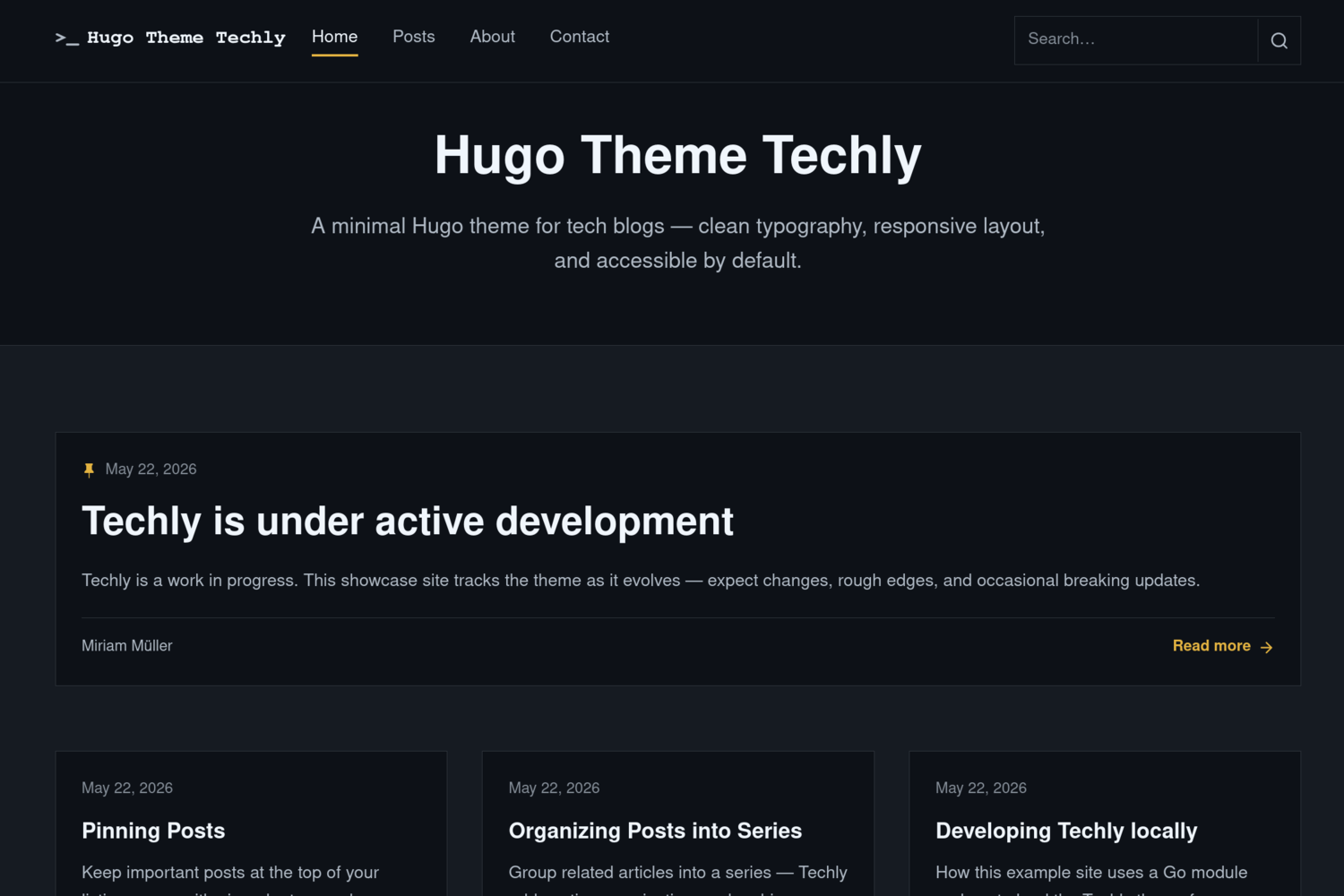
- Responsive layout with a featured post on the home page and a grid for the rest
- Automatic light/dark mode via
prefers-color-scheme - Client-side search with live suggestions (JSON index)
- Table of contents on posts and optional TOC on pages
- Post series with in-article notice, navigation, and archive pages
- Pin important posts to the top of section listings
- Related posts, breadcrumbs, tags, and optional cover images
- Optional home-page call-to-action block (
params.newsletter) - Accessible markup: skip links, landmarks, focus styles, semantic headings
- Hugo 0.146.0 or later (Extended recommended)
- Go (for Hugo Modules)
Techly is distributed as a Hugo Module. From your site root:
hugo mod init github.com/your-user/your-site
hugo mod get github.com/m1rm/techly
Add the theme to your site's hugo.toml:
[module]
  [[module.imports]]
    path = "github.com/m1rm/techly"
Then start the development server:
hugo serverSee the demo site repository for a full working example.
Hugo does not merge every setting from theme modules into your site. Add the following to your site's hugo.toml so search and series work correctly:
[taxonomies]
  tag = "tags"
  series = "series"

[outputs]
  home = ["HTML", "RSS", "JSON"]
If your site already defines [taxonomies], include every taxonomy you still need — Hugo replaces the list rather than merging entries from the theme.
| Parameter | Default | Description |
|---|---|---|
params.mainSections |
["posts"] |
Sections used for the home page and post listings |
params.subtitle |
— | Subtitle on the home page |
params.description |
— | Site description (meta, footer fallback) |
params.showPostImages |
true |
Show cover images on listing cards |
params.author.name |
— | Default post author name |
params.author.avatar |
— | Default author avatar URL |
params.footer.tagline |
— | Footer tagline |
params.footer.copyright |
— | Footer copyright line |
params.newsletter |
— | Optional home-page CTA (see below) |
Example:
[params]
  subtitle = "Notes on software, systems, and the web."
  mainSections = ["posts"]

  [params.author]
    name = "Your Name"

  [params.footer]
    tagline = "Built with Hugo and Techly."
copyright = "Your Name"Define navigation in hugo.toml:
[[menus.main]]
  name = "Home"
  pageRef = "/"
  weight = 10

[[menus.main]]
  name = "Posts"
  pageRef = "/posts/"
weight = 20The CTA appears on the home page only when configured:
[params.newsletter]
  title = "Stay up to date"
  text = "Get notified when new posts are published."
  url = "https://example.com/subscribe"
  label = "Subscribe"
external = trueCreate a new post:
hugo new posts/my-post.mdUseful front matter fields:
title = "My Post"
description = "A short summary for cards and meta tags."
tags = ["hugo", "go"]
series = ["My Series"]
featuredImage = "cover.jpg"
toc = true

[params]
  pinned = true
  pinnedIndicator = true
author = "Guest Author"Pinned posts sort to the top of section listing pages (for example /posts/). Among pinned posts, newest still comes first.
[params]
  pinned = true
To show a pin icon on listing cards:
[params]
  pinned = true
pinnedIndicator = true- Enable the
seriestaxonomy in your site'shugo.toml(see above). - Tag posts with a series name:
series = ["Building in Public"]Techly adds a notice at the top of each post, a navigation box after the article, and archive pages at /series/ and /series/<slug>/.
Optional series descriptions:
hugo new series/building-in-public/_index.mdtoc = trueSearch uses the JSON home output. Create a content page at content/search.md:
hugo new search.mdSet layout = "search" in front matter if needed, or use the _default/search.html layout provided by the theme. The navbar includes an inline search field with suggestions.
.
├── archetypes/          # Default front matter for new content
├── assets/              # CSS, JavaScript, icons
├── images/              # Theme screenshot and thumbnail (for themes.gohugo.io)
├── layouts/             # Templates and partials
├── hugo.toml            # Default theme configuration
└── theme.toml           # Theme metadata
To work on the theme locally with the demo site:
# hugo-techly/go.mod
replace github.com/m1rm/techly => ../techly
Remove the replace directive before publishing or in CI.
Techly is licensed under the GNU General Public License v3.0.
Miriam Müller — miriam-mueller.com