
Test and benchmark LLMs with MCP tools in minutes.
A testing framework for validating how LLMs call tools via Model Context Protocol (MCP) — compare Claude, GPT-4, Llama, and other models' accuracy, cost, and performance.



Documentation | Examples | Contributing | Discussions
- Validate tool calling: Ensure LLMs call the right tools with correct parameters
- Compare models: Find the best price/performance balance for your use case
- Prevent regressions: Catch breaking changes in your MCP service with CI/CD
- Optimize costs: Track token usage and identify the most cost-effective models
# Install testmcpy
pip install testmcpy

# Run interactive setup
testmcpy setup

# Start testing
testmcpy chat                     # Interactive chat with MCP tools
testmcpy research                 # Test LLM tool-calling capabilities
testmcpy run tests/              # Run your test suite
That's it! No complex configuration needed to get started.
Test with Claude, GPT-4, Llama, and other models. Works with both paid APIs and free local models via Ollama. Includes a Claude SDK provider for subprocess-based MCP support.
| Provider | Models | Features |
|---|---|---|
| Anthropic | claude-opus-4, claude-sonnet-4-5, claude-haiku-4-5 | Native MCP, extended thinking, vision, token caching |
| OpenAI | gpt-4, gpt-4-turbo, gpt-4o | Function calling, vision, cost tracking |
| Ollama | Llama, Mistral, etc. (local) | Free, local execution, no API costs |
| Claude SDK | claude-cli, claude-code | Subprocess-based, full MCP support |
Comprehensive validation out of the box. Each evaluator returns a score from 0.0 to 1.0 with pass/fail status and detailed reasoning.
Tool Calling:
was_mcp_tool_called— Verify specific tool was invoked (supports prefix/gateway matching)tool_call_count— Validate number of tool callstool_called_with_parameter— Check specific parameter was passed (fuzzy matching)tool_called_with_parameters— Validate multiple parameters at onceparameter_value_in_range— Ensure numeric parameters are within bounds
Execution & Performance:
execution_successful— Check for errors or failures in tool resultswithin_time_limit— Performance validation against max_secondsfinal_answer_contains— Validate response contenttoken_usage_reasonable— Cost efficiency validationresponse_time_acceptable— Latency threshold checkingauth_successful— Authentication flow validation
Extensible: Extend BaseEvaluator and implement evaluate(context) -> EvalResult to create custom evaluators for your domain.
Define test suites as code for repeatable, version-controlled testing:
version: "1.0"
name: "Chart Operations Test Suite"

config:
  timeout: 30
  model: "claude-sonnet-4-5"
  provider: "anthropic"

tests:
  - name: "test_create_chart"
    prompt: "Create a bar chart showing sales by region"
    evaluators:
      - name: "was_mcp_tool_called"
        args:
          tool_name: "create_chart"
      - name: "execution_successful"

  # Multi-turn test
  - name: "test_multi_turn"
    steps:
      - prompt: "List all dashboards"
        evaluators:
          - name: "was_mcp_tool_called"
            args:
              tool_name: "list_dashboards"
      - prompt: "Show me the first one"
        evaluators:
          - name: "final_answer_contains"
            args:
              content: "dashboard"

  # Load testing
  - name: "test_load"
    prompt: "List dashboards"
    load_test:
      concurrent: 5
duration: 60Beautiful terminal interface for MCP testing — no browser required:
testmcpy dash                    # Launch interactive dashboard
testmcpy dash --auto-refresh     # Live connection monitoring
testmcpy dash --profile prod     # Use specific MCP profile
TUI Features:
- Real-time MCP connection status
- Interactive tool exploration
- Live test execution with progress
- Configuration editor
- Global search across tools, tests, and settings
- Help system with keyboard shortcuts (press
?) - Multiple themes (default, light, high contrast)
- Rich terminal UI: Progress bars, colored output, formatted tables
- Optional web interface: Visual tool explorer, interactive chat, analytics dashboards
- Real-time feedback: Watch tests execute with live updates via WebSocket
testmcpy connects your LLM provider to your MCP service and validates the interactions:
graph TB
    subgraph UI["User Interface Layer"]
        CLI["CLI Commands<br>(Typer)"]
        WebUI["Web UI<br>(React + Vite + Tailwind)"]
        TUI["Terminal Dashboard<br>(Textual)"]
    end

    subgraph Core["Core Framework"]
        Runner["Test Runner"]
        LLM["LLM Integration"]
        Evals["Evaluators"]
    end

    subgraph MCP_Layer["MCP Integration Layer"]
        Client["MCP Client<br>(FastMCP)"]
        Auth["Auth Manager"]
        Discovery["Tool Discovery"]
    end

    subgraph External["External Services"]
        LLM_APIs["LLM APIs<br>(Anthropic, OpenAI, Ollama)"]
        MCP_Services["MCP Services<br>(HTTP/SSE)"]
        Storage["Storage<br>(SQLite + JSON)"]
    end

    UI --> Core
    Core --> MCP_Layer
    MCP_Layer --> External
    Core --> External
How it works:
- Define test cases in YAML with prompts and expected behavior
- testmcpy sends prompts to your chosen LLM (Claude, GPT-4, Llama, etc.)
- LLM calls tools via MCP protocol to your service
- Evaluators validate tool selection, parameters, execution, and performance
- Get detailed pass/fail results with metrics and cost analysis
# Install base package
pip install testmcpy

# With web UI support
pip install 'testmcpy[server]'

# All optional features
pip install 'testmcpy[all]'
Requirements: Python 3.10-3.12
Run the interactive setup wizard:
testmcpy setupThis creates two config files:
.llm_providers.yaml — LLM configuration:
default: prod

profiles:
  prod:
    name: "Production"
    providers:
      - name: "Claude Sonnet"
        provider: "anthropic"
        model: "claude-sonnet-4-5"
        api_key: "your-anthropic-api-key"
        timeout: 60
        default: true
.mcp_services.yaml — MCP server profiles:
default: prod

profiles:
  prod:
    name: "Production"
    mcps:
      - name: "My MCP Service"
        mcp_url: "https://your-service.example.com/mcp"
        auth:
          auth_type: "jwt"  # or "bearer", "oauth", "none"
          api_url: "https://auth.example.com/v1/auth/"
          api_token: "your-api-token"
          api_secret: "your-api-secret"
        timeout: 30
        rate_limit_rpm: 60
        default: true
Configuration priority: CLI options > Profile files > .env > User config (~/.testmcpy) > Environment variables > Built-in defaults
The setup command is idempotent — safe to run multiple times. Use --force to overwrite existing files.
# List available MCP tools
testmcpy tools

# Interactive chat to explore your tools
testmcpy chat

# Run automated research on tool-calling capabilities
testmcpy research --model claude-haiku-4-5# tests/my_tests.yaml
version: "1.0"
name: "My MCP Service Tests"
tests:
- name: "test_tool_selection"
prompt: "Create a bar chart showing sales by region"
evaluators:
- name: "was_mcp_tool_called"
args:
tool_name: "create_chart"
- name: "execution_successful"
- name: "within_time_limit"
args:
max_seconds: 30testmcpy run tests/ --model claude-haiku-4-5| Command | Description |
|---|---|
| Setup | |
testmcpy setup |
Interactive configuration wizard |
testmcpy doctor |
Diagnose installation issues |
| Discovery | |
testmcpy tools |
List available MCP tools |
testmcpy profiles |
List MCP profiles (table) |
testmcpy status |
Show MCP connection status |
testmcpy explore-cli |
Browse tools (non-interactive) |
| Testing | |
testmcpy run <path> |
Execute test suite |
testmcpy research |
Test LLM tool-calling capabilities |
testmcpy chat |
Interactive chat with MCP tools |
testmcpy compare |
Multi-model comparison |
| Advanced | |
testmcpy baseline |
Save and compare against baselines |
testmcpy mutate |
Prompt mutation testing |
testmcpy metamorphic |
Metamorphic testing |
| UI | |
testmcpy serve |
Start web UI server (port 8000) |
testmcpy dash |
Launch terminal UI dashboard |
testmcpy config-cmd |
View current configuration |
Common options: --profile, --llm-profile, --model, --provider, --timeout, --verbose, --output
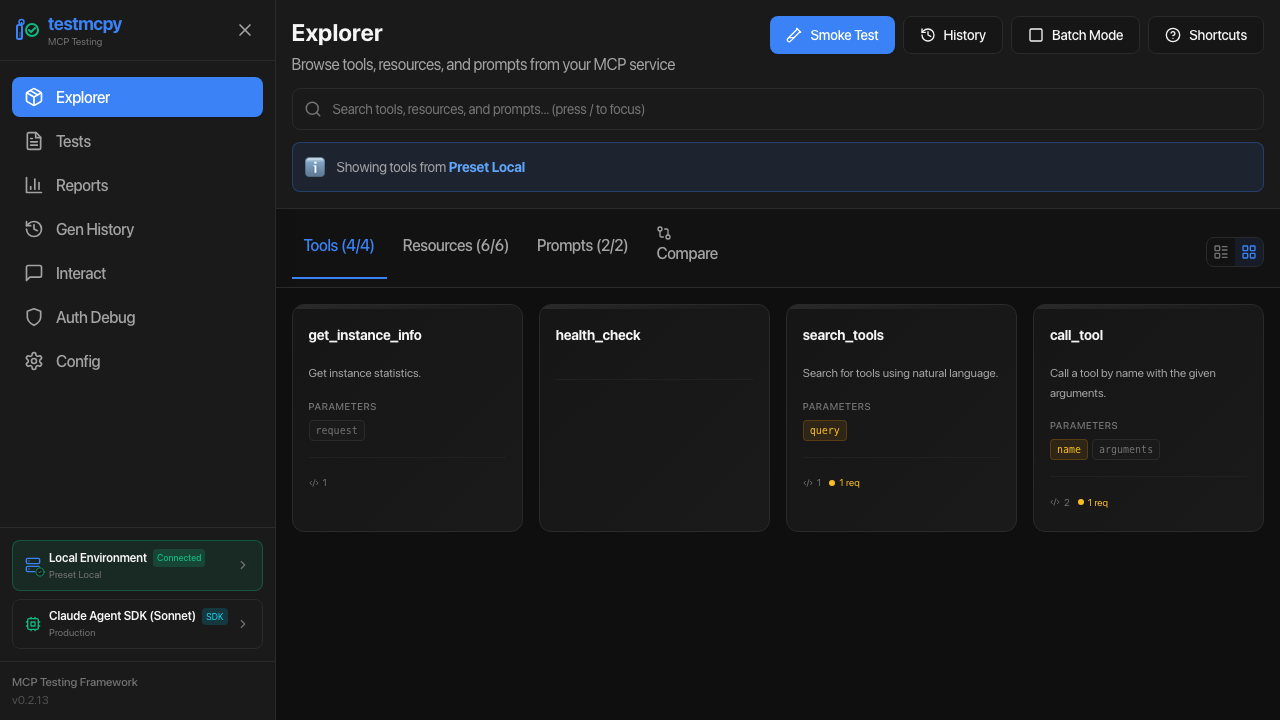
Optional React-based UI with 15+ pages for visual testing and analytics:

# Install with UI support
pip install 'testmcpy[server]'

# Start server
testmcpy serve| Route | Page | Description |
|---|---|---|
/ |
MCP Explorer | Tool discovery, smoke tests, schema viewing |
/tests |
Test Manager | YAML test browser, execution, results |
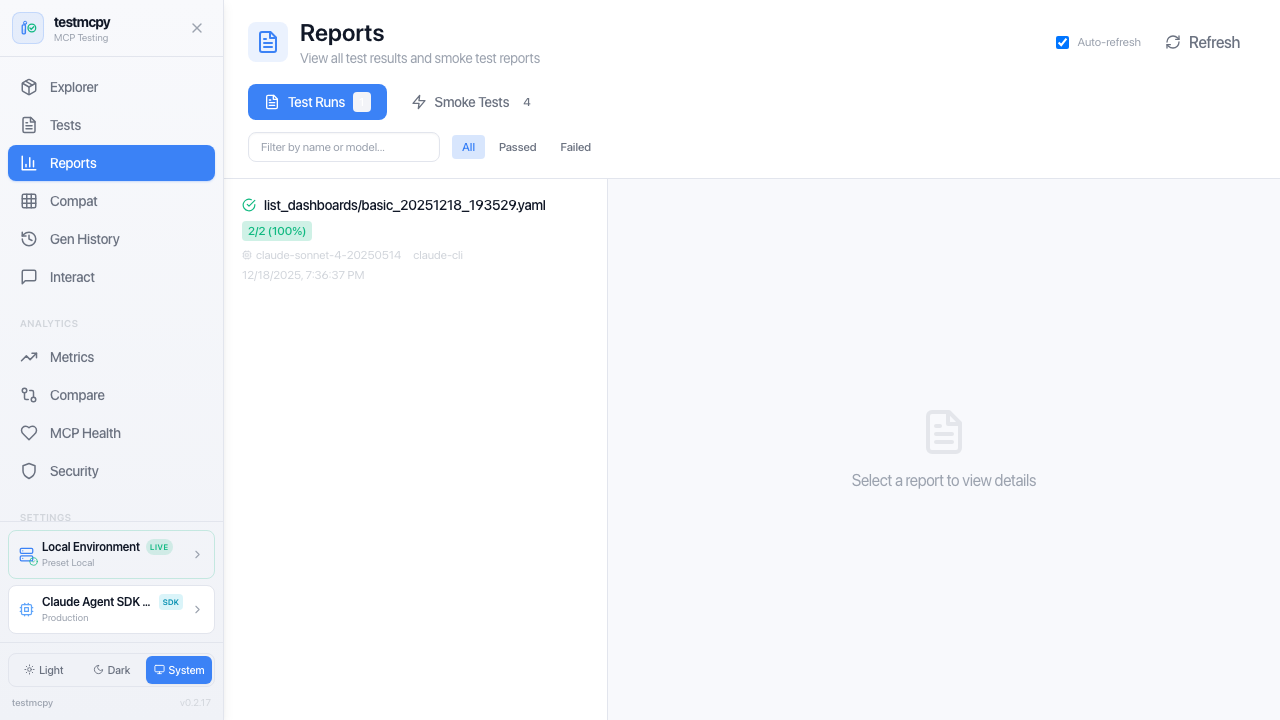
/reports |
Reports | All test results, evaluations, cost analysis |
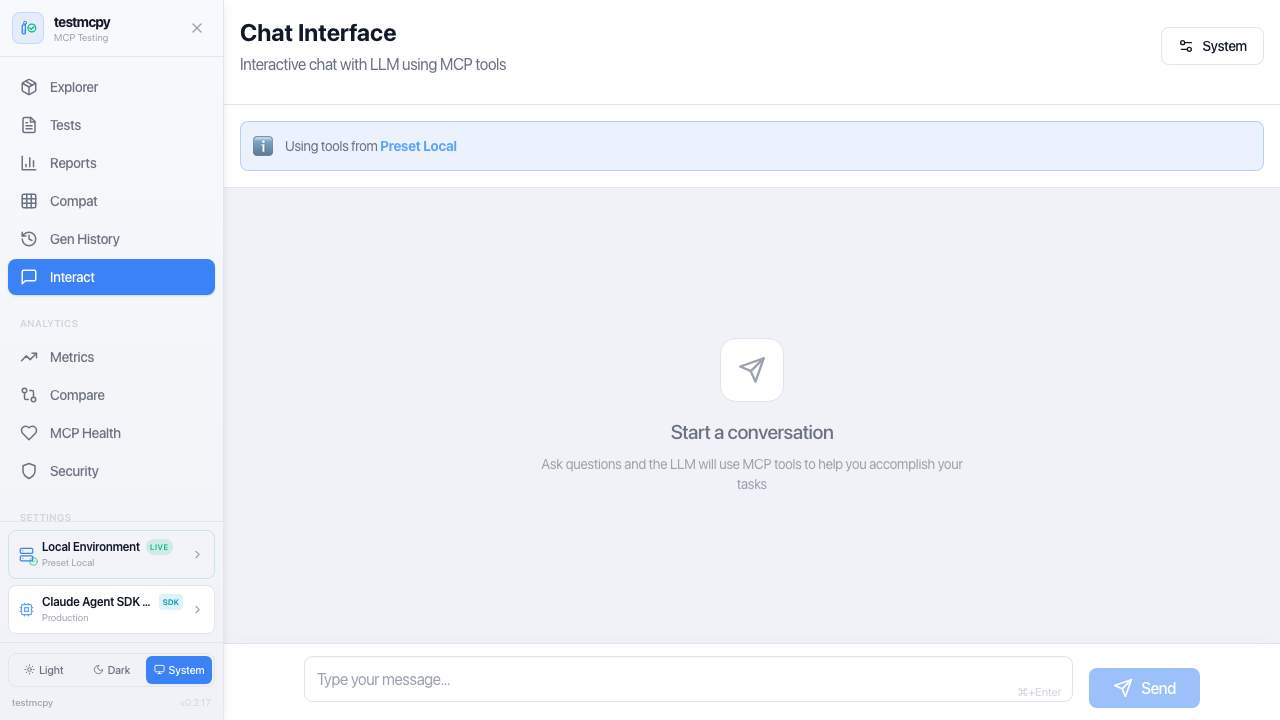
/chat |
Chat Interface | Multi-turn conversation with MCP tools |
/metrics |
Metrics Dashboard | Performance and cost analytics |
/compare |
Run Comparison | Side-by-side model comparison |
/compatibility |
Compatibility Matrix | Tool/model compatibility view |
/mcp-health |
MCP Health | Server health monitoring |
/security |
Security Dashboard | Security analysis |
/generation-history |
Generation History | AI test generation logs |
/auth-debugger |
Auth Debugger | Auth flow debugging |
/config |
Configuration | Settings and environment |
/mcp-profiles |
MCP Profiles | MCP server configuration |
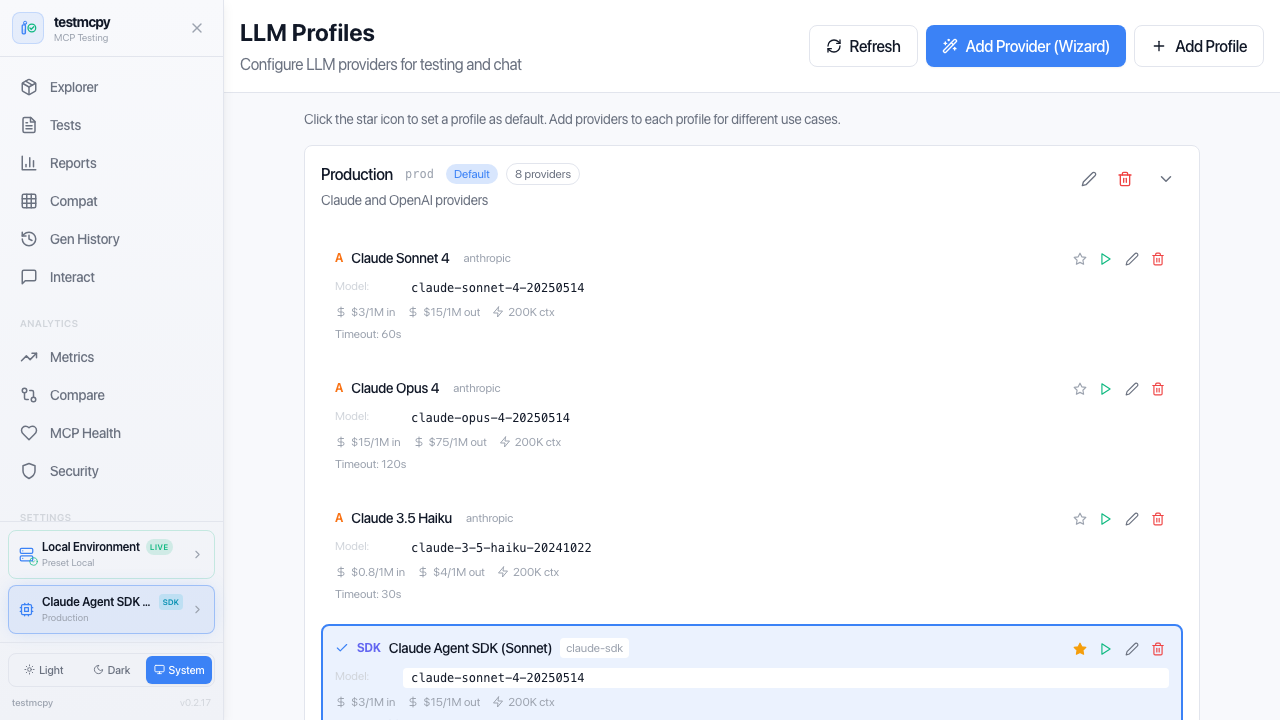
/llm-profiles |
LLM Profiles | LLM provider configuration |
Access at http://localhost:8000
Best tool-calling accuracy, native MCP support:
# .llm_providers.yaml
prod:
  name: "Production"
  providers:
    - name: "Claude Sonnet"
      provider: "anthropic"
      model: "claude-sonnet-4-5"
      api_key_env: "ANTHROPIC_API_KEY"
default: truePerfect for development without API costs:
brew install ollama  # macOS
ollama serve
ollama pull llama3.1:8blocal:
name: "Local Only"
providers:
- name: "Ollama Llama"
provider: "ollama"
model: "llama3.1:8b"
base_url: "http://localhost:11434"
default: trueopenai:
name: "OpenAI"
providers:
- name: "GPT-4"
provider: "openai"
model: "gpt-4-turbo"
api_key_env: "OPENAI_API_KEY"
default: truetestmcpy ships as a GitHub Action:
- uses: preset-io/testmcpy@v1
  with:
    test-path: tests/
    model: claude-haiku-4-5
mcp-profile: prodExtend testmcpy with domain-specific validation:
from testmcpy.evals.base_evaluators import BaseEvaluator, EvalResult

class MyEvaluator(BaseEvaluator):
    def evaluate(self, context: dict) -> EvalResult:
        response = context.get("response", "")
        passed = "expected" in response
        return EvalResult(
            passed=passed,
            score=1.0 if passed else 0.0,
            reason=f"Check passed: {passed}",
        )
See Evaluator Reference for complete documentation.
Check out the examples/ directory for:
- Basic test suites — Simple examples to get started
- CI/CD integration — GitHub Actions and GitLab CI workflows
- Custom evaluators — Building domain-specific validation
- Multi-model comparison — Benchmarking different LLMs
We welcome contributions! Whether it's bug reports, feature requests, documentation improvements, or code contributions.
Read the Contributing Guide to get started.
- Issues: Report bugs or request features
- Discussions: Ask questions and share ideas
- Documentation: Browse the context/ directory
- Examples: Explore examples/ for sample code
Apache License 2.0 — See LICENSE for details.
Built by @aminghadersohi (Preset, Apache Superset).