
This project creates an IRC server, using C++98. IRC (Internet Realy Chat) is a classic, text-based, real-time chat system. It is developed to work with the Irssi IRC client and manages the communication between all its instances connected to the same network. The communication protocol is based on predefined commands that allow users to send and receive messages as plain ASCII text.
The primary job of an IRC server is to listen for connections from clients, manage channels, and relay messages between the connected clients.
The program is called as follows:
$ ./ircserv <port_number> <server_password>
The Server, is the central hub in the Client-Server model that powers the classic, text-based chat system. Its primary functionality is to accept connections from IRC clients, manage and coordinate all chat activity within its domain, and then efficiently relay messages between Users, both in public discussion forums called Channels and in private one-on-one conversations.
The project follows an Object Oriented approach, with classes for the Server, the Users and the Channels. The Server class holds all the information associated with the Server's deployment, as well as all information associated with the connected Users and the running Channels.
Communication between the Server and the connected Clients is restricted to the client's protocol and therefore follows a format specific to the client used. This server supports the Irssi client (v1.2.3-1ubuntu4). More info about the communication protocol can be found in the Modern IRC Client Protocol as well as in this project's relevant chapter Client
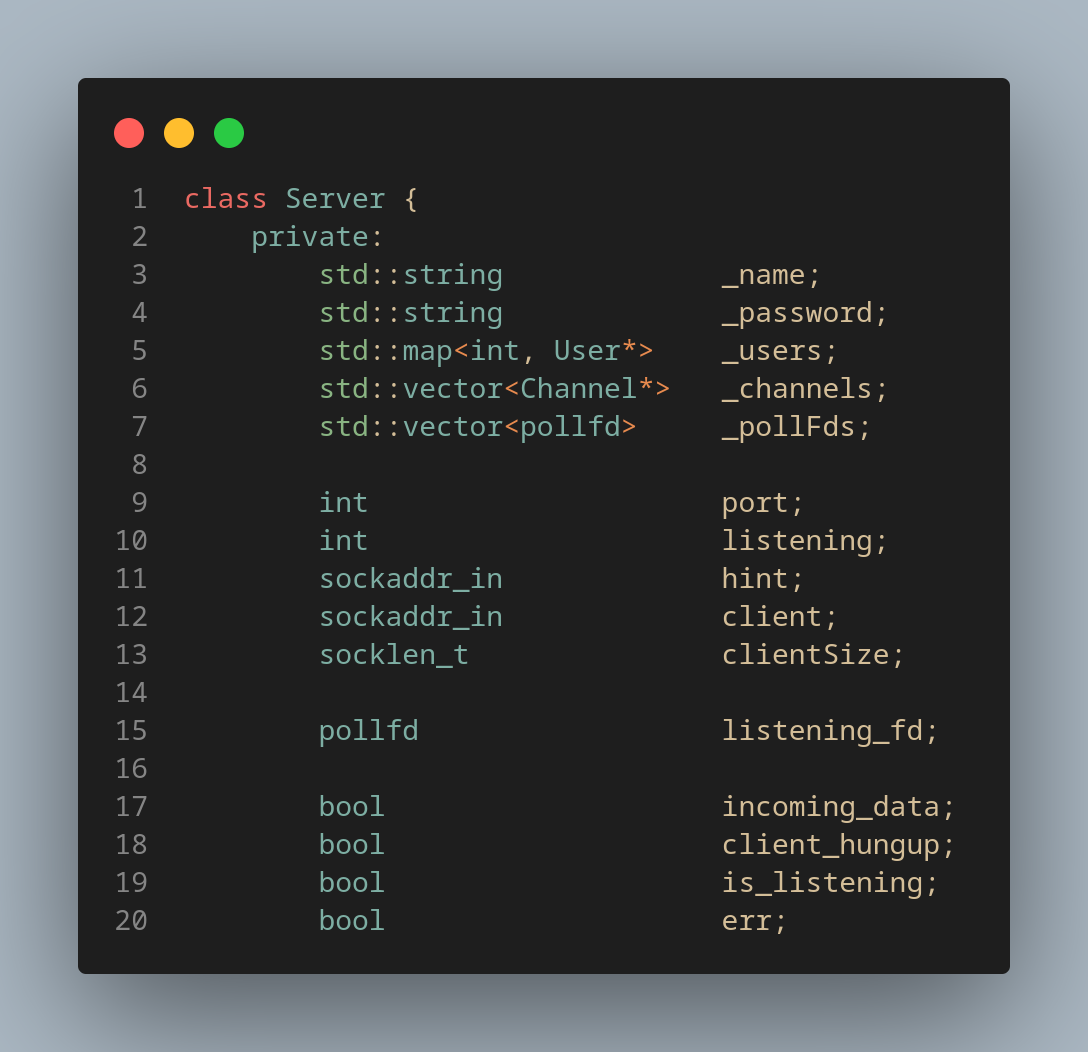
The program opens up a socket, set as non-blocking to avoid a single slow client from blocking the server, and all of them stored in a dynamic vector of pollfd entries (std::vector _pollFds), one for each connected client. It utilizes one main loop, where it listens for data to receive through the poll() function. It traverses through the _pollFds and listens for events from each fd and depending on the return value, it can accept a new connections, or close and remove an exiting connection/client, or attempt queued writes:
-
New connection: A new User instance is created and stored server-side, in a std::map<int, User*> variable, where the map's key is the User's fd for quick access.
-
Close an existing connection: When a client disconnects from the server, it handles their safe removal from the program's resources. Their fd is closed, they are removed from the User map, any channel list they may be part of, before their pointer is finally freed.
-
Queued Writes: In the case where the client attemps to communicate with other clients through the server, the server stores the incoming data into a user-specific buffer (std::string _userBuffer, see User Class in Picture 2), before it gets parsed and send the relevant confirmation message back to all associated clients.
NOTE: In the case of either a client session's or the server's process gets killed, all relevant resources are gracefully freed.
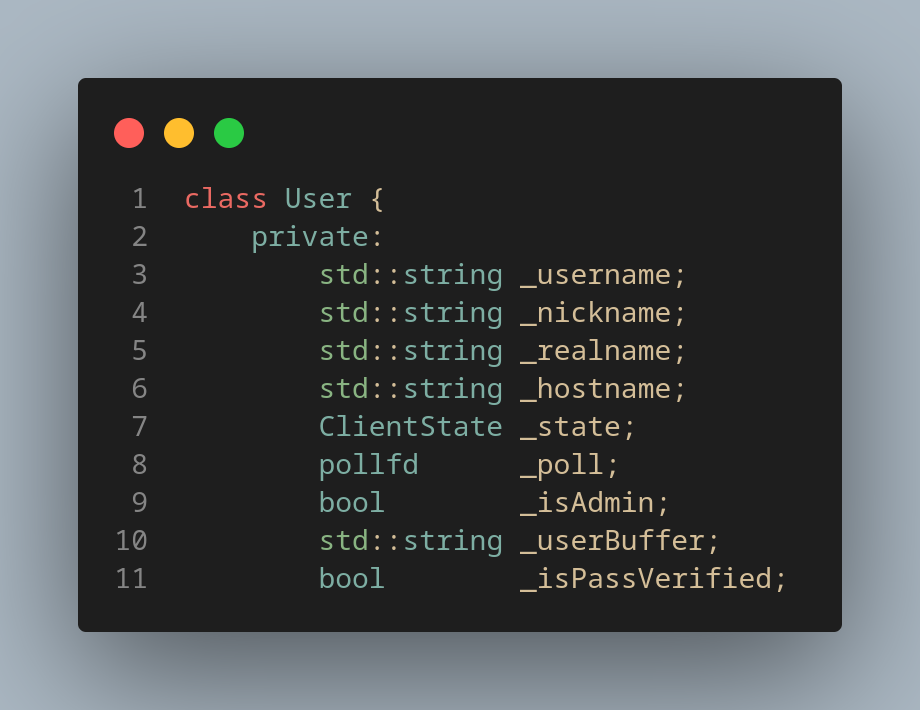
Each connected client is a separate User instance, containing all the relevant information. When first connected to the server, they pass through an authentication process, in which each step is monitored and stored in the enum ClientState variable. If they are successfully authenticated, they are marked as VERIFIED and there on are allowed to access the server and communicate with the rest of its users. Providing incorrect server password, or invalid (empty) credentials, such as username/nickname, will result in denied access.
Users can be both Server Admins and Channel Operators, where each qualification provide different type of priviledges. More on the Channel Operators in the Channels chapter.
Users are able to communicate with each other directly, via private messages, through the appropriate protocol, as stated in the Private Message command.
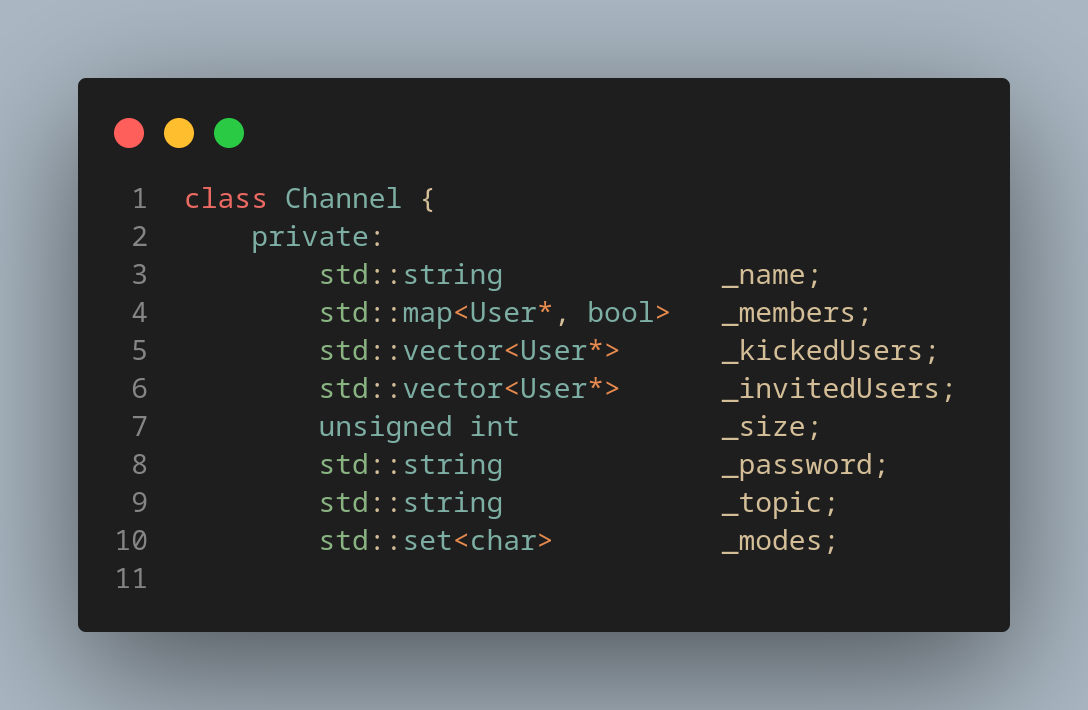
Channels are groups of the Server's users, that allow their members to communicate directly with each other. They can be password protected, they can have a specific topic, they are by default set to contain 20 members (size) and can work under predefined security protocols, called modes. All of the aforementioned attributes are potentially modifiable.
The User to create a channel, gets to be the Channel's Operator, which means they have extra priviledges compared to any regular User-member. Any other User joining an already existing channel, is joining as a regular user. Depending on the Channel's mode, any of the Channel's members is able to modify the Channel's attributes, but only a Channel Operator is able to change the Channel's mode.
The modes are the following:
- i: Set/remove Channel as invite-only.
- k: Set/remove Channel as password-protected.
- l: Set/remove the User limit to Channel.
- t: Set/remove the Topic's restrictions to channel operators.
- o: Give/take Channel operator priviledges to another member.
This IRC Server is configured to support the communication protocol of a specific Client: IRSSI (v1.2.3-1ubuntu4). Different Clients handle different commands in a different way, that's why even a different version of the same Client might not work with this Server.
Communication between an IRC Client and an IRC Server is achieved by exchanging messages for every interaction. Each message needs to be parsed by the Server, executed and then send a confirmation message back to the Client, in the format that the Client understands. The Communication Protocol is what defines the format of those messages.
The command prompted by the user, sends a message to the Server under a specific format, and then the Server needs to reply back to the Client with a confirmation message back to all Clients related to the action taken. This project support a handful of commands to communicate with the IRSSI.
All of the supported User commands, both functionality and format, are described as follows:
| User prompt | Command description | Message format (Client-side) |
|---|---|---|
| /join ch1[,ch2,ch3,..] [psw1,,psw3,...] | Creates/Joins a channel | JOIN #ch1[,#ch2,#ch3,..] [psw1,,psw3,...] |
| /part ch1[,ch2,...] | Leaves a channel | PART #ch1[,#ch2,..] |
| oper <user_nick> | Makes a User Server operator | OPER <user_nick> |
| mode +/- | Sets/Removes a mode from the channel | MODE +/- |
| /privmsg #ch/<user_nick> msg | Sends a message to a Channel/User | PRIVMSG #ch/<user_nick> :msg |
NOTE: The Server supports communication using the nc terminal command instead of using the IRSSI CLient, executing the following command:
$ nc <ip> <port_number>
To connect to the Server, the following steps need to be followed:
- STEP 1: "USER <user_username>^M"
- STEP 2: "NICK <user_nickname>^M"
- STEP 3: "PASS <server_password>^M"
If executed successfully, a welcome message appears to the terminal and the connection is successful.
The nc communication allows for the Server to successfully parse and execute partial user prompts, such as:
$ nc <ip> <port_number>

PRIVMSG #ch1
 :msg^M
IMPORTANT: The message format the Server supports dictates that all messages sent, regardless if they are coming from the Client or the nc command, need to follow the same pattern, and therefore it is essential for the nc command to be able to communicate with the Server, that all messages sent to it end in "\r\n". This functionality is achieved by the ^M key combination (Ctrl + V + Ctrl + M), before sending each prompt.
The Dockerfile inlcuded builds the specific irssi version container, to directly use and test the project's functionality. Both the client's ip and port number are modifiable for the container to communicate with any Server, through its Dockerfile. The commands to build and run the container are as follows:
$ docker build -t irssi:1.2.3-jammy .
$ docker run --rm -it irssi:1.2.3-jammy
Special thanks to the team for the awesome collab: dchrysov, itsiros 💪💪