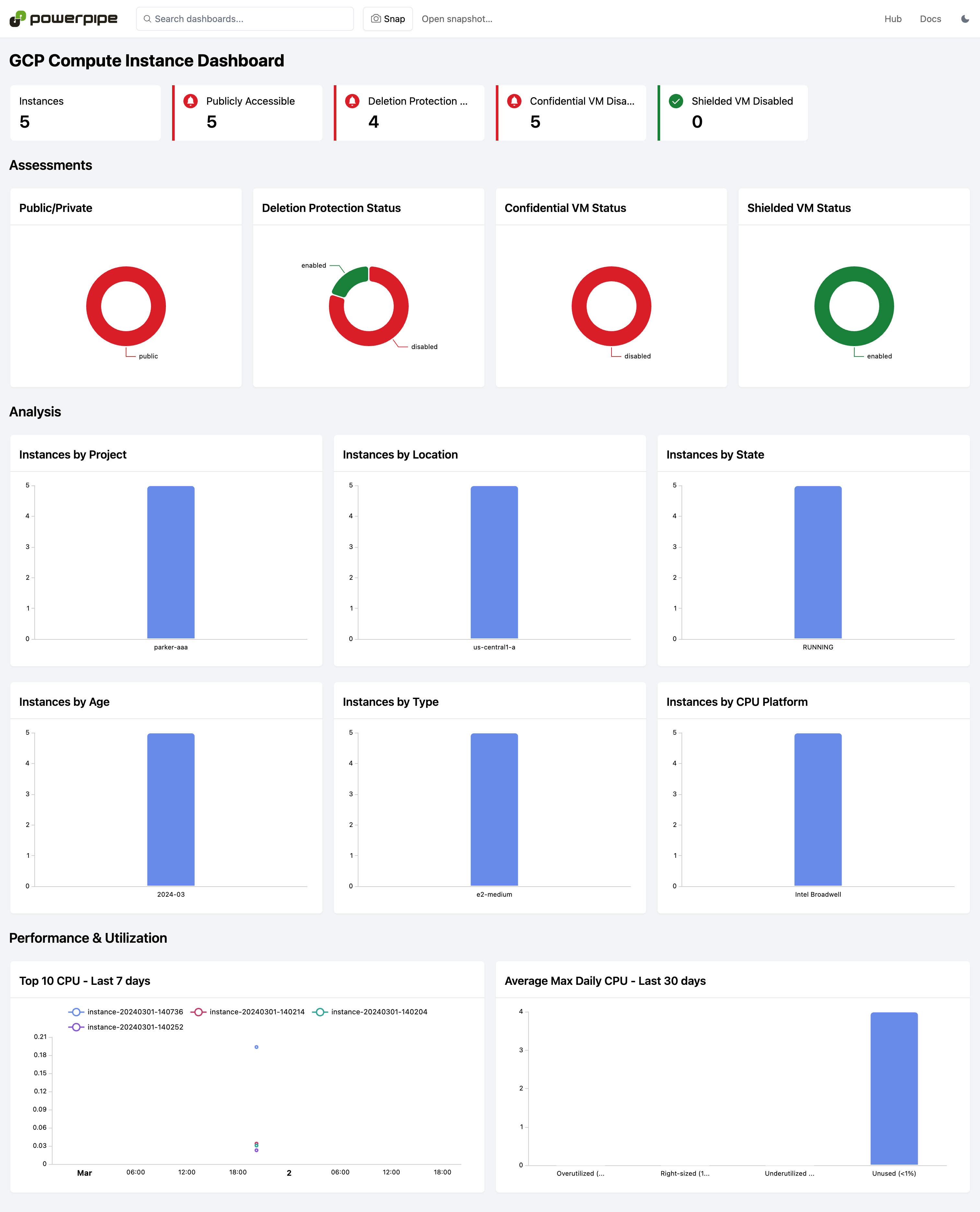
Dashboards can help answer questions like:
- How many resources do I have?
- How old are my resources?
- Are there any publicly accessible resources?
- Is encryption enabled and what keys are used for encryption?
- Is versioning enabled?
- What are the relationships between closely connected resources like network subnets, routers, associated DNS policies, and instances?
Dashboards are available for 10+ services, including Compute, IAM, KMS, Kubernetes, Storage, and more!
Install Powerpipe (https://powerpipe.io/downloads), or use Brew:
brew install turbot/tap/powerpipeThis mod also requires Steampipe with the GCP plugin as the data source. Install Steampipe (https://steampipe.io/downloads), or use Brew:
brew install turbot/tap/steampipe
steampipe plugin install gcp
Steampipe will automatically use your default GCP credentials. Optionally, you can setup multiple projects.
Finally, install the mod:
mkdir dashboards
cd dashboards
powerpipe mod init
powerpipe mod install github.com/turbot/steampipe-mod-gcp-insightsStart Steampipe as the data source:
steampipe service startStart the dashboard server:
powerpipe serverBrowse and view your dashboards at http://localhost:9033.
This repository is published under the Apache 2.0 license. Please see our code of conduct. We look forward to collaborating with you!
Steampipe and Powerpipe are products produced from this open source software, exclusively by Turbot HQ, Inc. They are distributed under our commercial terms. Others are allowed to make their own distribution of the software, but cannot use any of the Turbot trademarks, cloud services, etc. You can learn more in our Open Source FAQ.
Want to help but don't know where to start? Pick up one of the help wanted issues: