Home

This is an implementation of AccordionView in Android using ConstraintLayout and ConstraintSet.
click to show gif
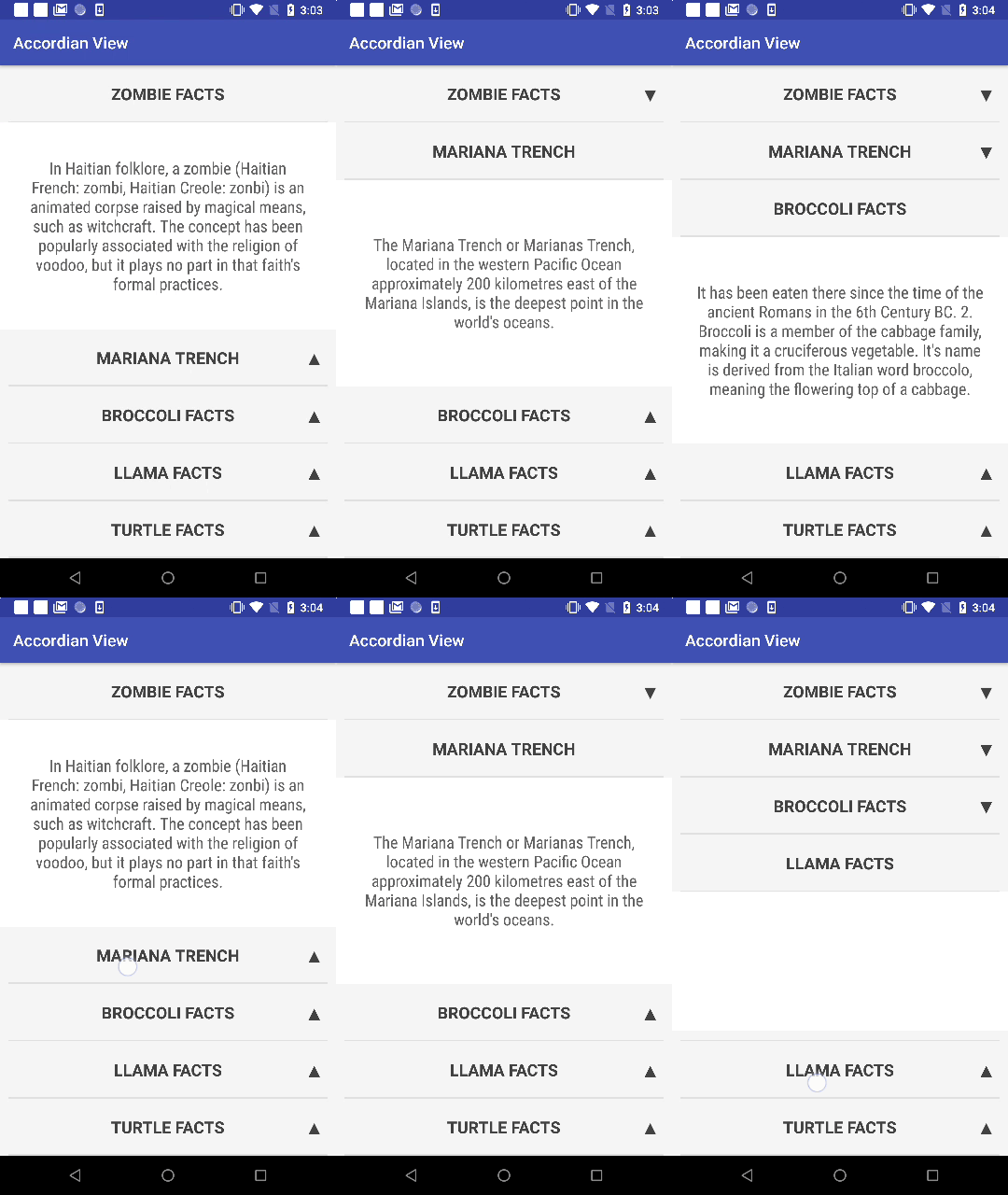
allprojects {
    repositories {
        ...
	maven { url 'https://jitpack.io' }
    }
}
dependencies {
    implementation 'com.github.worker8:AccordionView:VERSION'
}
Replace the VERSION with the latest one you can find here: https://github.com/worker8/AccordionView/releases
Example:
implementation 'com.github.worker8:AccordionView:1.0.x'
You can exclude the support library and use your own version if you face some conflict:
implementation("com.github.worker8:AccordionView:$libVersions.accordionView") {
    exclude group: 'com.android.support'
}
To use AccordionView, you can refer to the example in this repo:
https://github.com/worker8/AccordionView/blob/master/app/src/main/java/beepbeep/accordionView/
It works very similarly to RecyclerView.
First you need to include it in the xml. Example can be found here
<?xml version="1.0" encoding="utf-8"?>
<android.support.constraint.ConstraintLayout xmlns:android="http://schemas.android.com/apk/res/android"
    xmlns:app="http://schemas.android.com/apk/res-auto"
    android:layout_width="match_parent"
    android:layout_height="match_parent">

    <beepbeep.accordian_library.AccordionView
        android:id="@+id/accordian_view"
        android:layout_width="0dp"
        android:layout_height="0dp"
        android:background="@color/md_white_1000"
        app:layout_constraintBottom_toBottomOf="parent"
        app:layout_constraintEnd_toEndOf="parent"
        app:layout_constraintStart_toStartOf="parent"
        app:layout_constraintTop_toTopOf="parent" />
</android.support.constraint.ConstraintLayout>
AccordionView is a child of ConstraintLayout. However, don't include any children inside AccordionView, the behavior will be unexpected.
Instead, supply the data using AccordionAdapter.
AccordionAdapter is the supplier of data. for AccordionView. Example can be found here.
to be filled in... 🚧👷